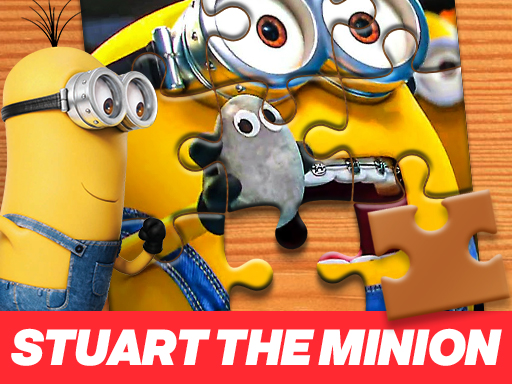
About Stuart the Minion Jigsaw Puzzle
Stuart the Minion Jigsaw Puzzle is a cartoon jigsaw game where you rebuild a Minion image from scattered pieces. Pick a difficulty, drag each piece into place, and keep connecting pieces until the picture looks complete again.
This listing is a straightforward online jigsaw puzzle built around a Stuart the Minion image. The source describes a simple start: choose whether the puzzle should be hard, medium, or easy, then work with pieces that are spread randomly around the game screen. Your task is to drag pieces over the transparent image areas where they match, linking them until the full picture is restored. The appeal is the familiar satisfaction of turning a scattered cartoon image back into a clean, complete scene.
Your goal
The goal is to complete the Stuart the Minion picture. After selecting a difficulty, move every randomly spread piece onto its matching transparent position and connect all pieces so the final image matches the original picture shown at the start.
How to play Stuart the Minion Jigsaw Puzzle
1. Start the puzzle and choose the difficulty you want: hard, medium, or easy.
2. Look at the scattered jigsaw pieces spread randomly around the game screen.
3. Use the mouse to drag a piece toward the transparent image area where it appears to match.
4. Drop pieces into matching positions and connect them to neighboring pieces as the picture begins to form.
5. Continue placing and connecting pieces until every piece is joined and the image looks like it did in the beginning.
Controls and device support
The source only states drag-and-drop play with the mouse; it does not list keyboard, touch, or controller inputs.
Mouse: Drag and drop jigsaw pieces onto the matching transparent image areas
- Controls: Mouse or touch
- Device support: Browser
- Game frame: 800 x 600
Rules to keep in mind
- Choose one difficulty before assembling: hard, medium, or easy.
- Pieces begin randomly spread around the screen rather than already placed.
- A piece belongs on the transparent image area where it matches the picture.
- The puzzle is finished when all pieces are connected and the image is restored.
What makes the challenge interesting
The focus is visual matching and patient placement rather than speed. Because pieces are randomly spread, part of the challenge is scanning the screen, recognizing edges, colors, and cartoon details, then testing each piece against the transparent guide. The easy, medium, and hard choice lets players adjust how demanding the assembly feels, while the core loop stays consistent: drag, match, connect, and gradually reveal the complete Minion image.
Tips for Stuart the Minion Jigsaw Puzzle
- If you are new to the format, start on easy to learn how the transparent target areas and piece shapes behave before trying harder settings.
- Group likely edge or corner pieces mentally first; in many jigsaw games this makes the outer shape easier to build, though the source does not state a border rule.
- Use the transparent image as your main guide: compare colors and character details before dropping a piece, instead of moving pieces at random.
The skills behind the game
As a Puzzles category entry with Jigsaw, Cartoon, Minion, and HTML5 tags, this game sits in the casual browser-puzzle space. The play pattern is approachable: recognize image fragments, place them on a guide, and finish a familiar character picture without needing complex systems or long-term progression.
Who will enjoy this game
Natural phrases for this page include the exact title, “Stuart the Minion jigsaw puzzle game,” and broader terms like “jigsaw puzzle online” or “puzzle game online.” These are treated only as language suggestions from the supplied seeds, not as measured demand, ranking, or traffic data.
Frequently asked questions
How do you play Stuart the Minion Jigsaw Puzzle? Choose hard, medium, or easy, then use the mouse to drag scattered pieces onto the transparent image areas where they match. Keep connecting pieces until the Stuart image is fully restored.
What difficulty options are available? The description says you can start by choosing hard, medium, or easy. It does not explain exact piece counts for each setting, so treat difficulty as a general challenge choice rather than a detailed mode list.
Is there a timer or scoring system? No timer, score, lives, or penalty system is stated in the supplied facts. The confirmed win condition is simply connecting all pieces so the picture looks like it did at the beginning.
Something not right?
Tell us if the game does not load, the information is wrong or the content needs review.
Report a problem ›