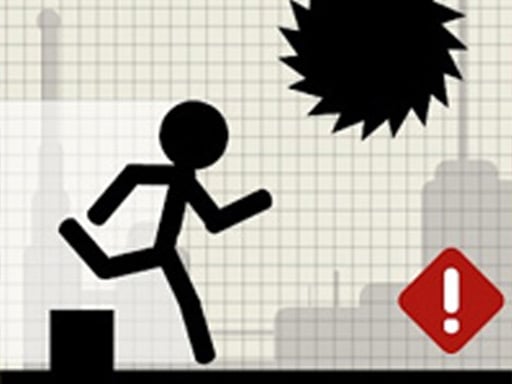
About Stick Runner
Stick Runner is an online obstacle-running game where players steer an active stickman along a single continuous track. Success depends on reading hazards that appear randomly in varying sizes and lengths, reacting quickly with either a leap or a crouch. Because sliding underneath low obstacles is constrained by an active red progress meter, survival requires sharp anticipation and precise movement control.
In Stick Runner, the action unfolds entirely along a solitary straightway populated by dynamic barriers. The core loop challenges players to monitor the approaching lane and decide whether each incoming hazard calls for an upward leap or a low squat. Because obstacles vary in both height and length, every encounter tests your ability to judge distance and commit to the correct evasive maneuver without hesitation.
The defining mechanic of the run is the crouch duration limit. When you drop down to slide under overhead structures, an on-screen red progress bar actively drains. The moment that bar empties, the stickman stands upright automatically. This forces you to time your slide so you do not stand up while still passing beneath an extended barrier, transforming routine obstacle clearance into a tactical timing challenge.
Your goal
The primary objective in Stick Runner is to sustain your sprint along the single lane for as long as possible by successfully clearing every incoming obstacle. Players strive to hone their split-second recognition skills, managing jump clearances over ground barriers and timing low slides beneath extended overhangs without triggering an early stand-up before the hazard clears.
How to play Stick Runner
1. Load the game in your browser and inspect the single running track as the stickman starts moving forward.
2. Watch the track ahead to spot randomly generated obstacles of different sizes and overall lengths.
3. Trigger a jump using the space bar or the on-screen jump button when ground-level obstacles enter your path.
4. Initiate a slide or squat using the arrow key or the bottom squat button to pass safely under elevated hazards.
5. Monitor the red progress meter during every squat to make sure your character does not stand up prematurely before the obstacle ends.
Controls and device support
According to the game instructions, use the space button to jump and the arrow key to slide. Alternatively, on-screen action controls are provided via two dedicated buttons positioned at the bottom of the play area for jumping and squatting.
- Controls: Keyboard
- Device support: Browser
- Game frame: 1080 x 1920
Rules to keep in mind
- The entire run is contained within a single track where obstacles generate in varied dimensions and randomized sequences.
- Players must navigate hazards exclusively by jumping upward or squatting downward using the designated controls.
- Squatting has an enforced time limit tracked by a visible red meter; once the red bar depletes completely, the stickman will automatically stand up.
What makes the challenge interesting
The central mechanical dynamic in Stick Runner is the deliberate management of your squat timer against variable obstacle lengths. In many arcade runners, sliding is an instantaneous action, but here your crouch is tethered to a draining red meter. Dropping too early before an elongated overhead barrier means the meter runs out mid-passage, forcing the runner upright into the obstacle.
This setup establishes a steady rhythm of visual assessment and delayed execution. Rather than reacting impulsively the instant an overhead barrier appears, players must gauge the length of the obstacle and delay their slide until the leading edge is immediately overhead. Balancing early jump leaps against carefully delayed crouches creates an engaging mental cadence that tests sustained concentration.
Tips for Stick Runner
- Delay your slide until you are right in front of low barriers. Dropping down too early drains the red progress bar before you clear long obstacles, causing your runner to stand up directly inside the hazard.
- Assess the length of incoming obstacles ahead of time. Varied obstacle dimensions require you to differentiate between short ground hurdles that require immediate hops and extended barriers that demand prolonged sliding focus.
- Keep your eyes fixed toward the far edge of the track rather than directly on your stickman. Looking ahead gives you extra split-seconds to prepare your hands for either a jump or a slide command.
- Stick to one preferred input method during a session. Switching back and forth between keyboard commands and on-screen bottom buttons can disrupt your reaction rhythm when obstacles appear in quick succession.
Stages and progression
Because Stick Runner takes place entirely across a single track with randomly appearing obstacles, player progression centers on building consistent personal endurance rather than clearing static linear stages. When starting out, focus on establishing a reliable visual baseline by identifying obstacle profiles early.
As your runs continue, structure your practice around handling longer hazard clusters and managing the red squat meter under pressure. Tracking how comfortably you navigate extended overhangs helps you refine the exact moment to trigger your slide, turning chaotic obstacle patterns into predictable timing routines.
Playing on different devices
Stick Runner operates in a portrait aspect ratio of 1080 by 1920 pixels, making it well-suited for vertical displays and mobile browsers. On desktop systems, players can utilize the space bar to jump and the arrow key to slide, providing tactile keyboard feedback.
On touchscreen devices or mouse setups, the interface features two bottom buttons designed specifically for jumping and squatting. Ensure the tall vertical canvas fits comfortably within your browser viewport so neither bottom control button is obscured during play.
The skills behind the game
While categorized under puzzle titles, Stick Runner blends quick-fire problem solving with obstacle evasion mechanics. In this setting, the puzzle element emerges not from static logic boards, but from rapid situational analysis. Players must scan incoming geometric threats, rapidly deduce whether a jump or slide is required, and calculate the exact moment to execute their action.
The addition of strict squat meter management forces players to treat obstacle avoidance as a continuous resource problem. Deciding how to conserve slide duration while moving at full speed makes the experience engaging for fans of spatial reaction puzzles and fast-paced stickman running challenges alike.
Who will enjoy this game
Players exploring a stick runner game often seek straightforward browser titles that test hand-eye coordination without complex menus or lengthy setup times. The game caters to those who enjoy clean minimalist visuals, responsive timing tests, and quick restart loops that can be enjoyed during brief casual breaks.
Those interested in active puzzle games online will appreciate the need to continuously evaluate hazard size, lane clearance, and timer management on the fly. Practicing smooth transitions between jumping and sliding helps players develop steady reflex discipline and sharper perceptual focus over time.
Frequently asked questions
How do you control your stickman in Stick Runner? You can jump using the space bar or slide using the arrow key on a keyboard. Alternatively, the game interface provides two visible buttons along the bottom of the screen to jump or squat directly.
Why does my runner stand up automatically while sliding? Squatting in Stick Runner has an intentional time restriction. A red progress bar depletes while you are crouching; once this bar disappears completely, your stickman automatically returns to an upright running posture.
Can you change lanes or steer left and right? No. The game takes place along a single track, meaning all hazard avoidance is vertical. You must clear every incoming obstacle exclusively by jumping over it or sliding underneath it.
How can I improve my timing against long obstacles? Watch incoming barriers closely to judge their length. For long overhead obstacles, wait until the obstacle is right above you before sliding so the red progress meter lasts until you reach safe ground.
Something not right?
Tell us if the game does not load, the information is wrong or the content needs review.
Report a problem ›