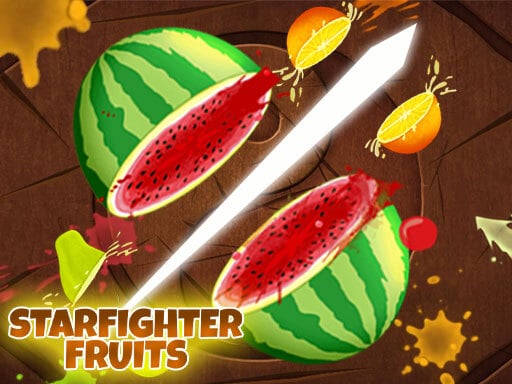
About Star Fighter Fruits
Star Fighter Fruits is a fast-paced slicing game where players cut through waves of airborne produce while steering clear of hazardous explosives. Designed for single-player browser sessions, the game tasks you with clicking, dragging, or swiping across the screen to chop fruit before it disappears. Navigating the screen requires sharp visual awareness, as one reckless stroke through a floating bomb can disrupt your run.
Star Fighter Fruits drops players directly into rapid cutting action, challenging your reaction speed and mouse dexterity. Targets launch upward into the play area, requiring deliberate cutting arcs rather than mindless flailing. The core game loop revolves around identifying safe targets, initiating a smooth cut across multiple pieces of fruit, and immediately withdrawing your cursor when a volatile bomb floats into your path.
The game provides varied gameplay experiences through distinct modes. Players can test their endurance in Classic mode by keeping fruit in the air and avoiding explosives, pursue high-score streaks using dynamic bananas in Arcade mode, or enjoy untimed cutting in Zen mode. Special power-ups like Peachy Time, Berry Blast, and Bomb Deflect add tactical layers, turning each round into an energetic test of target prioritization.
Your goal
The primary objective in Star Fighter Fruits is to slice as many fruits as possible while evading all incoming bombs. In Classic mode, your priority is preventing uncut fruit from dropping past the lower boundary and staying alive. In Arcade mode, you aim to maximize your total score by stringing together high-value combos and activating temporary bonuses such as Frenzy, Freeze, and Double Score before the session ends.
How to play Star Fighter Fruits
1. Launch the game in your web browser and select your desired game mode from the menu.
2. Observe the display as clusters of fruit and occasional bombs are tossed upward into the arena.
3. Hold down the left mouse button or press your finger against the screen to prepare your slicing path.
4. Swipe quickly across flying fruit to cut them into pieces while keeping your trail away from any active bombs.
5. Trigger helpful effects like Freeze, Double Score, or Frenzy bananas when available to push your score higher.
Controls and device support
Hold the left mouse button and swipe across the screen to cut the fruits, maneuvering carefully to avoid making contact with any floating bombs.
- Controls: Mouse or touch
- Device support: Desktop + mobile
- Game frame: 960 x 600
Rules to keep in mind
- Do not slice into bombs; striking an explosive will jeopardize your run.
- In Classic mode, players must slice targets before they fall off the screen and avoid detonating bombs.
- Arcade mode introduces special event bananas that grant Double Score, Freeze, or Frenzy multipliers.
- Equippable power-ups provide distinct advantages, such as Peachy Time extending time and Berry Blast clearing nearby fruit upon impact.
What makes the challenge interesting
The core mechanical appeal of Star Fighter Fruits lies in spatial discipline and deliberate cursor routing. While novice players may feel tempted to scribble wildly across the canvas, doing so creates immense risk when bombs spawn alongside clusters of fruit. High-performing players wait for targets to reach the apex of their arc, where vertical momentum slows down momentarily.
Rhythm and route planning dictate your success. Slicing three or four targets in a single cohesive swipe yields massive scoring dividends compared to fragmented, erratic taps. Learning to instantly abort a slash when an explosive drifts into your intended path is the definitive skill separating careless runs from record-setting sessions.
Tips for Star Fighter Fruits
- Wait for fruit to reach the peak of its trajectory before initiating your swipe. Striking near the apex gives you a stable cluster to cut and reduces the risk of accidental bomb contact.
- Prioritize short, controlled slicing gestures over wide screen-spanning swipes. Sweeping across the entire display often catches unspotted bombs, whereas disciplined micro-slashes keep your cursor safely under control.
- Capitalize immediately when Freeze bananas appear in Arcade mode. Slowing down the action gives you valuable breathing room to align complex multi-fruit cuts without dodging sudden hazardous movement.
- Use Berry Blast strategically when clusters become overwhelming. Cleaving through a power-up fruit to detonate adjacent items saves you from dropping fruit when multiple targets descend at once.
Stages and progression
Progression in Star Fighter Fruits centers on mastering its three primary play options: Classic, Arcade, and Zen modes. Beginners can build foundational cutting technique and steady hand-eye coordination in Zen mode, where the stress of bombs and failure states is removed. This allows you to practice fluid slicing motions and discover how different cutting angles interact with target groups.
Once comfortable with foundational swipes, players advance to Classic and Arcade modes to navigate stricter risk management. In Classic mode, your run demands zero dropped fruit and clean bomb evasion. In Arcade mode, you pursue personal best scores by stacking combo multipliers and leveraging power-ups like Peachy Time and Bomb Deflect to sustain prolonged high-intensity sessions.
Playing on different devices
Star Fighter Fruits renders in a native 960 by 600 resolution canvas that adapts smoothly to modern web browsers. On desktop platforms, controlling the blade with a mouse requires smooth drag inputs; keeping your mouse sensitivity balanced prevents your cursor from flying uncontrollably into stray explosives.
On touch-enabled setups, the game translates direct screen contact into slicing strokes. Players should ensure their display is clean and use light, brisk fingertip motions to maintain line of sight on emerging fruit and nearby bombs.
The skills behind the game
While cataloged under clicker games, Star Fighter Fruits primarily embodies fast-paced arcade reflex action. Traditional clicker titles often emphasize passive accumulation, incremental upgrades, and automated point generation. In contrast, this game demands direct physical engagement, persistent hand-eye coordination, and split-second spatial judgment with every single input.
The arcade slicing subgenre gained immense popularity because it distills gaming to pure kinetic satisfaction. Players enjoy immediate visual feedback as crisp blade lines sever vibrant targets mid-air. Star Fighter Fruits carries forward this arcade tradition, delivering accessible, single-session gameplay that tests player focus without requiring lengthy progression grinds.
Who will enjoy this game
Casual gamers searching for Star Fighter Fruits game typically look for quick, responsive browser entertainment that can be enjoyed in short bursts. The title provides an immediate, unencumbered gameplay loop that runs directly in standard web browsers without downloads or complex setups.
If you are exploring a clicker game online or craving an accessible reflex challenge to sharpen mouse accuracy, this game provides an engaging warm-up. Its mix of risk avoidance and combo slicing offers a satisfying mental break, making it ideal for casual coordination practice between work or study sessions.
Frequently asked questions
How do you control your blade in Star Fighter Fruits? You control your blade by holding down the left mouse button and dragging across the game screen. On touchscreen devices, simply press your finger against the display and swipe through airborne fruit.
What happens if you slice a bomb? Slicing a bomb damages your run. In Classic mode, detonating explosives can quickly end your game, while in other modes it disrupts your momentum, making bomb evasion a critical priority.
What game modes can you play? The game features three main play modes: Classic mode for traditional survival slicing, Arcade mode for timer-based scoring with bonus bananas, and Zen mode for a relaxed, bomb-free experience.
Is Star Fighter Fruits an idle clicker game? Despite being tagged under clicker games, it is an active arcade slicing title. It requires active swiping and real-time reflexes rather than idle automated resource collection.
Something not right?
Tell us if the game does not load, the information is wrong or the content needs review.
Report a problem ›