About Stacklands
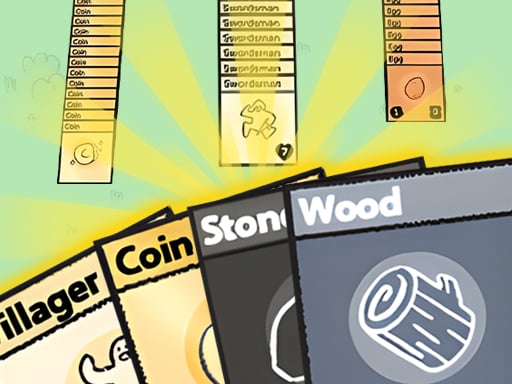
Stacklands is an innovative card game that blends village management with interactive card stacking mechanics. Players manipulate a board full of cards representing entities, workers, and resources to build and sustain a settlement. By dragging and stacking cards such as villagers onto resource sources, automated tasks trigger to help you collect items, feed your population, and pursue a wide variety of quest goals.
In Stacklands, every element of your settlement—from villagers and food sources to equipment and environmental objects—is represented as an interactive card on the play area. The core gameplay loop revolves around arranging, moving, and stacking these cards to prompt automatic actions and discover new combinations.
For example, placing a Villager card onto a Berry Shrub card directs the villager to automatically harvest berries over time. Once harvested, you can drag the resulting Berry card back onto the Villager card to replenish their satiety and keep your settlement functional. Across your session, you work through dozens of quests that introduce fresh tasks and require careful board organization to keep all your active cards working efficiently.
Your goal
The primary objective in Stacklands is to maintain a functioning settlement by gathering essential resources, feeding your villagers to sustain their satiety, and methodically completing dozens of available quests. Success relies on keeping your active card stacks organized so workers can continually generate resources without cluttering the play space or leaving your population without sustenance.
How to play Stacklands
1. Inspect the cards currently available on your playfield to identify your villagers and nearby resource nodes such as berry shrubs.
2. Drag or tap your Villager card and drop it directly on top of a Berry Shrub card to begin harvesting food automatically.
3. Wait for the harvesting action to finish and produce new Berry resource cards across your board.
4. Drag harvested Berry cards onto your Villager cards to restore their satiety levels and keep them ready for further work.
5. Review your active quest list and continue combining cards to meet objectives and expand your village operations.
Controls and device support
Use your mouse or touchscreen to drag or tap cards across the board to stack and rearrange them.
- Controls: Mouse or touch
- Device support: Desktop + mobile
- Game frame: 1280 x 720
Rules to keep in mind
- Placing a Villager card directly onto a Berry Shrub card triggers automatic berry harvesting.
- Dragging a Berry card onto a Villager card restores that villager's satiety.
- Card entities can be relocated across the board by dragging or tapping them into position.
What makes the challenge interesting
The defining quality of Stacklands is how it translates classic town and resource management concepts into tactile tabletop mechanics. Instead of navigating menus or managing sub-screens, every process happens directly on the table through card proximity and layering. Players must manage space and workflow simultaneously, deciding where to place active harvesting stacks while keeping food supplies easily accessible for upcoming villager maintenance.
This design creates a distinct rhythm: active gathering phases produce new cards that must be sorted and applied before the next project begins. The mental challenge centers on anticipating resource needs, ensuring workers stay fed, and systematically sorting through available quests without letting the play area become disorderly.
Tips for Stacklands
- Group similar resource cards together in dedicated sections of the board. Keeping your harvested berries near your working villagers makes feeding them quicker and prevents misplaced food cards.
- Keep your villagers continuously assigned to harvesting nodes like berry shrubs. Leaving workers idle delays food production and slows down progress toward broader settlement quests.
- Monitor your villagers' satiety regularly and apply berries promptly. Forgetting to feed active villagers can stall your workflow when you need resources gathered immediately.
- Organize your board layout before starting complex combinations. Clear space between active stacks avoids accidental card overlaps and makes dragging specific cards much easier.
Stages and progression
Progression in Stacklands is guided by dozens of quests that challenge players to discover new interactions and build out their card infrastructure. As you complete initial tasks like harvesting basic food supplies, newer quest goals present fresh management targets and encourage deeper experimentation with card combinations across the board.
Playing on different devices
Stacklands is designed to run in standard browser windows with a native display resolution of 1280x720. The interface supports both mouse dragging on desktop setups and direct tap-and-drag inputs on touch devices, offering a consistent management experience regardless of your chosen hardware.
The skills behind the game
While listed under the puzzle category, Stacklands combines brain-teasing spatial arrangement with card-based simulation mechanics. Players who enjoy planning-heavy puzzle games and logic challenges will appreciate the need to organize working stacks, optimize worker placements, and balance food supply lines across an evolving tabletop workspace.
Who will enjoy this game
Players looking for an engaging puzzle game online that breaks away from traditional tile-matching or grid puzzles often find card management titles particularly refreshing. Stacklands provides a hands-on management experience where every objective is resolved through physical card placement, making it a great casual title for short strategic sessions or relaxed problem-solving practice directly in your browser.
Frequently asked questions
How do you gather food in Stacklands? You gather food by dragging a Villager card on top of a Berry Shrub card. The villager will automatically start harvesting and generate fresh Berry cards on the board over time.
How do you restore a villager's satiety? To restore satiety, take a harvested Berry card and drag it directly onto the Villager card. This consumes the food and replenishes the villager's sustenance.
What controls are used to interact with cards? Stacklands uses intuitive drag and tap inputs. You can click and drag cards using a desktop mouse or touch and drag them across the screen on mobile devices.
What types of goals exist in the game? The game features dozens of structured quests that prompt you to experiment with card stacks, manage worker survival, and expand your village operations step by step.
Something not right?
Tell us if the game does not load, the information is wrong or the content needs review.
Report a problem ›