About SQUID SKIBIDI
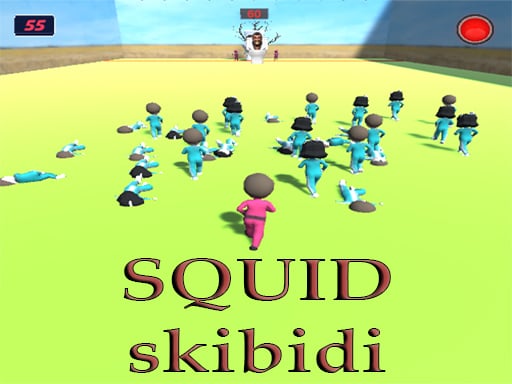
SQUID SKIBIDI tests your rapid reaction skills in an intense green-light, red-light dash across the screen. Drawing inspiration from popular survival drama concepts and online character themes, the game asks players to drag forward the moment the signal turns green and come to an absolute halt the instant it switches to red. Success relies on disciplined stop-and-go control and sharp visual awareness under constant pressure.
SQUID SKIBIDI brings a familiar playground tension to desktop and mobile browsers through minimalist timing mechanics. The core loop revolves around reading visual signals on the fly: whenever the green light is active, you must drag forward to make your character run across the course, but as soon as the signal shifts to red, you must immediately halt all motion and remain completely stationary.
Because the central task is built around sudden halts and restarts, the pacing feels brisk and nervous. Players must balance the natural urge to rush forward with the discipline required to freeze on a fraction of a second's notice. Rather than relying on complicated navigation or intricate button layouts, the experience channels raw timing and composure into a straightforward sprint.
Your goal
The primary objective in SQUID SKIBIDI is to cover ground and reach safety by running strictly while the green light is illuminated. Your personal goal on each attempt is to advance as far as possible without making a single unauthorized movement during red-light phases, sharpening your reaction speeds and minimizing costly delays between light cycles.
How to play SQUID SKIBIDI
1. Load the game in your browser and get ready to react immediately as the round begins.
2. Watch the visual signal carefully to identify when the green light is active.
3. Click or touch down and drag forward to make your runner sprint toward the finish line during the green phase.
4. Release your mouse button or lift your finger immediately the moment the red light shows up to come to a complete stop.
5. Stand perfectly still without making any cursor movements while the red light remains on.
6. Resume dragging forward as soon as the green signal reappears to complete your run.
Controls and device support
Official instructions specify mouse click or tap to play. On desktop, drag your mouse to run during the green light phase and release or halt all mouse movement when the red light appears.
- Controls: Mouse or touch
- Device support: Desktop + mobile
- Game frame: 300 x 600
Rules to keep in mind
- Movement is allowed only while the green light is illuminated; drag your mouse or touch input to advance.
- You must stand completely still and make zero moves whenever the red light is on.
What makes the challenge interesting
The defining skill in SQUID SKIBIDI is impulse control under visual pressure. While traditional running games encourage continuous forward motion, this timing challenge creates a constant tactical tension between moving fast and stopping dead in your tracks. Overcommitting to a sprint often leads to sliding or twitching just as the red light engages, which violates the core condition of the challenge.
Success comes from establishing a disciplined cadence: reading visual changes instantly, releasing your cursor slightly before a potential phase change, and keeping your hand steady while waiting out the red signal. Developing quick deceleration habits proves much more valuable than trying to maximize every tiny fraction of a second during green phases.
Tips for SQUID SKIBIDI
- Ease off forward momentum early if you sense the light transition approaching. Trying to steal extra distance at the end of a green phase frequently causes accidental movement on red.
- Lift your hand or finger clear of the input surface entirely during red lights. Resting your finger too heavily can trigger accidental screen drags or micro-movements.
- Keep your eyes fixed firmly on the light indicator rather than solely watching your character, ensuring your reaction to color changes is as immediate as possible.
- Use steady, deliberate drag motions rather than frantic flings so that you retain physical control and can stop your cursor at a moment's notice.
Playing on different devices
Configured at a native 300 by 600 resolution, SQUID SKIBIDI features a vertical portrait canvas that runs smoothly across both desktop browsers and mobile touchscreens. On smartphone screens, a single-finger press and slide replaces mouse dragging, making the game very accessible for quick touch-based sessions on Android and iPhone devices.
The skills behind the game
While listed under the broad racing heading, SQUID SKIBIDI blends straight sprint racing with action-timing and reflex mechanics. Traditional racing titles emphasize cornering lines, vehicle handling, and constant forward velocity, whereas this runner treats forward progress as a volatile risk that must be paused at any instant.
The addition of timing and brain tags reflects the cognitive demand of fighting physical momentum. Players who enjoy quick reaction tests, stop-and-go playground games, and agility-based browser challenges will appreciate the stripped-down, immediate focus of the mechanics.
Who will enjoy this game
Players looking for a squid skibidi game online are typically seeking immediate, casual reflex testing inspired by famous suspense challenges. In this format, success does not depend on hours of grinding or complex control schemes; it is entirely about personal attention span and hand-eye synchronization.
Whether searching for a quick racing game online or a lighthearted timing drill to sharpen your stopping reflexes during a break, this title offers an uncomplicated platform to practice clean input discipline under visual scrutiny.
Frequently asked questions
What is the core rule in SQUID SKIBIDI? The game follows a classic red-light, green-light format. You must drag to run forward when the green light is visible and stop all movement immediately when the light turns red.
How do you control your runner? Use your mouse to click and drag across the screen on desktop computers, or touch and slide forward when playing on mobile devices, lifting off during stops.
Can I play this game on a mobile phone? Yes, the game is built with HTML5 support for both iPhone and Android browsers, operating in a compact vertical layout suited for portrait viewing.
Something not right?
Tell us if the game does not load, the information is wrong or the content needs review.
Report a problem ›