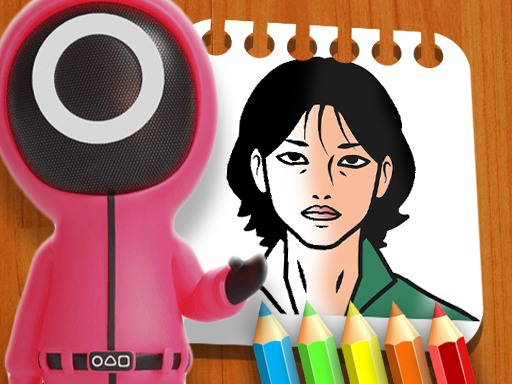
About Squid Game Coloring Book
Squid Game Coloring Book offers an accessible digital drawing experience suitable for players of all ages. Players can select from eight distinct illustration pages, pick custom paint shades from the bottom palette, and customize their brush point size to fill in outlines or create freehand artwork with mouse drag controls across modern devices.
Squid Game Coloring Book delivers a relaxed creative space featuring eight unique coloring sheets. Upon starting, you choose a template to color from the selection menu. The lower interface displays a diverse selection of colors alongside convenient artistic tools, including a customizable brush tip size and an eraser for effortless corrections.
The core mechanic relies on clicking and dragging across the canvas to lay down continuous strokes of your chosen hue. By modifying the drawing point thickness, you can handle broad fills across large sections or switch to narrower strokes for finer details, giving you complete artistic freedom across every page.
Your goal
Your objective is to complete any of the eight available coloring sheets by applying your preferred colors across the canvas. Because there are no mandatory timers or strict color matching requirements, success is defined entirely by finishing your artwork to your personal visual satisfaction.
How to play Squid Game Coloring Book
1. Select one of the eight illustrated pages from the main menu to begin painting.
2. Click on any color swatch located in the palette along the bottom of the screen.
3. Adjust the point size selector under the page to set your preferred brush thickness.
4. Click and hold the left mouse button while dragging across the page to apply color.
5. Select the eraser tool from the bottom toolbar whenever you need to remove unwanted marks.
Controls and device support
Left Click: Select colors, choose the eraser tool, and set brush point size
Mouse Drag (Click & Hold): Draw and apply color strokes across the canvas
- Controls: Mouse or touch
- Device support: Browser
- Game frame: 800 x 600
Rules to keep in mind
- Color selection must be made from the available swatches displayed on the bottom toolbar before painting.
- Artwork is applied via continuous click-and-drag strokes based on your currently active brush point size.
- The eraser tool replaces the active drawing color to let you clear strokes from the canvas.
What makes the challenge interesting
Gameplay centers on deliberate brushwork and tool management rather than fast reflexes or strict time constraints. Because coloring is freehand rather than auto-fill tap-to-color, maintaining smooth cursor movement determines the neatness of your finished illustration.
Switching between large and fine point sizes allows you to efficiently color background regions before carefully tracing delicate line borders. The presence of the eraser gives you room to experiment with layering shades without worrying about permanent mistakes.
Tips for Squid Game Coloring Book
- Set a wider point size to quickly color expansive background spaces before detailing intricate sections.
- Switch to a smaller point size when working close to black outline borders to keep edges clean.
- Use the eraser tool immediately when strokes bleed over outlines to maintain sharp character contours.
The skills behind the game
Cataloged under online puzzle and casual activities, digital coloring titles provide relaxing, open-ended entertainment. Instead of presenting complex riddles or tile-matching mechanics, coloring puzzles emphasize spatial awareness, color coordination, and deliberate brush precision within structured line art templates.
Who will enjoy this game
Players seeking a coloring game online or casual puzzle game online can enjoy Squid Game Coloring Book directly in a browser. Featuring simple point-and-click tools, it offers accessible creativity without requiring software downloads or complex setups.
Games with a similar feel
Happy Color: Like Happy Color, this game lets players bring line drawings to life using vibrant palettes. However, while Happy Color relies on tap-to-fill numbered zones, Squid Game Coloring Book uses freehand mouse drag strokes with adjustable brush point sizes.
Frequently asked questions
How many coloring pages are available in Squid Game Coloring Book? There are eight distinct illustration pages available to color from the selection menu.
How do you color on the pages? Select a color from the bottom menu, then click and drag your mouse across the canvas to draw.
Can you fix mistakes while coloring? Yes, you can select the eraser tool located under the canvas to remove unwanted paint strokes.
Something not right?
Tell us if the game does not load, the information is wrong or the content needs review.
Report a problem ›