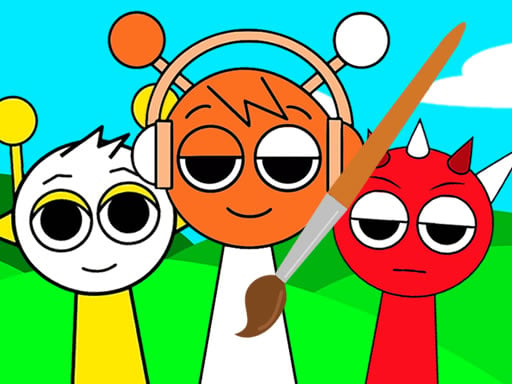
About Sprunki Coloring Book
Sprunki Coloring Book is a casual digital art game where players bring twelve different illustrated scenes to life using a vibrant palette of fifteen felt-tip pens. By selecting from multiple pen tip diameters shown on the left side of the canvas, you can paint broad areas or tackle fine line work before saving your finished artwork.
Sprunki Coloring Book invites players into a relaxed creative workspace featuring a collection of twelve distinct line-art pictures waiting to be filled with color. The interface presents a colorful toolkit containing fifteen felt-tip pens offering bright shades across the spectrum. Positioned on the left side of the screen is an array of circular icons with varying diameters, allowing you to switch between thick strokes for sweeping fills and smaller tips for precise detailing.
Because the activity is open-ended, you have complete freedom over your artistic palette and coloring style across every canvas. Once you finish detailing a page, the built-in save feature lets you export and keep your completed picture. Whether filling in musical characters or testing different color combinations, the experience focuses entirely on accessible digital painting at your own pace.
Your goal
The primary goal is to complete all twelve available illustrations using your choice of fifteen bright marker colors and selectable tip widths. Players can focus on developing clean stroke control, experimenting with contrast and shading, and saving polished digital prints of each finished character scene to build a full personal gallery.
How to play Sprunki Coloring Book
1. Browse the selection menu and choose one of the twelve available line-art illustrations to color.
2. Inspect the toolkit at the bottom or sides of the screen and click or tap to select one of the fifteen felt-tip pen colors.
3. Select a circle size from the left panel to set the pen diameter appropriate for wide fills or fine outlines.
4. Click or tap and drag across the canvas sections to apply your chosen color to the character.
5. Switch between pen shades and stroke widths as needed to add accents and finish every part of the drawing.
6. Use the save option to store your completed colored picture once you are satisfied with the result.
Controls and device support
The game is played entirely through mouse clicks on desktop or touchscreen taps on mobile devices to choose colors, select stroke sizes, and paint across the canvas.
- Controls: Mouse or touch
- Device support: Desktop + mobile
- Game frame: 1920 x 1080
Rules to keep in mind
- The game contains exactly twelve distinct picture templates available for coloring.
- Players can choose between fifteen bright felt-tip pen colors to paint the drawings.
- Brush thickness is controlled via the circular diameter selectors located on the left side of the interface.
- Completed artwork can be saved directly from the canvas interface.
What makes the challenge interesting
The central appeal of Sprunki Coloring Book lies in freeform creative execution and brush management. With fifteen distinct felt-tip marker colors, players must balance broad fills with careful border precision. Selecting the correct circle diameter on the left panel is essential for maintaining clean edges around character outlines while preventing tedious manual filling on large background sections.
Unlike rigid fill-bucket or color-by-number templates, freeform pen strokes encourage deliberate hand control and experimental palette combinations. The tradeoff centers on pacing and stroke size: using oversized pens covers ground quickly but increases the chance of straying beyond line boundaries, whereas fine-point pens require steady, patient strokes to build smooth color coverage.
Tips for Sprunki Coloring Book
- Select the largest circular diameter to fill broad character bodies quickly, switching down to narrower brush tips only when approaching delicate outlines to avoid messy color bleeds.
- Plan your palette across the fifteen available marker shades before filling adjacent zones, ensuring contrasting colors help character features stand out prominently.
- Work from the center of large sections toward the edges with smaller stroke circles, preventing accidental overlaps onto bordering line work.
- Take advantage of the built-in image saving feature after finishing each page so you keep a permanent visual record of all twelve completed designs.
Stages and progression
Sprunki Coloring Book offers a set of twelve individual picture canvases rather than a gated scoring or level-unlock structure. Players can tackle the illustrations in any order they prefer, moving freely between different character poses.
A satisfying way to track personal progression is to work through the gallery systematically, beginning with simpler character outlines to practice stroke precision before advancing to busier scenes with smaller internal zones. Comparing your saved image exports over time reveals steady improvements in neatness and color coordination.
The skills behind the game
Digital coloring titles bridge casual puzzle-solving, artistic recreation, and motor coordination. By presenting clean line-art outlines and a curated set of pigments, games in this space allow players to engage in relaxing creative expression without requiring specialized digital illustration software.
Within family-friendly creative collections, adjustable brush tips and vibrant color selections give both younger audiences and casual hobbyists an immediate way to experiment with visual design, palette harmony, and careful canvas control.
Who will enjoy this game
Players looking for a relaxing coloring game online or an accessible sprunki coloring book game experience often seek straightforward drawing tools that do not require complex setup or strict time pressure. The availability of fifteen felt-tip pens and twelve distinct templates makes this title suitable for quick creative sessions or deliberate, detailed painting practice.
Whether experimenting with bold color contrasts or practicing precision along character contours, the lightweight browser format delivers an inviting environment for casual digital art enthusiasts.
Games with a similar feel
Happy Color: While Happy Color focuses on filling designated numbered sections to reveal intricate pre-coded images, Sprunki Coloring Book emphasizes freeform painting using fifteen felt-tip pens and variable brush sizes across twelve templates. Players who prefer choosing their own color palettes and painting freely without mandatory number guides will appreciate this title's creative flexibility.
Frequently asked questions
How many pictures are included in Sprunki Coloring Book? The game includes twelve different line-art illustrations featuring characters ready to be colored with the provided toolset.
Can you change brush sizes while coloring? Yes, you can adjust your stroke width by selecting from the set of circle icons with different diameters located on the left side of the screen.
How do you save finished drawings? Sprunki Coloring Book includes a dedicated save function within the interface that lets you export and download your completed colored image directly.
Something not right?
Tell us if the game does not load, the information is wrong or the content needs review.
Report a problem ›