Official listing
Game description
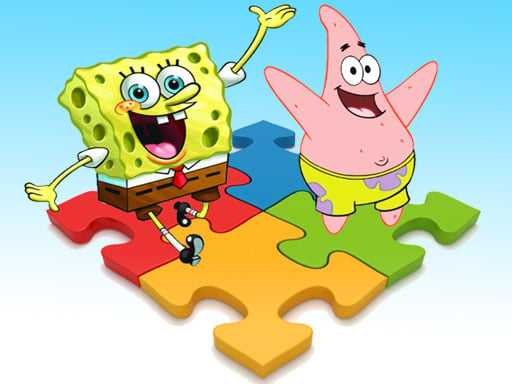
Have fun solving jigsaw puzzles of pictures of the cute cartoon hero SpongeBob and his friends. If you want, you can upload your own pictures and create your puzzle.
Puzzles game
SpongeBob Puzzle is an entertaining jigsaw puzzle game where players assemble colorful pictures of SpongeBob and his cartoon friends. In addition to solving built-in character scenes, the game provides a creative feature that lets you upload your own images to generate customized jigsaw challenges right on your screen.
Choose Play now to load the game.
Official listing
Have fun solving jigsaw puzzles of pictures of the cute cartoon hero SpongeBob and his friends. If you want, you can upload your own pictures and create your puzzle.
From the game listing
Tap the screen to play
Open this card to load the gameplay video.
SpongeBob Puzzle is an entertaining jigsaw puzzle game where players assemble colorful pictures of SpongeBob and his cartoon friends. In addition to solving built-in character scenes, the game provides a creative feature that lets you upload your own images to generate customized jigsaw challenges right on your screen.
SpongeBob Puzzle delivers accessible jigsaw entertainment designed for fans of cartoon puzzle games. Players can select artwork showcasing SpongeBob and his friendly companions, then piece each fragment together to recreate the complete illustration. The experience combines relaxed puzzle solving with familiar character imagery for casual players of all ages.
Beyond the preset gallery of cartoon images, the game includes a personalized creation mode. Players have the option to import their own favorite pictures, instantly turning personal photos or illustrations into interactive jigsaw puzzles to solve.
The main objective in SpongeBob Puzzle is to assemble scattered jigsaw pieces into a complete, seamless image. Whether working through standard scenes featuring SpongeBob and his friends or assembling a custom picture uploaded from your device, your goal is to fit every puzzle piece into its correct position to finish the board.
1. Tap the screen to launch SpongeBob Puzzle and start interacting with the game menu.
2. Select an available jigsaw puzzle featuring SpongeBob and his friends, or choose the option to upload your own picture.
3. Examine the scattered puzzle pieces and identify outer border segments or distinct visual patterns.
4. Tap and drag puzzle pieces across the play area to place matching edges together.
5. Continue connecting adjacent pieces until the entire image is fully assembled.
Gameplay in SpongeBob Puzzle revolves around visual recognition, spatial alignment, and relaxed picture assembly. Players inspect individual jigsaw pieces for matching colors, character features, and interlocking edge shapes. Because the game includes an image upload function alongside classic cartoon scenes, players can enjoy varied puzzle sessions ranging from SpongeBob adventures to personalized photo puzzles.
As part of the browser puzzle category, SpongeBob Puzzle emphasizes pattern recognition, problem-solving, and visual matching. Jigsaw games offer an accessible format where players can unwind while testing spatial skills, whether assembling character artwork or custom uploaded pictures.
Fans searching for a fun SpongeBob puzzle game or an engaging puzzle game online will appreciate the flexible options offered here. The inclusion of classic cartoon scenes alongside custom image creation makes this jigsaw puzzle online experience engaging for casual puzzle enthusiasts.
What characters appear in SpongeBob Puzzle? The game features jigsaw puzzles based on pictures of the cartoon character SpongeBob alongside his familiar friends.
Can I make custom puzzles in SpongeBob Puzzle? Yes, the game allows you to upload your own pictures to create and solve personalized jigsaw puzzles.
How do you interact with the game? You can tap the screen to navigate menus and manipulate the jigsaw pieces on your display.
Tell us if the game does not load, the information is wrong or the content needs review.
Report a problemExplore popular games by category, shared tags and site-wide activity.


















