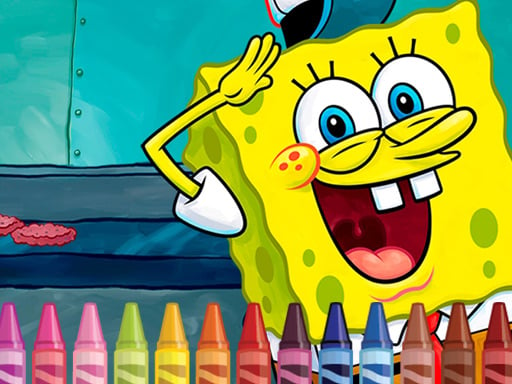
About Sponge Bob Coloring
Sponge Bob Coloring brings cheerful art pages featuring Bikini Bottom characters directly to your web browser. Designed as a fun activity for children and fans of SpongeBob SquarePants, this creative title lets players paint familiar scenes and characters with simple clicks or screen taps. Pick your favorite illustrations and bring the underwater world to life with vibrant colors.
Sponge Bob Coloring is an accessible digital coloring activity based on the popular animated series SpongeBob SquarePants. The game presents a collection of funny coloring pictures featuring SpongeBob and other well-known figures living in Bikini Bottom. Tailored to be engaging for boys and girls of various ages, the game provides a casual creative outlet without complex menus or stress.
Players interact with the artwork using simple point-and-click or tap controls, making it effortless to fill in outlines and test out different color combinations. Built with HTML5 technology, the title runs smoothly in modern desktop and mobile browsers, offering instant access to playful creative sessions anytime you want to enjoy art inspired by the beloved yellow character.
Your goal
The main goal in Sponge Bob Coloring is to complete each illustration featuring SpongeBob and his underwater friends using your personal choice of colors. Players can explore the available character scenes, apply colors to different sections of the drawing, and express their creativity by filling every outline to produce a finished, vibrant picture of Bikini Bottom.
How to play Sponge Bob Coloring
1. Select a coloring page featuring SpongeBob SquarePants or scenes from Bikini Bottom.
2. Choose a color from the available palette using your mouse cursor or touchscreen.
3. Click or tap on the area of the drawing you want to fill with your chosen shade.
4. Continue coloring different parts of the character and background until the picture is complete.
5. Pick a new image to start another fun coloring session whenever you finish.
Controls and device support
Mouse Click: Select colors and fill sections of the picture
Screen Tap: Select colors and fill sections on touchscreen devices
- Controls: Mouse or touch
- Device support: Desktop + mobile
- Game frame: 960 x 540
What makes the challenge interesting
Gameplay in Sponge Bob Coloring focuses on relaxation, artistic expression, and familiar animated storytelling. Instead of fast-paced arcade challenges, the experience revolves around taking your time to select hues and color the animated characters accurately or with imaginative custom palettes. The straightforward control scheme ensures that even young players can independently pick colors and fill in line art without getting stuck. Because there are no timers or score penalties, users can experiment freely with different visual styles, making it an inviting digital art experience centered on SpongeBob's cheerful underwater adventures.
Tips for Sponge Bob Coloring
- Start by filling in large character sections like SpongeBob's yellow body before moving on to smaller detailed areas.
- Try experimenting with unusual color palettes on familiar Bikini Bottom scenes to create your own unique custom artwork.
- Take your time with each picture, as there is no rush, allowing you to enjoy the creative coloring process.
Playing on different devices
Developed with HTML5, Sponge Bob Coloring operates directly in web browsers on both desktop and mobile platforms with a native canvas size of 960 by 540 pixels. Players on computers can use standard mouse controls, while smartphone and tablet users can interact directly through touchscreen taps.
The skills behind the game
Categorized under arcade and kids games, Sponge Bob Coloring offers a casual creative alternative to fast-reflex action titles. HTML5 arcade platforms frequently include coloring and artistic games to give players relaxing, low-pressure activities. This title emphasizes visual fun and character recognition, allowing players to engage playfully with familiar cartoon imagery directly in their web browser without demanding competitive mechanics.
Who will enjoy this game
Players seeking a sponge bob coloring game or an easy coloring game online will find an accessible option in Sponge Bob Coloring. While listed under arcade game online categories, its core appeal lies in digital picture painting. The straightforward browser-based format delivers quick access for children and fans wanting casual character art activities without requiring downloads or complex setups.
Games with a similar feel
Happy Color: Both Sponge Bob Coloring and Happy Color involve filling digital outlines with color, but Happy Color relies on a structured color-by-number puzzle system, whereas Sponge Bob Coloring focuses on open-ended character coloring featuring SpongeBob SquarePants.
Frequently asked questions
Who are the characters featured in Sponge Bob Coloring? The game features SpongeBob SquarePants along with characters and plot scenes from the animated series set in the underwater town of Bikini Bottom.
How do you control the coloring tools in the game? You can select colors and paint sections by clicking with your mouse on desktop computers or tapping directly on your mobile touch screen.
Is Sponge Bob Coloring suitable for younger players? Yes, the title is designed as a fun, accessible coloring activity for boys and girls of different ages with simple tap and click controls.
Something not right?
Tell us if the game does not load, the information is wrong or the content needs review.
Report a problem ›