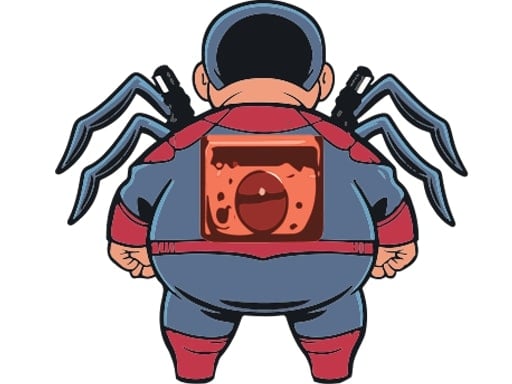
About Spider Boy
Spider Boy puts you in charge of an agile hero leaping across urban rooftops under a moonlit sky. Your main objective is to traverse platforms by timing each leap cleanly, avoiding obstacles, and collecting points along your run. Built around simple tap-driven jumping, it challenges your reflexes and rhythm as you navigate platform gaps and hazards across progressive levels.
Set against a moonlit urban backdrop, Spider Boy delivers a classic 2D arcade platforming loop. Players guide the titular hero across elevated structures and rooftops, judging distances to hop safely from one surface to the next. The environment requires ongoing attention to jump trajectories and emerging hazards as you advance.
The core gameplay loop centers on precision, agility, and timely reactions. You tap to jump across platforms, watch out for obstacles that appear along the course, and pick up points whenever opportunities arise. The experience offers straightforward pick-up-and-play sessions suitable for quick breaks or casual high-score attempts.
Your goal
Your objective in Spider Boy is to guide your character safely from platform to platform while gathering points and dodging hazards. Success relies on surviving the crossing, reacting promptly to incoming obstacles as you progress through stages, and steadily increasing your overall point total.
How to play Spider Boy
1. Start the session by tapping the play button on the opening screen.
2. Observe the distance between your current rooftop platform and the next landing spot.
3. Tap the screen to trigger Spider Boy's jump across the open gap.
4. Scan ahead for obstacles that appear during your run and time your leaps to avoid colliding with them.
5. Collect points situated throughout the course while maintaining steady forward momentum across levels.
Controls and device support
The official instructions indicate that you tap the play button to start the game and tap on the screen to make Spider Boy jump between platforms. Desktop players can use mouse clicks to trigger the tap action.
- Controls: Mouse or touch
- Device support: Desktop + mobile
- Game frame: 680 x 1080
Rules to keep in mind
- Tap the screen to propel Spider Boy between rooftop platforms.
- Avoid running into obstacles that appear as you advance through the levels.
- Collect available points scattered across the platforming run.
What makes the challenge interesting
Spider Boy demands consistent jump timing and spatial awareness. Because the character traverses separate platforms across an urban skyline, jumping too early or hesitating can lead to missed landings or collision with incoming hazards. The primary challenge lies in synchronizing your inputs with platform spacing, ensuring you clear open space while staying prepared for the next obstacle.
A key strategic tradeoff involves point collection versus safe navigation. Going out of your way to grab every visible point can increase risk if it complicates your approach to an obstacle or disrupts your landing rhythm. Finding a balance between conservative survival and deliberate collection is the hallmark of consistent play.
Tips for Spider Boy
- Watch the edge of each platform before committing to a leap. Tapping too early can leave you short of the landing zone, so wait until Spider Boy approaches the drop-off point.
- Focus your eyes one jump ahead rather than watching your character directly. Tracking upcoming platforms and hazards early gives you valuable extra time to plan your tap.
- Prioritize clearing obstacles over risky point grabs. Sacrificing a tricky pickup is often wiser than mistiming your jump and striking a hazard.
- Maintain a steady tapping cadence when gaps appear at regular intervals. Rushing inputs or double-tapping haphazardly often causes misjudged landings.
Stages and progression
The game structures its challenge around advancing through progressive levels, where obstacles appear along your route as you move forward. As you complete runs and tackle new layouts, you can structure personal practice around pacing: focus on cleanly clearing platform gaps on early attempts, then incorporate systematic point collection as your timing becomes more dependable.
Playing on different devices
With an official portrait canvas of 680 x 1080, Spider Boy is naturally suited for mobile screens and Android devices, allowing comfortable one-thumb tapping. On desktop browsers, the portrait layout runs inside the browser window, where standard mouse clicks substitute for touch taps without changing the input timing.
The skills behind the game
As an arcade platform jumper, Spider Boy fits cleanly into the tradition of quick-reflex 2D running and leaping games. These titles emphasize readable visual layouts, immediate mechanical feedback, and a single dominant action—here, jumping—over complicated menus or inventory management.
The appeal of this format lies in its simplicity. Single-player arcade experiences let players jump straight into the action without extensive tutorials, testing hand-eye coordination and situational reaction time through repetitive, engaging obstacle traversal.
Who will enjoy this game
Players looking for a fun spider boy game or a casual arcade game online will appreciate the accessible rhythm of this title. It works particularly well as a short reaction-training warm-up or a relaxing pastime between tasks, providing clear platforming goals without requiring extensive play sessions.
Because the mechanics center entirely on obstacle avoidance and platform jumping, newcomers can grasp the entire flow within seconds. Casual players aiming to sharpen their visual timing can treat each session as an exercise in rhythmic consistency, seeing how smoothly they can navigate successive rooftop gaps.
Games with a similar feel
2048: While Spider Boy tests real-time reflexes and jumping precision across moving urban platforms, 2048 focuses on methodical number merging and spatial tile management on a calm grid. Players wanting instant physical coordination and quick arcade reactions will prefer Spider Boy, whereas those seeking deliberate puzzle strategy and turn-based planning lean toward 2048.
Frequently asked questions
How do you control Spider Boy? You control Spider Boy by tapping the screen to initiate jumps between platforms. On desktop, a standard mouse click performs the same tapping action.
What is the primary goal in Spider Boy? Your goal is to leap safely across rooftop platforms, dodge incoming obstacles, and accumulate points as you advance through the game's levels.
Can I play Spider Boy on both mobile and desktop browsers? Yes. The game features a 680 x 1080 portrait resolution designed for Android and mobile touchscreens, but it functions equally well on desktop computers using mouse clicks.
Something not right?
Tell us if the game does not load, the information is wrong or the content needs review.
Report a problem ›