Official listing
Game description
Don?t crash this is the only rule of the game.
Racing game
Speed Car Racer in Traffic is an online racing game where players steer fast supercars along busy roadways. Supporting both solo driving and local two-player action, the game challenges participants to navigate traffic lanes without crashing. Keep your vehicle steady, react promptly to nearby road traffic, and compete alongside a friend on a single display.
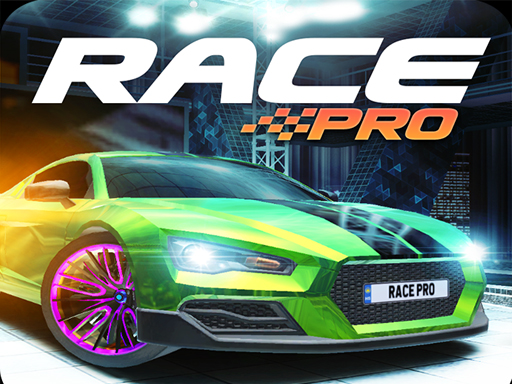
Choose Play now to load the game.
Official listing
Don?t crash this is the only rule of the game.
From the game listing
Controls in oneplayer game Shift Touch Controls in twoplayer game Player-1 Shift Touch left pole on display Player-2 UpArrow Touch right pole on display Made in Construct 2 Enjoy the game
Open this card to load the gameplay video.
Speed Car Racer in Traffic is an online racing game where players steer fast supercars along busy roadways. Supporting both solo driving and local two-player action, the game challenges participants to navigate traffic lanes without crashing. Keep your vehicle steady, react promptly to nearby road traffic, and compete alongside a friend on a single display.
Speed Car Racer in Traffic delivers accessible browser racing centered entirely on collision-free driving. Built in Construct 2, the game offers immediate arcade action with distinct setups for one or two players on the same screen. In single-player mode, you steer your car through active traffic flows, reacting quickly to maintain your run. When sharing the game in two-player mode, the screen divides control between Player 1 and Player 2, allowing both racers to test their reaction times simultaneously. Because avoiding crashes is the foundational rule, success relies on clean timing, careful lane navigation, and steady focus under pressure.
The primary objective in Speed Car Racer in Traffic is straightforward: avoid crashing at all costs. Drivers must guide their supercars along the road while monitoring nearby vehicles in active traffic. In two-player mode, both players strive to maintain control of their respective cars, competing to see who can react effectively and stay on course without colliding with traffic hazards.
1. Select whether to race in single-player or challenge a partner in two-player mode.
2. Use the Shift key or touch inputs on mobile to control your vehicle in solo play.
3. For two-player sessions, Player 1 uses Shift or touches the left pole while Player 2 uses the Up Arrow or touches the right pole.
4. Watch the roadway ahead closely to identify oncoming cars and traffic patterns.
5. Keep maneuvering smoothly between traffic lanes to prevent collisions and keep racing.
Shift: Control car in single-player or Player 1 in two-player mode
Up Arrow: Control car for Player 2 in two-player mode
Touch Screen: Control car in single-player mode
Touch Left Pole: Control Player 1 car in two-player mode
Touch Right Pole: Control Player 2 car in two-player mode
Gameplay in Speed Car Racer in Traffic revolves around rapid reflexes and continuous traffic awareness. Whether playing solo or facing off in two-player matches, players must stay alert to surrounding cars on the highway. The simple one-button or touch input layout keeps the focus squarely on lane timing rather than complex driving mechanics. In two-player mode, the shared screen adds friendly competition as each racer manages their own lane using separate on-screen touch zones or dedicated keyboard keys. Precision steering and instant reaction to sudden hazards are essential to surviving long runs.
As an arcade entry in the online racing genre, Speed Car Racer in Traffic emphasizes quick reflex-based car handling over realistic simulation physics. Traffic-dodging games challenge drivers to find open lanes amidst congested highways, testing hand-eye coordination under increasing pressure. By providing local two-player support directly inside a browser window, the title captures classic arcade multiplayer excitement while keeping controls straightforward and accessible.
Players searching for a casual racing game online often look for titles like Speed Car Racer in Traffic that offer instant, browser-based car action. The title delivers quick sessions centered around navigating traffic lanes with supercars. Whether competing solo or against a friend in local multiplayer, the game provides straightforward racing entertainment accessible across supported desktop and mobile web platforms.
Asphalt: Like Asphalt, Speed Car Racer in Traffic puts players behind the wheel of fast cars navigating challenging routes. However, while Asphalt features 3D arcade stunts and extensive career progression, this game focuses on minimalist, top-down 2D traffic dodging with local two-player controls.
Can two people play Speed Car Racer in Traffic on the same device? Yes, the game features a dedicated two-player mode where Player 1 uses Shift or the left touch pole and Player 2 uses the Up Arrow or the right touch pole.
What is the main goal during a race? The primary goal is to drive through busy traffic without crashing, as avoiding collisions is the central requirement for maintaining a successful run.
Tell us if the game does not load, the information is wrong or the content needs review.
Report a problemExplore popular games by category, shared tags and site-wide activity.

















