Official listing
Game description
Do you have a space dream? Spaceflight Simulator is a challenging spaceflight simulation game suitable for boys who love to build and launch rockets.
Hypercasual game
Spaceflight Simulator invites aspiring space explorers to build and launch their own rockets in a challenging browser-based simulation. Designed for quick-session play, the game focuses on the core thrills of aerospace engineering: assembling a functional craft and sending it soaring into the sky. With intuitive one-touch controls, players can easily test their designs, manage launches, and experience the satisfaction of rocketry.
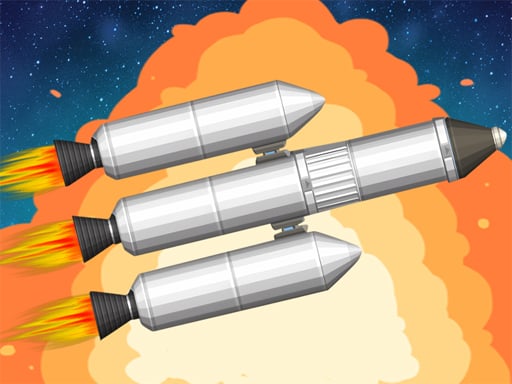
Choose Play now to load the game.
Official listing
Do you have a space dream? Spaceflight Simulator is a challenging spaceflight simulation game suitable for boys who love to build and launch rockets.
From the game listing
Mouse click or tap to play
Open this card to load the gameplay video.
Spaceflight Simulator invites aspiring space explorers to build and launch their own rockets in a challenging browser-based simulation. Designed for quick-session play, the game focuses on the core thrills of aerospace engineering: assembling a functional craft and sending it soaring into the sky. With intuitive one-touch controls, players can easily test their designs, manage launches, and experience the satisfaction of rocketry.
Spaceflight Simulator combines casual accessibility with the exciting themes of space exploration and rocketry. The central experience revolves around preparing a craft and guiding it through flight, testing how well your assembly performs once the engines ignite. Whether experimenting with basic boosters or refining more ambitious rocket structures, each attempt offers immediate visual feedback on your design choices.
Because the game is built for lightweight browser play, sessions are fast and direct. Players spend their time testing designs, observing flight behavior, and making practical adjustments to reach greater heights. The experience offers a friendly entry point into space simulation without the overwhelming complexity of full-scale professional flight software.
The primary objective in Spaceflight Simulator is to successfully construct and launch rockets to conquer the skies. Players aim to assemble balanced parts, achieve clean liftoffs, and optimize flight trajectories to complete challenging simulation runs and push their space exploration ambitions as far as possible.
1. Examine the rocket assembly area and select the components you want to build into your craft.
2. Use mouse clicks or screen taps to position parts and finalize your rocket structure.
3. Initiate the launch sequence to send your assembled rocket upward from the launch pad.
4. Observe your rocket's flight path, balance, and altitude during the ascent.
5. Evaluate the results of the flight, adjust your design, and launch again to tackle greater challenges.
All interactions, component placements, and launch triggers are performed using standard mouse clicks or screen taps.
The core appeal of Spaceflight Simulator lies in the iterative cycle of building, testing, and adapting. Unlike pure arcade games that rely strictly on reaction speed, this simulation encourages players to consider balance, structure, and sequence before launching. Finding the right harmony between rocket power and structural stability creates a satisfying gameplay rhythm.
Each launch acts as a practical test of your design decisions. If a flight veers off course or struggles to gain elevation, the player must identify what to tweak for the next run. This balance between thoughtful assembly and real-time observation delivers an engaging aerospace challenge.
Configured with a vertical resolution profile of 750 by 1334 pixels, Spaceflight Simulator is well suited for portrait displays on smartphones and tablets. Mobile users can comfortably control rocket construction and launch buttons with single-finger taps. On desktop browsers, standard mouse clicks offer precise part selection and smooth menu navigation within the tall display window.
Sitting at the intersection of simulation and hypercasual genres, Spaceflight Simulator takes the captivating subject of aerospace engineering and streamlines it for accessible web play. While classic flight simulators often demand complex telemetry readings and extensive control bindings, hypercasual simulations emphasize rapid feedback loops and immediate gameplay. This hybrid approach lets players experience the excitement of rocket staging and launches without lengthy learning curves.
Players searching for an accessible spaceflight simulator or a casual spaceflight simulator game will find an easy-to-learn rocket building experience here. The game is designed for aerospace enthusiasts who want to experiment with rocket assembly and flight mechanics during quick breaks, offering straightforward tap controls and instant launches directly in the browser.
What is the main goal in Spaceflight Simulator? The main goal is to design, assemble, and launch functional rockets, experimenting with different configurations to achieve successful spaceflights and overcome simulation challenges.
How do you control the rocket building and launches? All actions in the game are handled through direct clicks with a mouse or taps on a touchscreen, making it simple to place rocket modules and trigger launches.
Can I play Spaceflight Simulator on both mobile and desktop browsers? Yes. The game supports mouse and touch inputs, and its portrait screen dimensions fit naturally on mobile devices while remaining fully playable on desktop screens.
Tell us if the game does not load, the information is wrong or the content needs review.
Report a problemExplore popular games by category, shared tags and site-wide activity.


















