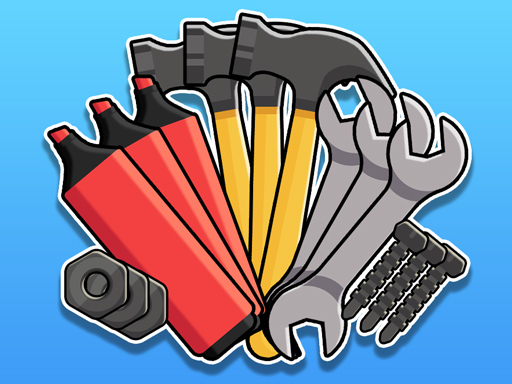
About Sort Games Challenge
Sort Games Challenge is a fast-paced browser puzzle game where players test their visual organization and matching skills across multiple game modes under a ticking countdown.
Sort Games Challenge brings classic sorting and matching mechanics into a flexible, multi-mode format designed for quick thinking. Players are presented with active sorting puzzles where the main objective is to identify matching elements and organize them according to the level's specific goal.
Rather than locking players into a single repetitive setup, the game offers a choice of distinct modes. Each mode introduces its own visual layout and sorting mission, demanding rapid pattern recognition and quick decision-making before the stage timer expires.
Your goal
The primary objective in Sort Games Challenge is to fulfill the designated sorting mission of each level within the allotted time limit. Success requires quick visual evaluation, decisive item selection, and steady execution before the clock runs down.
How to play Sort Games Challenge
1. Select your preferred puzzle mode from the available game options.
2. Observe the layout of items and identify your sorting objective for the active stage.
3. Click or tap on items to select and organize them into matching sets or designated positions.
4. Keep an eye on the stage clock to ensure your sorting pace matches the limited time window.
5. Complete the required sorting mission before time runs out to clear the level.
Controls and device support
On PC, click the mouse to select items. On mobile and tablet devices, tap the screen with your finger to make selections.
- Controls: Mouse or touch
- Device support: Desktop + mobile
- Game frame: 1080 x 1920
Rules to keep in mind
- Levels must be completed within a limited time frame in order to pass.
- Players can choose between multiple puzzle modes rather than being restricted to a single gameplay style.
- Selections are made by direct clicking on desktop or screen tapping on touch devices.
What makes the challenge interesting
The core dynamic of Sort Games Challenge centers on the tension between visual accuracy and rapid execution. Because each stage imposes a strict time boundary, hesitation can cost valuable seconds. Players must scan the board systematically, spot matching groups or misplaced items immediately, and execute selections without unnecessary trial and error.
Balancing speed with careful observation is essential. Rushing into hasty clicks without recognizing the board structure can lead to wasted motion, whereas scanning too methodically might leave insufficient time to complete the remaining matches. Developing a rhythmic scanning habit helps maintain both accuracy and speed.
Tips for Sort Games Challenge
- Scan the entire board for immediate, obvious matches as soon as the level begins. Securing fast opening moves builds early momentum and creates breathing room for more complex placements later in the countdown.
- Avoid clicking aimlessly when searching for the next move. Random selections waste critical seconds under the time limit, so take a brief fraction of a second to visually confirm a match before tapping.
- Explore different available game modes to identify which sorting style best matches your strengths. Practicing across varied modes sharpens visual recognition under different layout structures.
- Work in structured visual zones, such as scanning from top to bottom or grouping identical colors and shapes together. This organized approach prevents you from repeatedly checking the same board areas.
Stages and progression
Sort Games Challenge organizes its difficulty around passing individual timed levels across its selection of game modes. As players advance, matching tasks require quicker visual processing to ensure the full mission is fulfilled within the limited stage timer.
To build consistency across sessions, focus on maintaining a steady sorting cadence rather than frantic bursts of clicking. Replaying challenging stages across multiple modes allows you to refine your scanning technique and reduce hesitation during time-pressured moments.
Playing on different devices
Designed in a vertical 1080 x 1920 layout, Sort Games Challenge fits naturally on mobile phones and tablets held in portrait orientation, allowing for fast, direct one-handed or two-handed tapping across the play area.
On desktop browsers, the portrait canvas displays centered on the screen, where standard mouse clicks provide precise item selection without requiring complex keyboard controls.
The skills behind the game
In browser puzzle and matching games, sorting challenges have emerged as an engaging branch of casual brain training. These titles combine spatial organization, color or object recognition, and rapid sorting mechanics to test mental agility under accessible rule sets.
By incorporating multiple game modes and countdown-driven stages, Sort Games Challenge bridges the gap between relaxing hypercasual sorting and high-tempo puzzle problem-solving, making it enjoyable for quick daily mental warm-ups.
Who will enjoy this game
Players searching for an entertaining sort games challenge game often look for puzzle titles that provide instant pick-up-and-play accessibility alongside genuine time-management tension. This game provides a clean format where sorting accuracy directly influences your ability to beat the clock.
Whether you are practicing visual focus or seeking a quick puzzle game online to pass the time on desktop or mobile, tackling timed sorting boards offers a satisfying way to exercise pattern recognition skills in bite-sized play sessions.
Frequently asked questions
What is the main objective in Sort Games Challenge? The main goal is to complete the assigned sorting and matching mission for each level before the stage timer runs out.
Can I choose different game modes in Sort Games Challenge? Yes. The game features multiple modes to challenge yourself, allowing you to experience different sorting setups rather than just one fixed layout.
How do the controls work on PC and mobile devices? On a computer, use left mouse clicks to select items. On mobile phones or tablets, simply tap the screen directly with your finger.
How can I improve my speed when solving timed sorting puzzles? Develop a structured visual scanning routine across the board, identify easy matches first to open up space, and confirm your target visually before tapping to prevent wasted moves.
Something not right?
Tell us if the game does not load, the information is wrong or the content needs review.
Report a problem ›