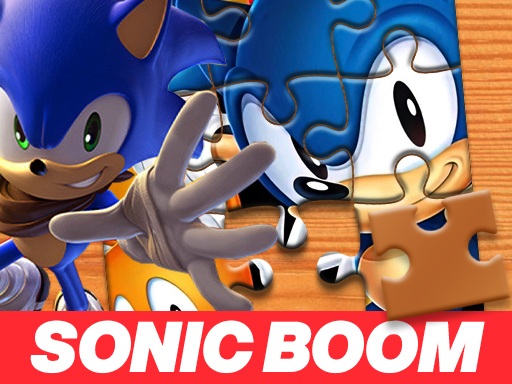
About Sonic Boom Jigsaw Puzzle
Sonic Boom Jigsaw Puzzle invites players to reassemble a colorful cartoon scene featuring familiar animated characters. After selecting your preferred challenge setting from easy, medium, or hard, the puzzle pieces scatter across the screen. Your task is to drag each jigsaw fragment across the board and match it onto the transparent background template until the full image is completely restored.
Sonic Boom Jigsaw Puzzle brings classic tabletop assembly into a browser window, presenting a character illustration framed within an 800 by 600 display area. The experience begins at a setup screen where you decide the complexity of the puzzle by selecting between easy, medium, and hard modes. Once your difficulty is chosen, the unified artwork is divided and its individual jigsaw segments are distributed randomly across the playfield.
The core gameplay loop centers on visual recognition and patient positioning. A transparent silhouette of the final picture remains visible behind the workspace, acting as an integrated placement guide. Using standard drag-and-drop mouse movements, you pick up scattered segments, align them with the underlying reference art, and interlock them into cohesive clusters. There are no aggressive distractions, allowing players to focus entirely on visual deduction and steady problem-solving.
Your goal
Your objective is to assemble every scattered jigsaw piece onto the play space so that all parts connect seamlessly and recreate the original cartoon illustration. By matching shapes, colors, and line details against the faint transparent background, you aim to resolve the entire picture without leaving any loose pieces stranded along the borders of the game screen.
How to play Sonic Boom Jigsaw Puzzle
1. Select your desired difficulty setting on the opening screen, choosing between easy, medium, or hard.
2. Observe the scattered pieces dispersed across the display and examine the transparent guide image positioned in the workspace.
3. Click and hold the left mouse button on any loose jigsaw tile to pick it up.
4. Drag the selected piece over its corresponding position on the faint transparent background template.
5. Release the mouse button to drop the piece into place once the colors and contours align.
6. Continue dragging and joining remaining pieces until every tile connects and the original scene is completely restored.
Controls and device support
The game uses simple drag-and-drop controls, allowing you to manipulate jigsaw pieces across the screen using your mouse cursor.
- Controls: Mouse or touch
- Device support: Browser
- Game frame: 800 x 600
Rules to keep in mind
- Players must pick one of three difficulty tiers—easy, medium, or hard—before the puzzle pieces are distributed.
- Puzzle pieces are distributed randomly across the game screen at the beginning of each session.
- Pieces must be dragged over the matching sections of the transparent underlying image to interlock correctly.
- Completion requires connecting every scattered fragment so the finished layout matches the initial artwork completely.
What makes the challenge interesting
The primary appeal of Sonic Boom Jigsaw Puzzle lies in pattern observation and spatial orientation. Because puzzle fragments are scrambled across the screen at random, players must scan the canvas methodically rather than grabbing items haphazardly. Success depends on cross-referencing distinctive visual cues—such as sharp color boundaries, unique facial features, or contrasting costume elements—against the faint transparent outline beneath the play area.
The built-in difficulty selection introduces an interesting pacing tradeoff. Opting for an easier tier provides larger, more recognizable pieces that slot into place rapidly, making it suitable for casual warm-ups. Higher difficulty settings generate smaller fragments that demand finer scrutiny of interlocking tabs and subtle background gradients. Balancing visual scanning with steady mouse placement is key to maintaining a smooth assembly rhythm.
Tips for Sonic Boom Jigsaw Puzzle
- Inspect the transparent background silhouette early to locate prominent focal points, such as character eyes or distinctive footwear, which are easiest to identify among loose tiles.
- Separate straight-edged outer boundary pieces from inner floating fragments before filling in the interior, preventing your workspace from becoming cluttered with misplaced tiles.
- Group pieces with shared color palettes together around the edges of the board, reducing time spent searching across the entire screen for adjacent puzzle connections.
- Start on easy difficulty to learn the image layout before challenging yourself with smaller pieces in medium or hard modes.
Stages and progression
Progression in the game is centered on player-selected difficulty tiers rather than an automated linear campaign. When starting a match, you select between easy, medium, and hard modes. Each setting modifies the division of the puzzle, presenting varying piece counts that adjust the complexity of the assembly process.
Players looking to build mastery can establish their own practice progression. Completing the puzzle comfortably on easy provides a clear visual memory of the character illustration. Stepping up to medium and hard modes introduces greater fragmentation, requiring more disciplined edge sorting and closer alignment against the faint underlying guide.
Playing on different devices
The game operates within a standardized 800 by 600 pixel window designed primarily for desktop web browsers. A standard physical mouse provides comfortable precision when clicking, dragging, and dropping puzzle pieces over the underlying template.
Because the play area contains both scattered puzzle fragments and an underlying alignment guide, maintaining a steady pointer speed helps ensure that pieces snap smoothly into their designated positions without accidental drops.
The skills behind the game
Jigsaw puzzles represent one of the most accessible genres within casual browser gaming, emphasizing relaxed observation and tactile assembly over intense reflexes. By utilizing character-driven cartoon themes, these games appeal to younger audiences and puzzle enthusiasts alike, offering familiar faces as a visual anchor while solving complex spatial layouts.
Within the broader puzzle catalog, digital jigsaws provide a clean, mess-free alternative to traditional physical boxes. Players can engage in brief assembly sessions during breaks, testing their ability to recognize recurring patterns, identify border edges, and assemble composite images at a self-directed pace.
Who will enjoy this game
Players searching for an entertaining jigsaw puzzle online often seek quick, accessible browser sessions that do not require complex setup or lengthy downloads. Sonic Boom Jigsaw Puzzle meets this intent directly by offering instant, in-browser drag-and-drop mechanics that can be enjoyed in short bursts.
For fans exploring casual puzzle game online options, having adjustable settings ensures that the challenge matches varying player abilities. Whether introducing young gamers to basic pattern matching on easy mode or testing spatial awareness on hard, the title offers straightforward puzzle entertainment suitable for casual practice.
Frequently asked questions
What difficulty settings can I choose in the game? You can choose between easy, medium, and hard difficulty settings right before the puzzle pieces are scattered across the screen.
Is there a reference image to help place puzzle pieces? Yes, a transparent version of the complete image sits behind the workspace, showing you precisely where matching pieces belong.
How do you control and connect pieces on desktop? Use your mouse to drag individual pieces across the screen and drop them onto the matching sections of the transparent background.
Something not right?
Tell us if the game does not load, the information is wrong or the content needs review.
Report a problem ›