About Solitaire Classic
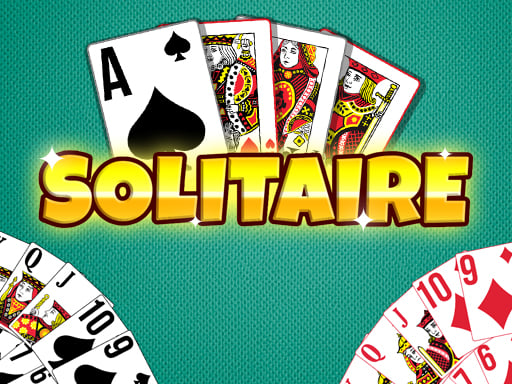
Solitaire Classic delivers the traditional Klondike patience card experience on desktop, tablet, and mobile browsers. Developed by Playtouch, the game lets you tailor your session with 1-draw or 3-draw modes and visual customization for card backdrops and table backgrounds. Move cards smoothly by tapping or dragging to clear deals, earn stars, and aim for a high leaderboard rank.
Solitaire Classic brings the beloved card game, also recognized as Klondike or patience, straight to your web browser across mobile, tablet, and desktop screens. Built with accessible mechanics and original presentation, this free release invites players to enjoy casual stacking sessions or more demanding deck layouts.
Players can adapt the challenge to their preference by selecting either the 1-draw mode, where most deals are winnable, or the 3-draw mode for a steeper tactical test. Along with adjustable difficulty, the game offers personalized visual settings, enabling you to customize card backdrops and table backgrounds while striving for top scores on the competitive leaderboard.
Your goal
The primary objective in Solitaire Classic is to successfully solve each Klondike patience deal by organizing cards into their proper sequences. Whether you tackle the accessible 1-draw setting or the challenging 3-draw mode, your aim is to clear the board efficiently by tapping or dragging cards, collect stars, achieve top scores, and climb the competitive leaderboard.
How to play Solitaire Classic
1. Select your preferred difficulty level, choosing 1-draw for easier winnable deals or 3-draw for a greater puzzle challenge.
2. Personalize your visual setup by customizing the card backdrop and table background before or during play.
3. Move cards across the playing area by tapping them once or dragging them directly to target piles.
4. Continue stacking cards sequentially to unlock hidden cards and work toward completing the patience layout.
5. Complete deals efficiently to collect stars, earn high scores, and climb the solitaire leaderboard.
Controls and device support
- Controls: Mouse or touch
- Device support: Desktop + mobile
- Game frame: 600 x 800
Rules to keep in mind
- 1-Draw Mode allows you to reveal single cards from the stockpile, creating more consistently winnable deals.
- 3-Draw Mode turns three cards at once from the deck, presenting a harder puzzle requiring deeper planning.
- Cards can be relocated across the board using either single-tap movement or drag-and-drop placement.
What makes the challenge interesting
Solitaire Classic centers on measured decision-making and flexible interaction. Offering both single-tap and drag controls, the game accommodates quick moves on touchscreen devices as well as precise mouse play on desktops. The choice between 1-draw and 3-draw modes directly impacts strategy: 1-draw provides a relaxed flow where most hands can be solved, while 3-draw demands foresight to manage restricted card access. Beyond standard card stacking, the pursuit of stars, high scores, and leaderboard standing adds incentive to finish deals cleanly and efficiently.
Tips for Solitaire Classic
- Start on 1-draw mode if you want familiar, solvable deals before testing your patience and card-management skills in the stricter 3-draw format.
- Take advantage of single-tap controls to speed up obvious moves, but use drag-and-drop whenever you want full control over specific card destinations.
- Experiment with different card backdrops and backgrounds in the customization menu to improve visual contrast and card readability during long puzzle sessions.
The skills behind the game
Solitaire Classic fits firmly into the Puzzles and Card game categories, blending traditional Klondike rules with modern digital conveniences. Puzzle enthusiasts appreciate how patience games require logical foresight, sequential card stacking, and spatial awareness. By including selectable draw difficulties, leaderboard competition, and visual customization, this browser title delivers both relaxing casual play and thoughtful problem-solving suitable for classic puzzle fans.
Who will enjoy this game
For players seeking a reliable solitaire classic game or an engaging puzzle game online, Solitaire Classic offers a full-featured browser option. The title brings classic patience card mechanics to desktop and mobile browsers without requiring complex downloads. Whether you want a quick solitaire game online in 1-draw mode or a rigorous 3-draw test, the game provides flexible settings, custom visuals, and leaderboard score tracking.
Games with a similar feel
Microsoft Solitaire Collection: Like Microsoft Solitaire Collection, Solitaire Classic offers traditional Klondike patience gameplay with draw-mode options and card stacking mechanics. However, Solitaire Classic is a focused single-title browser game featuring built-in backdrop customization, star collection, and leaderboard score chasing rather than a multi-game anthology suite.
Frequently asked questions
What is the difference between 1-draw and 3-draw in Solitaire Classic? In 1-draw mode, cards are revealed one at a time, making most deals winnable. In 3-draw mode, three cards turn over together, creating a significantly tougher card puzzle to solve.
Can I customize the look of the game? Yes, Solitaire Classic allows you to customize the card backdrop as well as the table background to suit your visual preferences while playing.
How do you control and move cards in this game? You can move cards by tapping them once for automated placement or by dragging them directly to any valid position on the board across desktop, tablet, and mobile devices.
Something not right?
Tell us if the game does not load, the information is wrong or the content needs review.
Report a problem ›