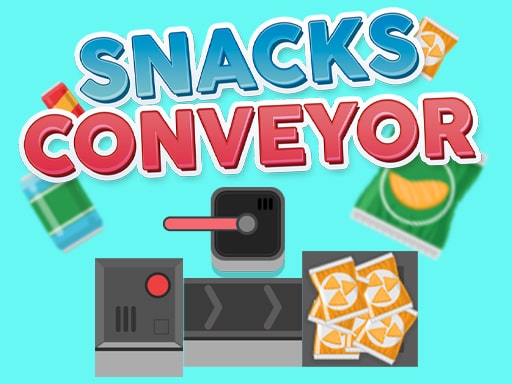
About Snacks Conveyor
Snacks Conveyor is a single-player sorting arcade game where your task is to arrange moving sweets and package them neatly. Players take snack items from the source cell on the left and place them into the appropriate conveyor partitions so the treats reach their target boxes. With the ability to adjust line speed and handle physical item collisions, maintaining steady organization is the key challenge.
In Snacks Conveyor, players oversee a vibrant candy assembly line designed around precision sorting and spatial coordination. The gameplay centers on retrieving incoming products positioned in a left-hand staging cell and depositing each item into its matching slot along the moving conveyor. Every correct placement ensures that confections travel down the track and land securely inside the collection box.
Managing the factory floor requires active attention because items share physical space on the track. Depositing a new product can push an existing snack out of position if placement is mistimed. To keep the workflow engaging, players also have manual control over the conveyor belt's operating speed, allowing them to accelerate the delivery process once they establish a dependable sorting rhythm.
Your goal
The primary goal is to route all candies across the moving conveyor and drop them cleanly into their destination boxes. Players strive to maintain an orderly production line by sorting each snack from the source cell into its correct partition without displacing other items prematurely, adjusting transport speed to match their own handling capacity.
How to play Snacks Conveyor
1. Observe the incoming candy pieces waiting in the left holding cell.
2. Identify the designated matching partition along the moving conveyor line.
3. Use your mouse cursor to pick up the snack and place it directly into the target slot.
4. Watch the spacing to avoid pushing already placed sweets out of their conveyor positions.
5. Increase the belt speed manually to accelerate candy transfer into the final box.
Controls and device support
Use the mouse to select candies, adjust the conveyor configuration, and transfer items into the collection box.
- Controls: Mouse or touch
- Device support: Browser
- Game frame: 1600 x 1200
Rules to keep in mind
- Snacks must be picked up from the left staging cell and dropped into the correct conveyor partition.
- A dropped item can physically collide with and push out another product currently riding the conveyor.
- Conveyor travel speed can be increased manually by the player during operation.
- Sorted snacks must complete their path along the conveyor to safely enter the collection box.
What makes the challenge interesting
Snacks Conveyor balances quick visual sorting with careful spatial timing. The core mechanic revolves around tracking open slots on a moving belt while simultaneously evaluating items sitting in the queue. Because placing a sweet can accidentally bump another item off its designated partition, players must evaluate clearance before dropping new pieces into transit.
The manual speed adjustment mechanic introduces a classic risk-and-reward decision. Running the conveyor at standard tempo provides ample time to verify slots, whereas boosting speed clears completed orders faster but sharply tightens placement windows. Finding a sustainable tempo is the central skill for maintaining high assembly efficiency.
Tips for Snacks Conveyor
- Scan the destination slots before picking up a treat from the left cell. Dropping items without confirming alignment often bumps adjacent pieces out of their track.
- Keep belt speed at baseline until you establish a reliable sorting rhythm. Cranking the speed up too early leaves little room to recover from misplaced items.
- Account for conveyor motion by leading your drops slightly ahead of empty partitions, ensuring clean landings inside the correct boundaries.
- Use the pushing mechanic deliberately only when you need to clear an incorrectly placed item, rather than dropping items crowded together.
The skills behind the game
Conveyor sorting titles form an entertaining subgenre within casual arcade and factory-style games. Rather than demanding complex tactical menus, these games test prompt visual identification and clean hand-eye coordination. Players who enjoy organized packing, tidy assembly lines, and tactile object manipulation find satisfaction in transforming a crowded queue of snacks into orderly, packaged boxes.
Who will enjoy this game
Players looking for an accessible snacks conveyor game experience will appreciate the direct pick-and-place loop. As an interactive clicker game online format, the challenge offers a relaxing yet focused way to practice quick item routing and mouse dexterity during short gaming breaks.
Frequently asked questions
How do you direct candy into the collection box in Snacks Conveyor? You pick up sweet treats from the left holding cell and drop each into the matching conveyor partition using your mouse, allowing the belt to deliver them into the box.
What happens if you drop a snack on top of an occupied slot? Placing a new product into an already filled area can push the existing product off or out of its conveyor spot, potentially disrupting your sorting order.
Can you change how fast the conveyor moves? Yes, players can manually increase the conveyor speed to transfer snacks into the boxes more quickly once they feel comfortable with the sorting pace.
Something not right?
Tell us if the game does not load, the information is wrong or the content needs review.
Report a problem ›