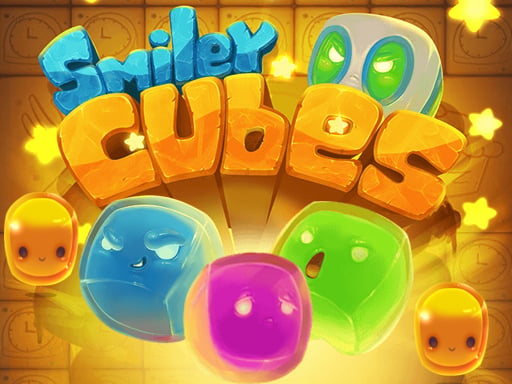
About Smiley Cubes
Smiley Cubes is a puzzle game built around square emoticons rather than the usual round faces. The source describes a simple idea: click the cubes and remove the same ones, turning a familiar smiley-face style into a quick, easy-to-read matching challenge for short online sessions.
The listing frames emoticons as a familiar idea that goes beyond round faces, then narrows the game to square ones. In Smiley Cubes, the confirmed action is deliberately small: click the square emoticons and remove the same ones. It is placed in Puzzles and tagged with matching, match-3, arcade, hypercasual and HTML5 labels, which suggests light browser-puzzle context, but the description does not add deeper systems beyond that click-and-remove loop.
Your goal
Your objective in Smiley Cubes is to work through the set of square emoticons by clicking identical ones and removing them. The listing does not state a score target, timer, move limit, win screen, or level structure, so the safest goal is the simple removal loop it describes: find the same faces and clear them.
How to play Smiley Cubes
1. Look at the square emoticons presented in Smiley Cubes.
2. Compare the faces and identify ones that are the same.
3. Click the matching square emoticons to remove them.
4. Keep scanning for other identical faces rather than clicking unlike cubes.
5. Repeat the click-and-remove process; the source does not define a final win state.
Controls and device support
- Controls: See in-game controls
- Device support: Browser
- Game frame: 800 x 600
What makes the challenge interesting
The confirmed focus is fast visual recognition rather than a large ruleset. You look over square smiley-style emoticons, decide which ones are the same, and click to remove those matching cubes. That tiny loop fits the Puzzles category and the listing’s matching, match-3, arcade and hypercasual tags, but the description itself stays minimal: no score chase, timer, combo rule or level path is stated. Because each decision is immediate, the challenge is mainly attention: separating identical faces from similar-looking square icons without overcomplicating the action.
Tips for Smiley Cubes
- Before clicking, pause and compare the square faces so you remove identical ones rather than near-matches.
- Work methodically across the set instead of clicking the first smiley you see; this keeps the simple removal loop controlled.
- If two cubes seem uncertain, leave them briefly and clear easier identical faces first, then recheck the doubtful pair.
The skills behind the game
Smiley Cubes is listed under Puzzles, and its tags cluster around matching, match-3, arcade, hypercasual, HTML5 and related casual labels. That placement suggests a light browser puzzle rather than a deep strategy title, while the confirmed play remains narrow: notice identical square emoticons and click them away.
Who will enjoy this game
Natural phrases for this page include “smiley cubes,” “smiley cubes game,” “puzzle game online,” and “match 3 puzzle game.” These are seed phrases only, not volume estimates; they fit because the title is exact, the category is Puzzles, and the tags point to casual matching play.
Games with a similar feel
Candy Crush Saga: Candy Crush Saga shares the broad casual idea of matching or clearing like pieces, but its summary cites colorful pieces and level objectives. Smiley Cubes is only confirmed as clicking identical square emoticons to remove them, with no stated levels.
Bejeweled: Bejeweled shares the tile-matching association of grouping identical items, but it is linked to arranging matching gems. Smiley Cubes uses square emoticon faces and the provided text confirms click-to-remove only, not gem swapping or arrangement rules.
Frequently asked questions
What do you do in Smiley Cubes? You play by clicking square emoticons and removing the ones that are the same. The source keeps the action to that simple matching-style loop and does not describe extra modes or systems.
Is Smiley Cubes a match-3 game? It is listed in Puzzles and tagged with matching and match-3 terms, so it belongs near that genre. The description itself only confirms clicking identical square emoticons to remove them, not swap mechanics, level goals or boosters.
Does Smiley Cubes list controls or devices? The instructions only say to play by clicking and removing the same ones. No keyboard layout, touch wording, mobile behavior or device requirement is stated in the provided facts.
Something not right?
Tell us if the game does not load, the information is wrong or the content needs review.
Report a problem ›