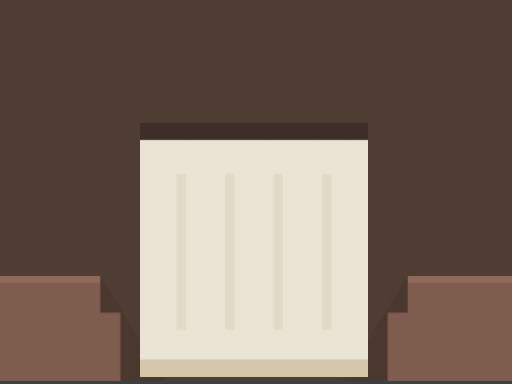
About Size Box
Size Box is a minimalist puzzle game about growing a box to fit a marked spot. Tap and hold on the screen to make the box expand, then release when it looks exactly right; if it finishes smaller or larger than the spot, the run ends and you begin again.
Size Box presents a single clear challenge: a box and a target spot are shown, and the target changes size while the box starts smaller than the space it must fill. The player presses on the screen to grow the box, judges the expanding shape against the spot, and lets go at the moment the sizes appear to match. Because an undersized or oversized result ends the attempt, each try is a short risk-versus-reward decision. The design fits its Puzzle category and its Arcade, Hypercasual, Kids and Puzzle tags through simple input and quick restarts.
Your goal
The goal is to place the box on the box spot at exactly the matching size. Since the box begins smaller than the spot, hold to grow it and release when it looks big enough; a result that is too small or too big ends the game and sends you back to the beginning.
How to play Size Box
1. Look at the box spot and note that its size can be different each time, while the box starts smaller than the target area.
2. Tap on the screen to play, then keep holding so the box grows larger toward the size of the spot.
3. Watch the expanding box and compare it with the spot instead of relying on a stated timer, score, or level marker.
4. Release when you think the box is big enough and matches the box spot exactly.
5. If the released box is smaller or bigger than the spot, the game ends and you start from the beginning.
Controls and device support
Only screen tapping, holding and releasing are described; no keyboard, mouse, gamepad or device-specific input is stated.
Tap and hold on the screen: Make the box grow
Release: Stop growing when the box looks big enough
- Controls: Mouse or touch
- Device support: Desktop + mobile
- Game frame: 720 x 1280
Rules to keep in mind
- The box must be exactly the size of the box spot when you release.
- The box is always smaller than the spot before you grow it.
- A finished box that is smaller than the spot ends the game.
- A finished box that is bigger than the spot also ends the game, and you start from the beginning.
What makes the challenge interesting
The focus is a compact timing puzzle built around one gesture: press, watch the box swell, and commit by releasing. There is no stated movement, aiming, score chase, timer or combo system, so the challenge comes from judging scale under pressure. Each attempt asks whether to stop early for safety or keep growing for a closer match, while the changing spot size keeps the same basic action from feeling completely automatic.
Tips for Size Box
- As general advice, compare the box edges with the spot edges while it grows, because the source makes exact size the deciding condition.
- Treat every hold as a commitment: releasing is the moment that tests the fit, so avoid waiting for a perfect-looking extra fraction if growth already looks close.
- After a failed attempt, use the restart as feedback and adjust whether you released too early or too late on the next try.
The skills behind the game
Size Box sits in the Puzzles category, while its tags add Arcade, Games, Hypercasual, Kids and Puzzle context. That combination suggests a simple, quick-to-read challenge rather than a deep ruleset: one clear action, immediate feedback, and a restart when the size check fails.
Who will enjoy this game
Natural phrases for this page include size box, size box game and puzzle game online. These are supplied as unverified seed suggestions, so they are used only as language context for a grow-to-fit puzzle, not as proof of search volume, ranking or traffic.
Frequently asked questions
How do you play Size Box? Tap on the screen to play, then tap and hold so the box grows. Release when you think it matches the box spot exactly, because the size at release decides the attempt.
What ends a Size Box attempt? An attempt ends when the released box is not exact. If it is smaller than the spot or bigger than the spot, the game ends and you need to start from the beginning.
Something not right?
Tell us if the game does not load, the information is wrong or the content needs review.
Report a problem ›