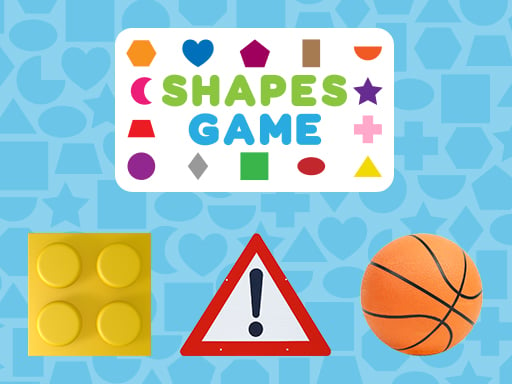
About Shapes Game
Shapes Game is an educational visual puzzle designed to introduce young learners to foundational geometry concepts across desktop and mobile devices. Players observe a colourful screen where prompts call for specific figures, requiring them to spot and select matching illustrations. By connecting abstract geometric properties to identifiable graphics, the title provides an accessible practice session that blends core early-learning mathematics with simple, direct visual matching challenges.
Shapes Game presents an approachable learning environment centered on visual identification and fundamental geometry concepts. Set in a colourful cartoon world, each activity presents learners with a target geometric shape alongside an assortment of illustrated objects and figures. The central gameplay loop asks players to examine the requested shape and carefully scan the display to identify which images correspond to that specific form.
Because the experience is tailored for early learners on cell phones, tablets, and personal computers, the interactions remain clear and uncluttered. Visual cues guide young players as they explore geometric properties like round contours, sharp angles, and straight sides. Instead of demanding rapid reflexes, the game encourages deliberate observation, making it an engaging classroom warm-up or casual home activity for children building confidence in early mathematics and spatial awareness.
Your goal
The primary goal in Shapes Game is to accurately recognize the requested geometric shape and pick every image that correctly corresponds to that prompt. Young players strive to reinforce their shape recognition abilities by scanning diverse figures, differentiating between similar visual profiles, and confirming correct representations without rushing. Consistent visual scanning and thoughtful selections help learners solidify essential geometric concepts and complete each presented shape challenge cleanly.
How to play Shapes Game
1. Look at the prompt on the screen to identify the requested geometric shape.
2. Scan the available illustrations to compare their edges, corners, and contours against the target figure.
3. Click or tap directly on each image that matches the requested geometric shape.
4. Check the remaining pictures carefully to ensure no matching shapes were overlooked.
5. Move forward through subsequent activities as new shape prompts are introduced.
Controls and device support
Click on the images that represent the requested geometric shape using your mouse cursor or touchscreen.
- Controls: See in-game controls
- Device support: Browser
- Game frame: 800 x 450
Rules to keep in mind
- Players must select images that accurately represent the requested geometric shape.
- Each activity prompt requires visual identification of shapes across colourful cartoon illustrations.
What makes the challenge interesting
The core focus of Shapes Game lies in visual discrimination and patient pattern recognition. For young learners, distinguishing between varied geometric attributes—such as the difference between curved boundaries and straight edges—demands active attention rather than passive guessing. The game balances cartoon appeal with foundational math education, offering a low-pressure setting where children can take time to evaluate every picture.
A key rhythm in this format is pausing to evaluate the whole board rather than clicking immediately on the first familiar object. Distractors may share similar colors or styling, so players must focus strictly on geometric definitions. This tradeoff between impulsive tapping and structured visual inspection helps children develop analytical scanning habits that support broader early math comprehension.
Tips for Shapes Game
- Scan all items before clicking: Take a full look at the entire collection of pictures before making a choice. Rushing into the first recognizable image can cause you to miss other valid geometric matches.
- Count corners and sides: When evaluating complex figures, count the sides and corners to confirm whether a shape is a triangle, quadrilateral, or round form. This prevents confusing distinct polygons.
- Ignore distracting colors: Focus purely on outlines and structural boundaries rather than bright decorative hues. Children often mistake matching colors for matching shapes, which leads to incorrect selections.
- Verify real-world equivalents: Picture everyday items in terms of their core mathematical outlines when prompts show illustrated objects. Looking past surface details helps reveal the underlying geometry quickly.
Stages and progression
While Shapes Game provides interactive geometric activities and shape recognition challenges, specific stage counts and level criteria are not formally itemized. Players can structure their own progression by starting with simple, distinctive shapes such as circles and squares before advancing toward polygons with subtle differences. Consistent practice across multiple sessions helps young learners build quick recognition habits, steadily reinforcing essential mathematical concepts at an approachable, unhurried pace.
Playing on different devices
Shapes Game is built to run natively across desktop computers, tablets, and cell phones within standard web browsers. On personal computers, the 800 x 450 playfield offers generous screen space, allowing young children to practice mouse coordination while identifying detailed shapes. When playing on mobile devices or tablets, direct touch inputs make tapping matching figures intuitive for early learners. A stable browser view ensures smooth interaction across varied device form factors.
The skills behind the game
As an educational title within the puzzle genre, Shapes Game combines fundamental mathematics with visual problem-solving. Puzzle games in school-oriented categories emphasize observation, logical categorization, and cognitive sorting over rapid action. By asking children to connect visual objects with geometric definitions, the game demonstrates how educational puzzles serve as interactive study aids that make abstract mathematical principles clear, tactile, and enjoyable.
Who will enjoy this game
Parents and educators searching for an accessible shapes game or an engaging puzzle game online will find this title suited for foundational practice. Designed for young kids exploring early math and school readiness, the game provides a gentle environment to test shape recognition skills. It works well as a short visual warmup during classroom study or as a casual interactive exercise at home.
Games with a similar feel
Geometry Dash: Geometry Dash uses geometry as a high-intensity aesthetic theme for a precision rhythm platformer focused on timing jumps through obstacle courses. In contrast, Shapes Game uses geometric shapes as an educational foundation to teach young learners shape recognition through peaceful puzzle matching. Players wanting fast-paced reflexes and rhythm challenges should choose Geometry Dash, while families and teachers seeking early math practice will prefer Shapes Game.
Frequently asked questions
What is the main learning goal in Shapes Game? The game helps young learners practice recognizing and identifying basic geometric shapes. By matching on-screen images to requested shape prompts, children build visual discrimination skills and reinforce early mathematical concepts.
How do players select matching shapes during the puzzles? Players interact by clicking or tapping directly on the images that represent the requested shape prompt shown on the screen. The user-friendly interface allows children to make selections at their own pace.
Can Shapes Game be played on mobile devices and tablets? Yes, Shapes Game is fully compatible with cell phones, tablets, and desktop computers. Its responsive design lets young learners play using intuitive touch controls on portable screens or a standard mouse on computers.
Something not right?
Tell us if the game does not load, the information is wrong or the content needs review.
Report a problem ›