Official listing
Game description
Time to create your Scooby Doo cartoon scene. Create new adventures for Scooby do and Shaggy. Drag and drop the animation you want from the menu above to the scene. Enjoy playing and watching.
Clicker game
Scooby Doo My Scene is an interactive creation and decorating game where players assemble animated cartoon moments featuring Scooby-Doo and Shaggy. By selecting and placing animations directly onto the canvas from the top menu, you can set up brand-new adventures for the duo and enjoy watching the resulting animated scene come to life.
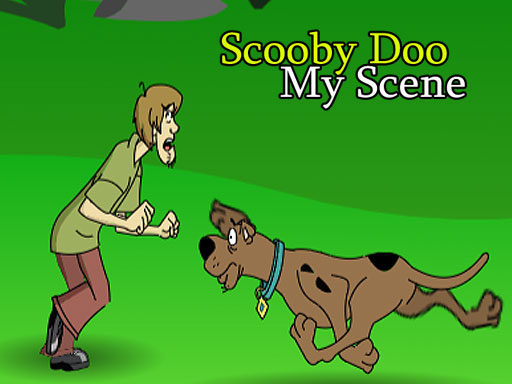
Choose Play now to load the game.
Official listing
Time to create your Scooby Doo cartoon scene. Create new adventures for Scooby do and Shaggy. Drag and drop the animation you want from the menu above to the scene. Enjoy playing and watching.
From the game listing
Select by tapping on the screen and drag and drop
Open this card to load the gameplay video.
Scooby Doo My Scene is an interactive creation and decorating game where players assemble animated cartoon moments featuring Scooby-Doo and Shaggy. By selecting and placing animations directly onto the canvas from the top menu, you can set up brand-new adventures for the duo and enjoy watching the resulting animated scene come to life.
Scooby Doo My Scene lets you take creative control over cartoon moments featuring beloved characters Scooby-Doo and Shaggy. Designed around simple creation and decoration mechanics, the game provides a dedicated canvas and an upper menu filled with character animations. Players build scenes by choosing items from the top bar and placing them into the viewing area. The core experience focuses on creative arrangement rather than strict scoring or time pressures, allowing you to freely experiment with different animated elements. Whether crafting funny interactions or new mystery-themed setups, the sandbox layout makes it straightforward to assemble, decorate, and watch custom cartoon scenes directly in your browser.
The main objective in Scooby Doo My Scene is to build customized cartoon adventures for Scooby-Doo and Shaggy. Players select animations from the top menu and arrange them across the play area to compose entertaining visual stories. The goal is open-ended creative play, inviting you to decorate the scene, try out various character animations, and enjoy watching your finished arrangement.
1. Look through the top menu to view the available cartoon animations.
2. Select an animation by tapping or clicking on your chosen item.
3. Drag and drop the selected animation onto the main scene canvas.
4. Position Scooby-Doo, Shaggy, and other elements to complete your adventure setup.
5. Watch the assembled scene unfold and enjoy your custom creation.
Select items by tapping or clicking the screen, then drag and drop them onto the scene.
Gameplay in Scooby Doo My Scene centers on visual staging and creative freedom. Without timers, fail states, or rigid level requirements, the focus stays entirely on assembling cartoon moments. Players interact with the interface by browsing the upper animation selection and arranging elements across the screen. Drag-and-drop mechanics make placing characters and objects smooth and accessible. The playful nature of Scooby-Doo and Shaggy animations allows for humorous combinations, giving players the tools to direct their own lighthearted cartoon vignettes at their own pace.
Listed in the Clicker and Creation tags, Scooby Doo My Scene offers a relaxed, interaction-driven experience. Rather than tracking rapid resource increments common in some clicker subgenres, the game highlights direct tap-and-drag inputs for scene decoration and creative storytelling. Players use straightforward point-and-click interactions to customize the cartoon environment with Scooby and Shaggy.
Fans searching for scooby doo my scene or a scooby doo my scene game can jump right into creating custom cartoon setups in their browser. As a lighthearted creation and clicker game online, it provides quick, accessible entertainment for players looking to interact with classic animated characters through drag-and-drop gameplay.
How do I add animations to the scene? Tap or click on an animation icon from the menu located at the top of the screen, then drag and drop it onto the main scene canvas.
Which characters appear in Scooby Doo My Scene? The game features animations of Scooby-Doo and Shaggy, allowing players to arrange the famous duo into custom cartoon adventures directly on the canvas.
Tell us if the game does not load, the information is wrong or the content needs review.
Report a problemExplore popular games by category, shared tags and site-wide activity.






















