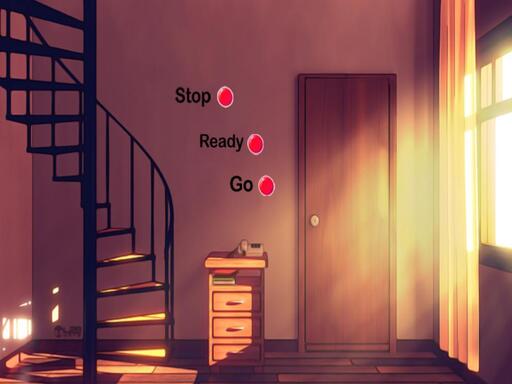
About Scary Teacher 2
Scary Teacher 2 puts you in the shoes of a genius student facing off against a wicked high school teacher who has recently moved into the neighborhood. In this 3D school escape and adventure title, your mission is to navigate the surroundings and teach the cruel neighbor teacher a lesson to avenge her mistreated students.
In Scary Teacher 2, players dive into a hair-raising 3D adventure centered on the rivalry between an evil high school teacher and a clever student. After the dreaded teacher relocates into your local neighborhood, you take on the challenge of standing up to her wicked behavior. The narrative follows a quest for payback on behalf of all the students she has threatened and tortured throughout school. Operating within a 3D escape setting, you explore the neighborhood environment to execute plans against the intimidating neighbor. Using standard desktop navigation, you guide the student around the grounds to carry out your mission while staying alert to the teacher's presence.
Your goal
Your main goal in Scary Teacher 2 is to confront the terrifying neighbor teacher and successfully teach her a lesson. As a genius student, you must navigate the neighborhood, carry out your mission to get revenge for threatened classmates, and complete your escape objectives without letting the wicked teacher disrupt your plans.
How to play Scary Teacher 2
1. Launch Scary Teacher 2 directly in your desktop browser window.
2. Use your mouse and keyboard to move through the 3D neighborhood environment.
3. Locate the house and grounds of the scary neighbor teacher.
4. Work through your revenge mission objectives while avoiding danger from the evil teacher.
5. Complete your escape tasks to successfully teach the wicked instructor a lesson.
Controls and device support
Mouse and Keyboard: Move through the game environment
- Controls: Mouse or touch
- Device support: Browser
- Game frame: 800 x 600
What makes the challenge interesting
Gameplay in Scary Teacher 2 revolves around stealthy neighborhood exploration and escape adventure mechanics in full 3D. Taking control of the genius student, you must carefully navigate around the evil teacher's property. The tension comes from operating close to a menacing antagonist who has terrorized students at school. Success relies on coordinating your movement with mouse and keyboard controls to maneuver through spaces cleanly. Balancing purposeful movement with situational awareness allows you to advance your revenge mission effectively across the 3D map.
Tips for Scary Teacher 2
- Keep a close eye on your surroundings while moving so you can anticipate the teacher's location and avoid sudden encounters.
- Get comfortable coordinating your mouse perspective with keyboard directional movement to navigate smoothly around tight corners and obstacles.
- Plan your movement paths beforehand to ensure a clear escape route if you need to retreat across the property.
The skills behind the game
As an entry in the online adventure and escape genre, Scary Teacher 2 combines 3D exploration with character-driven tension. School and neighbor escape games challenge players to navigate confined spaces while evading an active threat. This format rewards spatial awareness and steady controls as players progress through thematic revenge missions.
Who will enjoy this game
Players seeking a scary teacher 2 game or an accessible adventure game online will find a focused escape scenario in this 3D title. The experience emphasizes cautious movement and student-versus-teacher storytelling, making it appealing to fans of school-themed stealth and escape adventure games playable directly on desktop browsers.
Frequently asked questions
What is the main objective in Scary Teacher 2? The objective is to get revenge on behalf of mistreated students by outsmarting and teaching a lesson to the evil high school teacher who moved into the neighborhood.
What controls are used to play Scary Teacher 2? You play Scary Teacher 2 using your desktop mouse and keyboard, which allow you to move and look around the 3D neighborhood environment.
Is Scary Teacher 2 available on mobile devices? The documented instructions specifically provide mouse and keyboard movement, meaning the game is optimized primarily for desktop web browser gameplay.
Something not right?
Tell us if the game does not load, the information is wrong or the content needs review.
Report a problem ›