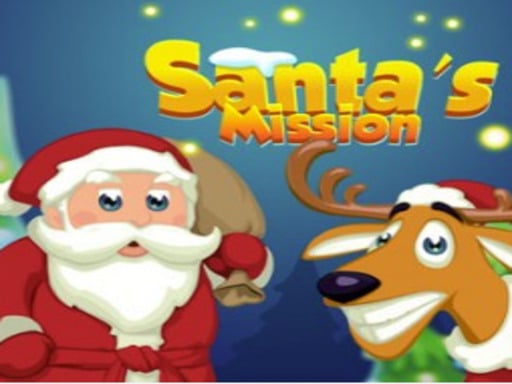
About Santas Mission
Santas Mission is a holiday-themed puzzle game where players help Santa get ready for Christmas by matching seasonal items. Align three or more matching pieces such as candy canes, Santa hats, and festive gift boxes to clear required targets and advance through timed puzzle levels.
In Santas Mission, players take on festive puzzle boards designed around Christmas preparation. Each stage presents a specific collection target featuring holiday items, including candy canes, Santa hats, and gift boxes. To clear these items, you must swap or arrange matching pieces in lines of three or more identical objects across the grid. Successfully creating combinations removes those items from the board and counts them toward your stage quota. Because each level operates under a running countdown timer, you must scan the board rapidly, spot potential clusters, and make swift matching decisions to finish your gift list before time expires.
Your goal
The main objective in Santas Mission is to fulfill every level's specific collection requirement before the clock runs out. Players must match three or more matching holiday items—such as Santa hats, candy canes, and wrapped presents—to gather the necessary quantities listed for the stage, successfully unlocking the path to the next festive puzzle challenge.
How to play Santas Mission
1. Review the required list of Christmas items, such as hats, candy canes, and gifts, at the start of each level.
2. Use your mouse on desktop or fingers on a touchscreen to select and swap adjacent seasonal pieces.
3. Align three or more matching items in a row or column to clear them from the board and collect them.
4. Monitor the remaining countdown timer closely while forming continuous matches to fulfill the required item quotas.
5. Collect all requested items before the time limit expires to complete the stage and advance to the next level.
Controls and device support
Mouse: Select and swap items on the board
Fingers / Touchscreen: Tap and drag pieces to match items
- Controls: Mouse or touch
- Device support: Browser
- Game frame: 800 x 600
Rules to keep in mind
- You must match at least three identical holiday items in a line to collect them toward your objective.
- Each level requires completing the specific item target list before the stage countdown timer runs out.
- Failing to gather the required quantity of all target items before time expires prevents advancing to the next level.
What makes the challenge interesting
Gameplay in Santas Mission centers on quick visual scanning and rapid match execution under time pressure. Rather than clearing random tiles, players must prioritize the specific item types shown on Santa's collection checklist, such as candy canes or Santa hats. Balancing this targeted objective with the ticking timer demands efficient board evaluation. Spotting lines of three or more identical items quickly allows you to accumulate target items steadily, preventing the clock from draining while you work through successive level requirements.
Tips for Santas Mission
- Focus your moves directly on target items like candy canes and Santa hats to fill level requirements before the clock runs down.
- Scan the entire grid quickly at the start of each round to locate immediate three-in-a-row opportunities without wasting valuable time.
- Create matches containing more than three items whenever possible to clear larger clusters and accelerate your progress toward stage goals.
Stages and progression
Progression in Santas Mission is structured across successive stages, with each new level introducing a fresh collection checklist of Christmas items to gather. Players move forward through the game by fulfilling the exact quota of required items before the timer runs out on each board.
The skills behind the game
As a browser-based entry in the puzzle category, Santas Mission delivers accessible matching mechanics centered on quick pattern recognition and time management. Puzzle games in this genre challenge players to evaluate grid configurations swiftly, prioritizing specific target pieces to satisfy clear level criteria while keeping gameplay simple, engaging, and suitable for short holiday play sessions.
Who will enjoy this game
Players searching for a match 3 puzzle game or festive puzzle game online will find familiar mechanics in Santas Mission. The game combines tile-swapping interactions with objective-driven targets, tasking players with clearing items like candy canes and Santa hats within a set time limit across multiple levels.
Games with a similar feel
Candy Crush Saga: Like Candy Crush Saga, Santas Mission tasks players with aligning matching items in groups of three or more on a grid to meet level goals. However, Santas Mission focuses on festive Christmas items under strict level countdown timers rather than turn limits.
Frequently asked questions
What is the goal of Santas Mission? The goal is to help Santa collect required items like candy canes, Santa hats, and gifts by matching three or more identical pieces before the level timer expires.
How do you control the game on desktop and mobile? You can interact with puzzle pieces using a mouse on desktop browsers or by using fingers on touchscreen mobile devices to swap and align items.
What happens if the timer runs out before finishing the item list? You must complete the required item count before the time limit ends; running out of time before reaching your goals prevents you from clearing the stage.
Something not right?
Tell us if the game does not load, the information is wrong or the content needs review.
Report a problem ›