Official listing
Game description
Swipe Kick the opponents and Throw out
Hypercasual game
Samurai Slash Master 3D is a hypercasual 3D action game built around one direct idea: swipe to kick opponents and throw them out. The listing keeps the challenge simple, so this page focuses on that core swipe-kick loop for quick, casual play.
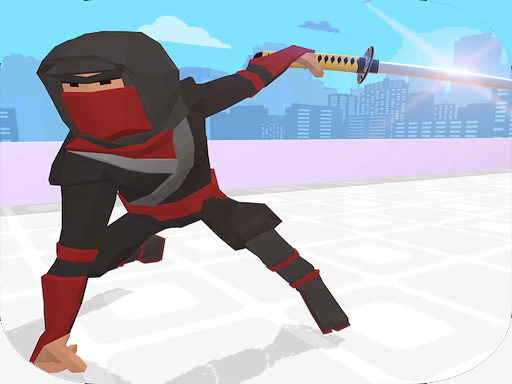
Choose Play now to load the game.
Official listing
Swipe Kick the opponents and Throw out
From the game listing
Swipe Kick the opponents and Throw out
Open this card to load the gameplay video.
Samurai Slash Master 3D is a hypercasual 3D action game built around one direct idea: swipe to kick opponents and throw them out. The listing keeps the challenge simple, so this page focuses on that core swipe-kick loop for quick, casual play.
Samurai Slash Master 3D is presented as a 3D casual hypercasual game with a very compact official description: “Swipe Kick the opponents and Throw out.” The instructions repeat the same action, so the clearest promise is a fast, readable confrontation where the player uses a swiping kick to send opponents away. With an 800 x 600 listing size and tags centered on casual 3D play, the game appears aimed at simple pick-up-and-play sessions rather than deep systems, long progression, or complicated control schemes.
The objective is to kick opponents with a swipe and throw them out. Treat each opponent as a close-range target: get the swipe to connect, then use the kick to remove them from the play space. The source does not state a separate score chase, timer, lives system, or stage goal beyond that throw-out action.
1. Start the game and watch for opponents entering your immediate area.
2. Use a swipe motion to kick when an opponent is close enough to hit.
3. Make the kick count so the opponent is thrown out rather than merely bumped.
4. Repeat the same swipe-kick action as new opponents appear or move toward you.
5. Keep the rhythm simple: spot a target, swipe to kick, and clear the opponent out.
The gameplay focus is a single, repeatable close-quarters action: read the opponent, swipe to kick, and throw them out. Because the official text is minimal, the skill emphasis is best framed as timing and positioning rather than memorizing moves. As advice, keep swipes deliberate, avoid over-swiping when no opponent is near, and favor clean hits that push an opponent away. The hypercasual and 3D tags support a simple, visual, arcade-style loop.
The category and tags place Samurai Slash Master 3D in hypercasual, casual 3D territory. That usually signals an easy-to-understand action built for short interactions, and here the stated swipe-kick-and-throw-out loop fits that expectation. Players should expect immediacy and clarity rather than layered systems, while still treating any deeper structure as unconfirmed.
Natural keyword context centers on the exact title phrase “samurai slash master 3d” and the close variant “samurai slash master 3d game.” These are supplied as unverified seed queries, so they are useful for wording and relevance only, not as proof of demand. Supporting language should stay tied to the factual swipe-kick, throw-out action and the hypercasual 3D category.
What do you do in Samurai Slash Master 3D? You swipe to kick opponents and try to throw them out. The official description and instructions give that same compact action, so the main loop is to connect with a kick and clear the opponent away.
What controls does Samurai Slash Master 3D use? The source describes a swipe action for kicking opponents, but it does not provide a detailed control list or separate desktop and mobile inputs. Treat swiping as the core interaction and avoid assuming extra buttons.
Tell us if the game does not load, the information is wrong or the content needs review.
Report a problemExplore popular games by category, shared tags and site-wide activity.