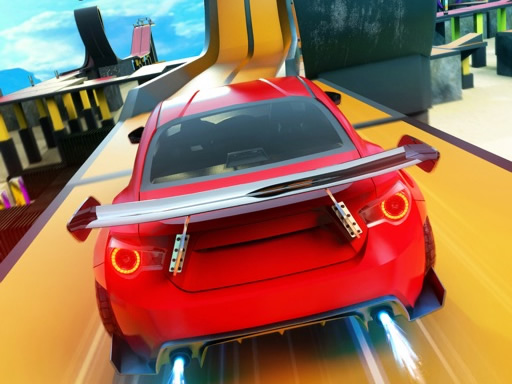
About Rocket Stunt Cars
Rocket Stunt Cars is an open 3D driving simulator where players explore expansive stunt arenas, lively city streets, and busy highway traffic. Take control of powerful supercars, activate nitro boosts for rapid acceleration, and alternate between cockpit and third-person views across multiple distinct driving environments.
Rocket Stunt Cars offers a comprehensive driving experience built around freedom of movement and variety. Players can jump into a vast desert stunt zone packed with open ground for aerial maneuvers, navigate tight turns amid urban city traffic, or test their lane discipline on active highway routes. The game lets you select your preferred location to suit your current driving mood, whether you prefer performing stunts or navigating roadways.
With multiple camera angles including an immersive cockpit perspective and a clear third-person follow camera, the game delivers adjustable visibility for every setting. Responsive vehicle controls combine standard steering with dedicated braking and nitro acceleration, giving you full command over your supercar across every map.
Your goal
The main goal in Rocket Stunt Cars is to freely explore diverse driving zones, execute clean maneuvers and stunts, and successfully navigate through city and highway traffic without crashing your vehicle.
How to play Rocket Stunt Cars
1. Choose your starting location from the available stunt arena, city traffic, or highway map.
2. Use the W, A, S, D keys or arrow keys to steer, accelerate forward, and reverse.
3. Press F to ignite the NOS boost for an immediate burst of high-speed acceleration.
4. Hit the Spacebar to apply the brakes whenever you need to slow down or steady your car.
5. Press C to toggle between the internal cockpit view and the external third-person camera.
Controls and device support
W, A, S, D / Arrow Keys: Steer, accelerate, and reverse
F: Activate NOS boost
Space: Handbrake / Brake
C: Switch camera view (Cockpit / Third-person)
- Controls: Keyboard
- Device support: Browser
- Game frame: 800 x 450
What makes the challenge interesting
Gameplay centers on vehicle handling, spatial awareness, and environmental adaptability. In the wide desert stunt zone, the focus is on maintaining momentum and lining up fast runs with NOS. When transitioning into city or highway modes, the challenge shifts toward traffic awareness and smooth steering to weave around surrounding vehicles cleanly. Switching camera perspectives allows drivers to balance close cockpit immersion against the wider situational awareness provided by the chase camera.
Tips for Rocket Stunt Cars
- Reserve your NOS boost for straight stretches on highway or desert maps to avoid spinning out during sharp turns.
- Switch to the third-person camera when weaving through dense city traffic to keep a clear view of approaching vehicles.
- Tap the brake briefly before entering tight corners to maintain control and prevent uncontrolled drifting into obstacles.
The skills behind the game
As part of the racing and driving simulation genre, Rocket Stunt Cars combines open-ended stunt exploration with realistic traffic driving. Rather than restricting players to a single closed circuit, the game offers varied environments ranging from open desert stunt terrain to structured highway lanes, accommodating both high-speed stunt driving and controlled traffic navigation.
Who will enjoy this game
Players searching for a flexible drifting game or a 3D racing game online will find diverse driving conditions in the Rocket Stunt Cars game. The combination of dedicated stunt maps, traffic-filled routes, nitro boost mechanics, and switchable camera angles makes it a versatile car simulation option.
Games with a similar feel
Asphalt: Like Asphalt, Rocket Stunt Cars delivers fast-paced driving centered on supercars and nitro boosts, but Rocket Stunt Cars emphasizes freeform map selection and traffic navigation rather than arcade tournament circuits.
Need for Speed: Similar to Need for Speed, this game features high-powered vehicles navigating urban traffic and highway roads, though Rocket Stunt Cars offers a browser-based sandbox experience with distinct cockpit and stunt playground options.
Frequently asked questions
How do I activate nitro boost in Rocket Stunt Cars? Press the F key on your keyboard while driving forward to engage the NOS booster for an instant speed increase.
Can I change the camera view while driving? Yes, pressing the C key allows you to toggle seamlessly between a third-person chase camera and an inside cockpit perspective.
Something not right?
Tell us if the game does not load, the information is wrong or the content needs review.
Report a problem ›