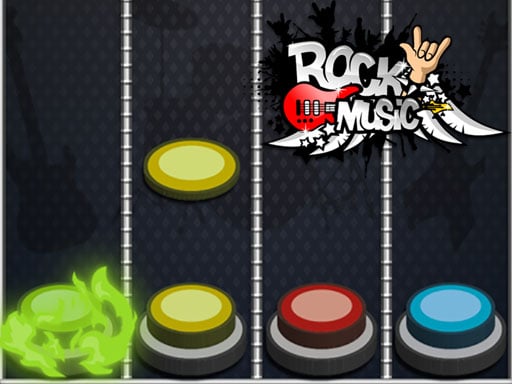
About Rock Music Game
Rock Music Game is a colorful arcade music game in the guitar-hero style: press the music buttons, stay on the beat, and save as many points as you can. It aims for quick, casual rhythm play that is approachable for children and adults during short sessions.
Rock Music Game is described as a casual music game built around rock music and made for fun across a wide age range, from children to adults. Its style is compared to guitar hero, so the central idea is rhythm-based pressing rather than realistic instrument simulation. The listing emphasizes colorful, beautiful designs and a simple scoring goal: press music buttons, avoid missing the beat, and save as many points as possible. As an Arcade and HTML5 music title, it fits quick browser sessions where the main challenge is keeping timing steady while the visuals stay bright and readable.
Your goal
The objective is to keep time with the music and press the music buttons without missing the beat, saving as many points as you can. The challenge is rhythm and consistency rather than complex rules: stay alert, match each music-button cue, and let the colorful presentation keep the action readable while you protect your score.
How to play Rock Music Game
1. Start a round and focus on the beat before you press anything.
2. On desktop, use the supplied keys A -S - K - L for the music buttons.
3. On mobile, use the Touch Buttons on Screen shown for play.
4. Press each music button in time with the beat and avoid missing cues.
5. Keep going and try to save as many points as you can by staying accurate.
Controls and device support
A -S - K - L: Press music buttons without missing the beat
Touch Buttons on Screen: Press music buttons without missing the beat
- Controls: Mouse or touch
- Device support: Desktop + mobile
- Game frame: 720 x 1280
Rules to keep in mind
- Press the music buttons in time with the beat; timing is the core action.
- Do not miss the beat, because the stated goal is to save as many points as you can.
- Use the control method listed for your device: A -S - K - L on desktop or Touch Buttons on Screen on mobile.
What makes the challenge interesting
The gameplay focus is clean rhythm execution. Instead of managing menus, upgrades, or complicated systems, you watch and listen for the moment to press, then try to keep that timing consistent. The guitar-hero style framing suggests familiar note-pressing pressure, while the rock music theme and colorful designs give each round an energetic arcade feel. Because the stated audience runs from children to adults, the useful skill is accessible: recognize the beat, press the right music button, and protect your point total through accuracy.
Tips for Rock Music Game
- Treat the beat as the timer: listen first, then press, because steady timing protects your score better than frantic tapping.
- On desktop, assign one comfortable finger to A, S, K, and L so each key press feels automatic when cues arrive.
- On mobile, keep your thumbs relaxed and tap the on-screen buttons cleanly; accuracy matters more than force during busy moments.
- Use the bright visuals as a cue to stay focused, but let the music decide when each press should land.
Playing on different devices
The listing gives a portrait play area of 720 x 1280 and separates controls by device: desktop uses A -S - K - L, while mobile uses Touch Buttons on Screen. That makes the practical setup simple, with no extra device behavior stated beyond those inputs.
The skills behind the game
As an Arcade and HTML5 music title tagged for kids, Rock Music Game sits in the casual rhythm space: simple inputs, immediate feedback, and score-chasing pressure. The rock theme and guitar-hero comparison signal timing-based play rather than instrument simulation, while the colorful design keeps it friendly for a broad age range and short browser sessions.
Who will enjoy this game
Natural phrases for this page include rock music game and arcade game online, because the listing combines a rock-styled music theme with browser-friendly arcade play. These are best used as descriptive language, not as proof of demand; the concrete promise is pressing music buttons to the beat for points in a colorful casual format.
Frequently asked questions
How do you play Rock Music Game on desktop? On desktop, the instructions list A -S - K - L as the keys for the music buttons. Press them in time with the beat and try not to miss cues so you can save points.
Can you play Rock Music Game on mobile? Yes. The instructions say mobile uses Touch Buttons on Screen, so you tap the shown buttons in rhythm instead of using the desktop keys.
What is the goal in Rock Music Game? The goal is to save as many points as you can by pressing music buttons and not missing the beat, in a colorful casual rock-music style.
Something not right?
Tell us if the game does not load, the information is wrong or the content needs review.
Report a problem ›