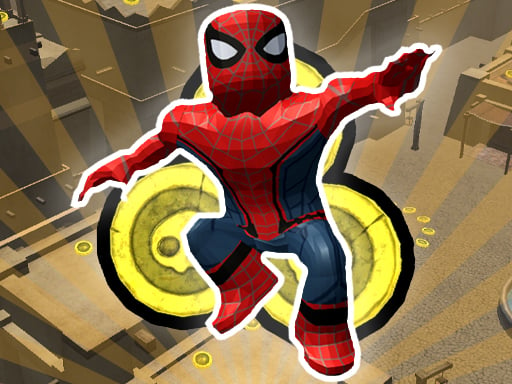
About Roblox: Spiderman Upgrade
Roblox: Spiderman Upgrade is a 3D arcade movement game focused on gathering coins across open terrain to enhance basic mobility stats. As you navigate the environment, collecting coins unlocks opportunities to permanently elevate your jump height or running speed, allowing you to traverse previously unreachable vantage points and leap over wide gaps with greater ease.
In Roblox: Spiderman Upgrade, players explore a 3D setting designed around athletic movement, jumping, and coin hunting. The central gameplay loop revolves around locating and gathering gold scattered throughout the world. Rather than following strict linear stages, the focus is on gathering resources to continually strengthen your avatar's core physical attributes.
Every 100 coins collected presents an active upgrade choice, prompting you to decide between boosting your jump height or increasing your sprint speed. This upgrade system allows you to customize your mobility according to your personal navigation style. You can apply these mobility boosts anytime and anywhere, keeping the progression loop fluid as you explore.
Your goal
The primary objective is to collect as many coins as possible across the 3D map and systematically channel those funds into character upgrades. By continuously reaching each 100-coin milestone, your goal is to push your running velocity and jumping power to their highest potential, making world traversal faster, smoother, and more flexible.
How to play Roblox: Spiderman Upgrade
1. Orient your perspective using mouse movement to spot clusters of coins and survey the surrounding 3D terrain.
2. Navigate your character through the environment using the WASD movement keys, holding Shift when you need to sprint toward distant items.
3. Leap over gaps, obstacles, and elevated surfaces by timing your jumps with the Space key.
4. Gather gold scattered throughout the environment until your coin counter reaches the 100-coin threshold.
5. Select your preferred upgrade option upon reaching 100 coins, choosing to boost either your jumping power or your base speed.
6. Utilize your newly enhanced mobility to access fresh areas and gather subsequent coin clusters more efficiently.
Controls and device support
The game is configured for keyboard and mouse on desktop. Use WASD for character movement, hold Shift to run, and press Space to jump. Camera view is controlled by moving the mouse, and you can zoom your viewing angle in or out using the mouse scroll wheel.
- Controls: Mouse or touch
- Device support: Browser
- Game frame: 800 x 450
Rules to keep in mind
- Every 100 collected coins grants access to a choice between two specific attribute upgrades: speed or jumping power.
- Player upgrades and attribute modifications can be executed at any time and anywhere during play.
What makes the challenge interesting
Roblox: Spiderman Upgrade centers on spatial navigation and mobility progression. The core tension lies in allocating your milestones between velocity and verticality. Investing heavily in sprint speed allows you to sweep across open flat stretches and collect low-hanging coin paths rapidly, but insufficient jump power may leave high perches out of reach. Conversely, heavily favoring jump height lets you clear massive obstacles and scale tall structures effortlessly, though flat ground travel remains at standard pace. Balancing both movement disciplines or committing fully to an extreme build defines your exploration rhythm.
Tips for Roblox: Spiderman Upgrade
- Adjust your camera zoom with the scroll wheel when approaching dense structures. A wider viewing angle helps you spot coin lines on high ledges before committing to a jump.
- Consider investing in at least one or two early jump upgrades. Increased vertical reach opens up routes that would otherwise require long detours on flat ground.
- Avoid sprinting blindly into tight spaces. High running speed can cause you to overshoot small platforms or coin clusters, forcing unnecessary turnaround time.
- Plan your gathering routes in loops rather than straight lines, allowing you to sweep back through central areas as your speed increases.
Stages and progression
Progression in this title operates through continuous attribute scaling rather than rigid level stages. For every 100 coins accumulated, the game presents a binary upgrade path: enhancing running speed or boosting jump height. Because upgrades can be applied continuously as you roam, early sessions focus on collecting easily accessible ground coins, while later phases leverage boosted stats to tackle vertical obstacles and expansive gaps.
Playing on different devices
The title utilizes standard PC desktop navigation. Mouse scrolling directly adjusts the camera zoom and viewing angle, allowing players to tailor their field of vision for either tight platforming or broad environmental surveys. A two-handed setup using WASD and the mouse ensures simultaneous steering and jumping during high-speed runs.
The skills behind the game
Within the 3D arcade and casual collecting genre, movement-based upgrade titles offer a straightforward, satisfying loop centered on physical progression. Rather than burdening players with intricate inventory management or punishing failure states, arcade platformers of this variety prioritize kinetic feedback: gathering visible pick-ups and immediately translating that effort into higher leaps and swifter sprints. This lightweight structure suits casual exploration and brief play sessions.
Who will enjoy this game
Players seeking an arcade game online often look for immediate accessibility, intuitive keyboard controls, and clear feedback loops. Roblox: Spiderman Upgrade caters to casual 3D platforming fans by combining responsive WASD movement with straightforward coin-gathering objectives. It serves as an accessible practice ground for players who enjoy testing navigational precision, managing camera angles, and experimenting with customized speed and jumping builds.
Frequently asked questions
What happens when you collect 100 coins? Each time you reach 100 coins, you receive a choice between two distinct upgrades: improving your jumping power or increasing your character's running speed.
Can you change camera angles during gameplay? Yes. You steer the camera view by moving your mouse, and you can zoom your viewing perspective in or out by rotating the mouse scroll wheel.
Do you need to visit a specific shop to apply upgrades? No. Upgrades can be activated at any time and anywhere across the map as soon as you meet the 100-coin requirement.
Something not right?
Tell us if the game does not load, the information is wrong or the content needs review.
Report a problem ›