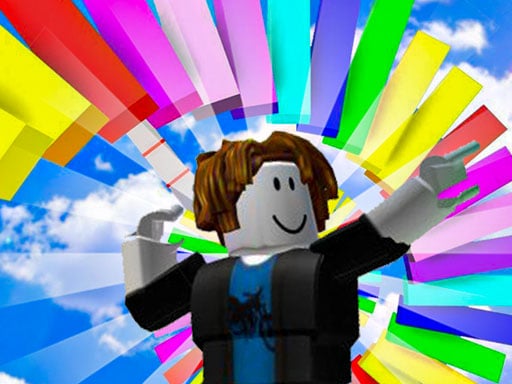
About Roblox: Parachute
Roblox: Parachute sends players across a demanding 3D obstacle course filled with moving platforms, sudden leaps, and hazardous terrain. Drawing inspiration from block-style parkour adventures, the game challenges you to combine rapid keyboard movement with timely parachute deployments to clear each segment. By balancing top sprinting speed with steady mid-air control, you can negotiate dangerous footing and reach the end of each test cleanly.
Set across bright, suspended obstacle layouts, Roblox: Parachute tasks runners with negotiating narrow routes, moving footholds, and deadly traps. You guide an agile character through continuous jump sequences while rotating your camera perspective to judge elevation changes and landing pads accurately. The gameplay loop centers on quick route calculation: sprint down straightaways, vault across gaps, and deploy your parachute when you need extra air control or a softer landing.
Precision and momentum run hand in hand throughout every run. Rather than relying on simple straight-line sprinting, the course presents dynamic platforms that demand split-second timing. A mistimed leap or careless step onto a hazard halts your attempt, making careful observation just as important as swift execution. Players must constantly weigh the benefits of holding down the speed-up key against the risk of overshooting narrow perches.
Your goal
The primary goal is to reach the end of each obstacle course challenge as fast as possible without succumbing to the deadly traps scattered across the track. To achieve cleaner run times, players aim to refine their jump arcs, maintain smooth camera adjustments, and deploy their parachute at precise moments to glide across wide chasms safely.
How to play Roblox: Parachute
1. Orient your viewing angle with mouse movement so you can clearly see approaching hazards, moving ledges, and landing spots ahead.
2. Use the WASD keys to steer your runner along the course, adjusting your heading before committing to any hazardous platform.
3. Press the Space bar to jump across floor gaps and clear elevated obstacles along the route.
4. Hold Shift to activate your speed boost across safe stretches when you need extra forward distance or faster clearance times.
5. Press R to deploy your parachute during long falls or wide jumps to stabilize your descent toward target platforms.
6. Hit Esc whenever you need to pause the action, rest your hands, or reassess the course layout.
Controls and device support
According to the official game instructions, navigate your runner using WASD, jump with the Space bar, rotate the camera view using the mouse, tap R to open your parachute, and hold Shift to speed up even more. You can also pause the game at any moment using the Esc key.
- Controls: Mouse or touch
- Device support: Browser
- Game frame: 800 x 450
Rules to keep in mind
- Deadly traps and drops must be avoided; touching fatal hazards halts your run and requires you to overcome the obstacle cleanly.
- Your objective across each challenge is to cross the hazardous terrain and finish the course as quickly as possible.
- Parachute deployment is assigned to the R key, allowing you to catch air and control your drop toward distant platforms.
- Sprinting is engaged via the Shift key to gain extra speed during runs across dynamic terrain.
What makes the challenge interesting
The defining dynamic of Roblox: Parachute is the balance between raw sprinting momentum and calculated aerial float. While the Shift key lets you build rapid forward velocity, reckless speed makes dynamic platforms hard to target. Jumping without adequate distance planning can lead straight into fatal hazards.
Deploying the parachute with the R key introduces an essential rhythm change. Instead of committing to a purely ballistic leap, tapping into your canopy gives you valuable extra seconds to aim your landing point. Mastering the transition from high-speed ground parkour to controlled gliding is the central skill required to conquer the course.
Tips for Roblox: Parachute
- Align your mouse camera directly behind your runner before making major leaps. A straight perspective prevents accidental diagonal drifting and ensures your jump lands squarely on moving platforms.
- Release the Shift key when approaching tight, single-block perches. Sprinting into narrow landings frequently causes you to slide off the far edge into deadly traps below.
- Tap R promptly after reaching the peak of your jump arc across wide drops. Deploying the parachute too late near the ground leaves minimal room to steer away from hazards.
- Pause with the Esc key if you lose your physical orientation or camera alignment mid-run. Stepping away for a moment lets you re-center your fingers on WASD without risking a sudden fall.
- Observe moving platforms through one complete cycle before jumping. Rushing forward blindly often places your landing right as the surface recedes, plunging you into the void.
Stages and progression
Progression in this obstacle challenge is driven by learning the tempo of dynamic platforms and reducing hesitation on repeated attempts. As you move through consecutive sections of the course, jumping gaps widen and trap placements leave less room for recovery, demanding sharper calculation.
Rather than focusing purely on top sprinting speed during your initial attempts, build a steady practice routine by surveying platform movement patterns. Once you know where the parachute provides the greatest aerial safety, you can re-introduce the Shift boost to shave seconds off your completion pace.
Playing on different devices
Roblox: Parachute is designed primarily around a standard desktop keyboard and mouse setup, rendering within an 800 by 450 window. Smooth mouse tracking is crucial for continuously swinging your camera angle around 3D obstacles while both hands remain positioned on the WASD cluster, space bar, and Shift key.
Because the parachute deployment key sits at R, keeping your left index finger poised just above the key ensures immediate canopy activation without needing to look down from the screen during tense descents.
The skills behind the game
As a member of the Arcade category, Roblox: Parachute embraces straightforward movement mechanics and quick-retry loops. The 3D platform obstacle genre focuses entirely on player reflexes, spatial timing, and agility. Rather than managing complex inventories or intricate narratives, arcade parkour titles emphasize rapid physical mastery over dangerous, shifting environments.
The addition of aerial gliding mechanics gives traditional obstacle running a distinct flavor. Navigating dynamic platforms in full 3D requires continuous perspective checks, offering casual fans an approachable yet demanding test of hand-eye coordination in a browser-friendly format.
Who will enjoy this game
Players looking up roblox: parachute or searching for a roblox: parachute game typically want quick, responsive 3D obstacle jumping that mimics the feel of popular block-style obby challenges. This title provides that experience right inside the browser window, requiring zero installation.
Anyone wanting an energetic arcade game online will appreciate the clean division of responsibilities across WASD movement, mouse camera adjustments, and parachute control. It serves as an accessible tool for casual practice sessions where improving your jump rhythm and reaction time is the core satisfaction.
Games with a similar feel
Fall Guys: Fall Guys challenges players to negotiate vibrant obstacle courses filled with moving hazards and timed jumps. While both titles share the thrill of dodging kinetic environmental traps and maintaining momentum across dynamic footholds, Roblox: Parachute concentrates on dedicated single-player keyboard traversal with an aerial parachute glide, offering direct personal practice rather than a crowded multiplayer race.
Frequently asked questions
How do you activate the parachute in Roblox: Parachute? You deploy the parachute by pressing the R key during flight. Using it allows your character to slow downward descent and steer more gently toward targeted landing surfaces across hazardous terrain.
Can you pause during an obstacle course run? Yes, pressing the Esc key pauses the game immediately. This gives you a convenient way to halt play, adjust your posture, or assess upcoming platform sections without sacrificing your character's position.
When is it best to use the Shift speed boost? The Shift key provides extra running speed, which works best on long, flat runways leading into large jumps. Avoid holding it on narrow perches where heightened momentum can cause you to slip off.
What happens if you hit a trap on the course? Traps along the route are lethal hazards. Making contact with them disrupts your run, requiring you to navigate the dynamic platforms and obstacles with greater precision on your next attempt.
Something not right?
Tell us if the game does not load, the information is wrong or the content needs review.
Report a problem ›