About Roblox Coloring Book
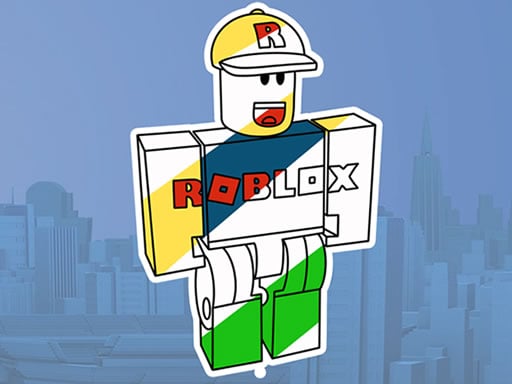
Roblox Coloring Book is a creative browser game that invites players of all ages to express their artistic flair through recognizable Roblox imagery. Featuring a diverse collection of line art that spans popular avatars, iconic game environments, and stylized accessories, it provides a welcoming space to experiment with colors and complete digital illustrations at your own pace.
Set within the familiar aesthetic of the Roblox universe, Roblox Coloring Book offers an accessible creative outlet directly in your web browser. Players can explore a gallery of outline drawings featuring beloved character avatars, detailed accessories, and memorable scenery inspired by the platform. The core experience centers on choosing a page and applying digital colors to bring each outline to life.
The game emphasizes accessible, low-pressure enjoyment rather than fast-paced action. Because there are no timers or health bars to monitor, you can take all the time you need to explore different shading combinations, match classic avatar color schemes, or invent entirely new visual designs across the available template library.
Your goal
Your primary goal in Roblox Coloring Book is to complete illustrations by selecting colors and filling in the line art of your favorite Roblox characters and scenes. Players can aim to recreate iconic character appearances faithfully or explore novel palette combinations to produce unique, visually balanced digital artwork.
How to play Roblox Coloring Book
1. Browse the selection of available coloring pages and choose an avatar, accessory, or scene that catches your eye.
2. Review the drawing's distinct sections to plan your overall color palette before starting.
3. Use your mouse to pick a color from the available palette interface.
4. Click on specific areas of the outline drawing to apply your chosen shade to that section.
5. Continue filling in surrounding elements, backgrounds, and details until the entire picture is fully colored.
Controls and device support
Use your mouse to select colors and fill in different sections of the Roblox line art.
- Controls: Mouse or touch
- Device support: Browser
- Game frame: 800 x 600
What makes the challenge interesting
The core appeal of Roblox Coloring Book lies in visual design, color harmony, and creative personalization. Without the demand for quick reflexes or complex key combinations, the challenge shifts toward aesthetic judgment—deciding which contrasting or complementary shades work best together across complex blocky character outlines.
Players navigate the balance between faithful recreation of recognized game figures and imaginative reimagining. Working within closed outlines encourages focus and intentional color placement, making the title an engaging, mindful break between more demanding action games.
Tips for Roblox Coloring Book
- Establish background tones first so you can pick contrasting colors for the foreground avatar without losing small outfit details.
- Limit your main character palette to three or four coordinating shades to keep the finished figure looking crisp and cohesive.
- Work methodically from larger body sections down to accessories to ensure you do not overlook smaller segments of the line art.
- Try alternate palette versions of the same template across sessions to explore how warm and cool tones change the overall mood.
Playing on different devices
Roblox Coloring Book is formatted to an 800 by 600 display resolution, making it well-suited for standard desktop and laptop browser windows. A physical mouse offers steady pointing precision, which helps players comfortably click fine detail areas within intricate outline segments.
The skills behind the game
Digital coloring games occupy an enduring niche in casual gaming, combining the tactile satisfaction of traditional coloring books with the convenience of instant browser access. Rather than requiring physical markers or cleanup, online coloring titles let players experiment freely with diverse color combinations.
Pairing this relaxing format with familiar gaming themes allows fans to engage with their favorite virtual worlds in a calm, non-competitive setting. Whether for younger players practicing mouse coordination or older fans seeking a creative break, coloring titles provide accessible artistic entertainment.
Who will enjoy this game
Players looking for a roblox coloring book or a free coloring game online often want quick, hassle-free access to creative fan-art activities. Roblox Coloring Book answers this interest by presenting ready-to-color scenes of avatars and accessories that can be customized immediately without installing complex software.
As a casual roblox coloring book game, it serves both as an entertaining pastime and a casual way to develop visual color coordination, offering an approachable canvas for anyone who enjoys styling avatar artwork.
Games with a similar feel
Happy Color: Happy Color provides guided coloring through numbered regions, directing players to match specific shades to designated zones. In contrast, Roblox Coloring Book focuses specifically on Roblox avatars and scenes, offering open-ended palette selection so you can choose which colors go where based on your own artistic preference.
Frequently asked questions
What kind of illustrations can I color in this game? The game features a variety of coloring pages inspired by Roblox, including popular character avatars, distinctive in-game environments, and iconic accessories.
How do you control the coloring tools in Roblox Coloring Book? You control the experience with your mouse by selecting colors from the on-screen palette and clicking directly on the sections you wish to fill.
Are there time limits or scoring penalties while playing? No. The game is designed as a relaxing digital coloring activity, allowing you to fill pages at your own pace without timers or score requirements.
Something not right?
Tell us if the game does not load, the information is wrong or the content needs review.
Report a problem ›