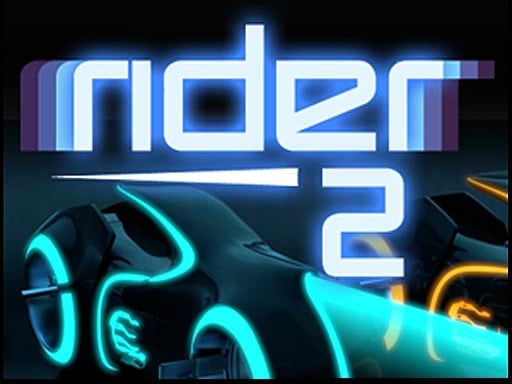
About Rider 2
Rider 2 is an arcade motorcycle driving game where players accelerate through an endless landscape, launching off ramps and executing mid-air flips. The core experience centers on timing your speed, taking on massive jumps, and gathering coins to purchase your favorite motorbikes while setting competitive high scores.
In Rider 2, you take the handlebars across a never-ending obstacle course designed for stunts and high-speed momentum. The environment encourages daring maneuvers, asking you to launch into the air, complete rotations, and touch down cleanly to continue your forward run. Coins appear along the path and reward you for performing flips during jumps, giving every leap an incentive for calculated risk.
The overarching gameplay loop combines quick reflexes with continuous coin collection. As you navigate the track and master bike rotation, the coins you accumulate can be spent to purchase different motorcycles. Pushing each run further allows you to refine your stunt timing, maintain control across varying terrain, and post your personal best scores against rival contenders.
Your goal
The primary objective in Rider 2 is to travel as far as possible through the endless world while racking up high scores through flips and jumps. Along the way, players strive to collect coins to unlock and ride preferred motorcycles from the shop, testing how cleanly they can land each stunt without interrupting their momentum.
How to play Rider 2
1. Begin your run by applying throttle to build forward driving momentum along the track.
2. Observe upcoming inclines and ramps to prepare for mid-air takeoff.
3. Initiate flips while your motorcycle is airborne to earn bonus coins.
4. Release or modulate your input to level the bike out for a smooth touchdown.
5. Stop or slow down when necessary to navigate tricky sections safely.
6. Visit the motorcycle menu between runs to buy your favorite bikes with your collected coins.
Controls and device support
On PC, use the mouse to drive, accelerate, and stop. On mobile devices, touch the screen to speed up or stop your motorcycle.
- Controls: Mouse or touch
- Device support: Desktop + mobile
- Game frame: 800 x 600
What makes the challenge interesting
The primary tension in Rider 2 revolves around aerial commitment versus landing safety. When launched off a steep ramp, initiating extra flips generates valuable coins and builds your score, but every quarter-turn in the air requires time to square the wheels before meeting the track below. Overcommitting to a rotation on a low-altitude leap risks an awkward angle of descent, while playing too conservatively limits your coin yield.
Because the control scheme links forward drive, acceleration, and stopping to a single mouse or touch input, pacing becomes an active calculation. Knowing when to ease off the throttle before a blind crest prevents uncontrolled flights, whereas maintaining full speed is necessary to clear wider drops.
Tips for Rider 2
- Prioritize landing angle over an extra flip when approaching uneven ground. Attempting a second rotation off a shallow ramp frequently leads to landing upside down, cutting your run short.
- Tap the input briefly to make subtle pitch adjustments in mid-air. Holding down acceleration without watching the bike's orientation makes it difficult to react when the landing zone suddenly slopes upward.
- Use the stopping control intentionally when approaching unfamiliar terrain. Rushing blindly over blind drops removes your ability to gauge the jump distance required to clear the next obstacle.
- Bank steady coins on predictable hills rather than forcing high-risk stunts on short mounds. Consistent small flips build your currency balance safely toward buying new motorcycles.
Stages and progression
Progression in Rider 2 unfolds across an endless track format rather than discrete, numbered stages. As your bike travels further into the run, maintaining control demands greater consistency in throttle regulation and stunt execution. Your accumulated flips translate into coins, creating a persistent resource loop.
Players channel their earned currency into the in-game garage to purchase different motorcycles. Setting higher personal distance and flip records serves as the ongoing test of skill, encouraging players to refine their aerial rhythm and beat previous run totals.
Playing on different devices
Rider 2 supports both desktop and mobile web setups with straightforward single-action handling. Desktop players control driving, accelerating, and stopping entirely through the mouse, making it easy to play in a browser window without keyboard hand placement.
On smartphones and tablets, the game translates these actions directly to touchscreen taps and holds. Touch responsiveness allows quick throttle taps to stabilize bike attitude in mid-air, making mobile play intuitive for quick sessions on the go.
The skills behind the game
Although listed within clicker and casual tags, Rider 2 primarily delivers the thrills of an arcade stunt runner. Traditional clicker titles often emphasize passive progression and incremental number growth, whereas Rider 2 depends on active player reflexes, precise throttle timing, and spatial awareness during airborne maneuvers.
Its casual running structure makes it easy to jump into for short bursts of play. The vehicle theme and streamlined controls provide instant accessibility, focusing on quick retries and the immediate gratification of sticking clean backflips and frontflips over challenging terrain.
Who will enjoy this game
Players looking for a Rider 2 game online often seek fast-paced browser gameplay that requires minimal setup yet offers engaging timing challenges. The blend of simple single-button control and dynamic stunt physics appeals to fans of two-wheeled trial games and endless runners alike.
Whether exploring casual clicker game online offerings or motorcycle stunt games, Rider 2 serves as an approachable reflex workout. It lets players practice jump estimation, recovery braking, and aerial rotation rhythm in bite-sized runs that fit neatly into quick study or work breaks.
Frequently asked questions
How do you earn coins in Rider 2? Coins are earned by flipping your motorcycle while airborne and cruising through the endless course. Sticking clean landings after flips allows you to build your savings toward purchasing new bikes.
What are the controls for Rider 2 on PC? On a computer, you use the mouse to drive, accelerate, and bring the bike to a stop, keeping bike management centered entirely on mouse interaction.
Can you unlock different vehicles in the game? Yes. Players can save the coins collected from stunt runs to purchase their favorite motorcycles in the game's shop.
Is Rider 2 played as a clicker game online? While categorized under clicker titles, Rider 2 operates as an active arcade stunt runner where mouse clicks or screen taps actively throttle, brake, and flip the bike.
Something not right?
Tell us if the game does not load, the information is wrong or the content needs review.
Report a problem ›