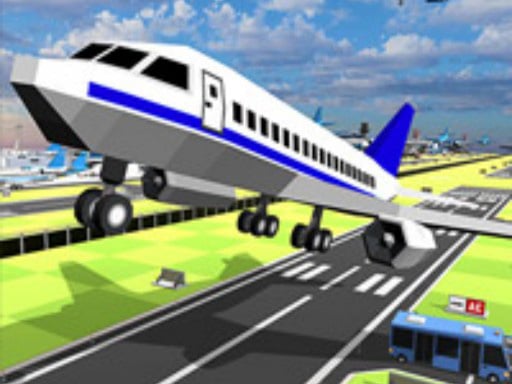
About Real Flight Simulator 3D
Real Flight Simulator 3D puts you directly into the pilot's seat for an engaging 3D aviation experience. Learn how to navigate your aircraft safely from runway takeoff into the open sky, manage your flight path, and execute smooth landings back on the ground across multiple exciting modes and levels designed for flight enthusiasts of all ages.
In Real Flight Simulator 3D, players experience what it feels like to fly an airplane like a real pilot. The game focuses on core aviation mechanics, guiding you through the essential stages of flight: taking off from the ground, soaring through 3D skies, and landing safely back down. Designed as an accessible HTML5 simulation game, it delivers smooth 3D visuals and intuitive tap or click interactions that allow quick mastery of aircraft handling. Whether you are navigating across structured level challenges or exploring its various gameplay modes, the game provides a fun, realistic atmosphere where you can practice steady control and satisfy your passion for flight.
Your goal
Your primary objective is to pilot your aircraft safely from initial takeoff to a secure landing. Successfully launch your plane from the ground into the sky, maintain steady control through the air across each designated level or mode, and touch down accurately on the landing strip to complete your flight mission and prove your piloting abilities.
How to play Real Flight Simulator 3D
1. Start the game and choose your desired mode or level to begin your flight session.
2. Use tap or click controls to initiate takeoff and pilot your plane off the runway.
3. Guide your aircraft steadily through the sky, keeping balance as you navigate the 3D environment.
4. Line up your plane with the designated landing area as you approach the ground.
5. Execute a smooth touchdown safely on the runway to successfully complete the level.
Controls and device support
Click: Interact with flight controls, steer the aircraft, and navigate menus
Tap: Interact with flight controls, steer the aircraft, and navigate menus
- Controls: Mouse or touch
- Device support: Desktop + mobile
- Game frame: 1334 x 750
Rules to keep in mind
- Safe Takeoff and Landing: You must successfully guide the plane off the ground into the sky and touch down safely back on the runway.
- Level Progression: Complete the flight requirements within each level and mode to advance through the game.
What makes the challenge interesting
Gameplay in Real Flight Simulator 3D centers on precision flying and smooth aircraft control. Navigating an airplane requires attentiveness during both ascent and descent, demanding measured inputs so the plane remains stable in mid-air. The 3D presentation gives clear perspective on your orientation and altitude relative to the ground. Because the controls utilize direct tap or click commands, players can focus on mastering the timing of maneuvers, aligning with runways, and adjusting trajectory smoothly across various levels and modes to achieve clean, accident-free flights.
Tips for Real Flight Simulator 3D
- Maintain a steady approach by avoiding sudden, erratic inputs when taking off or descending toward the runway to keep the aircraft balanced.
- Keep your aircraft level as you navigate through the sky, observing your 3D surroundings carefully before initiating your final descent to the ground.
- Familiarize yourself with the tap or click response times in earlier levels to build confidence for handling more challenging flight modes.
Stages and progression
The game features multiple modes and levels that let players test and refine their aviation skills. As you progress, each stage presents fresh flight scenarios, challenging you to handle different takeoff and landing conditions with increasing mastery.
The skills behind the game
Categorized under Boys and Flight games, Real Flight Simulator 3D embraces accessible 3D simulation mechanics. Flight and aircraft games appeal to players who enjoy operating machinery, mastering vehicle dynamics, and experiencing the thrill of open-sky navigation. Built on HTML5 technology, it brings accessible aeronautical gameplay to casual web browsers with straightforward controls.
Who will enjoy this game
If you are searching for real flight simulator 3d or a real flight simulator 3d game, this title provides an accessible browser-based flying experience. It combines 3D airplane modeling with intuitive tap and click mechanics, letting aspiring pilots practice takeoff and landing techniques across distinct levels directly in their web browser.
Frequently asked questions
How do I control the airplane in Real Flight Simulator 3D? You control the aircraft using simple tap or click inputs, which allow you to direct the plane during takeoff, mid-air flight, and landing without needing complex keyboard configurations.
Does Real Flight Simulator 3D include different game modes? Yes, the game features multiple interesting modes and levels, allowing players to experience various flight challenges that test safe takeoffs, steady aerial cruising, and controlled runway landings.
Something not right?
Tell us if the game does not load, the information is wrong or the content needs review.
Report a problem ›