About Real Flight Simulator
Real Flight Simulator is a 3D airplane simulation game designed to guide players through the core phases of flight across six structured levels. Instead of overwhelming you with dense cockpit dials, the game streamlines the piloting experience with simplified instrument panels. You will practice starting your engines, steering smoothly through open airspace, and bringing aircraft down for safe landings.
Real Flight Simulator offers an accessible entry point into aviation gameplay by translating the key stages of flying into clean 3D environments. Players navigate through six dedicated levels that introduce the fundamental routines of piloting, from starting up on the runway to executing controlled steering maneuvers and completing careful landings.
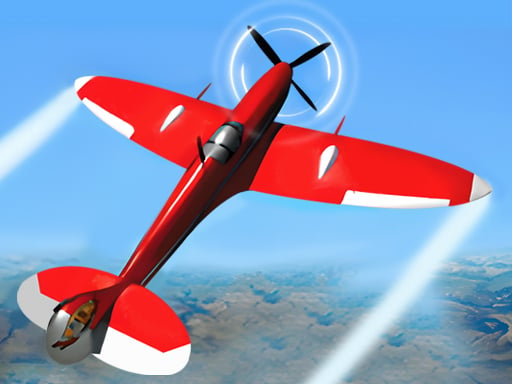
Rather than demanding mastery over dozens of real-world switches, the game uses simplified instrument panels so you can focus on motion and trajectory. As you explore the available aircraft, higher-tier, more expensive planes offer enhanced acceleration and performance profiles across attributes such as Power, Speed, Solution, and Brake.
Your goal
The primary objective in Real Flight Simulator is to successfully guide your aircraft through all six flight levels by managing takeoffs, in-flight navigation, and touchdown procedures. Along the way, players aim to handle higher-performing aircraft that feature boosted acceleration, superior top speed, responsive braking, and refined flight handling.
How to play Real Flight Simulator
1. Launch the game and select your starting level from the main menu using click or tap inputs.
2. Initiate engine startup and monitor the simplified dashboard indicators to prepare for departure.
3. Build forward momentum along the runway and gently pitch upward to lift off into the sky.
4. Steer your airplane along the designated flight path while maintaining stable altitude and heading.
5. Align your aircraft with the landing strip, manage your descent speed, and touch down smoothly.
6. Inspect upgraded airplane models in the hangar to access higher ratings in Power, Speed, and Braking.
Controls and device support
The game is played using standard mouse clicks on desktop or screen taps on mobile devices to interact with flight controls and interface buttons.
- Controls: Mouse or touch
- Device support: Desktop + mobile
- Game frame: 1334 x 750
What makes the challenge interesting
The central appeal of Real Flight Simulator lies in balancing gentle course adjustments with momentum management. Because flight simulation emphasizes smooth physical transitions rather than frantic reflexes, players must anticipate turns early and avoid abrupt inputs that could destabilize their heading.
Switching between different planes introduces meaningful handling tradeoffs. Higher-tier models deliver noticeable gains in acceleration, top speed, and engine power, which helps cover distances quickly but requires earlier braking and sharper attention when aligning for final runway approaches.
Tips for Real Flight Simulator
- Apply gradual steering corrections during flight rather than making sharp turns. Overcorrecting can quickly throw your aircraft off course and make landing alignment far more difficult.
- Check your plane's speed and brake ratings before attempting a descent. Faster models require you to begin slowing down well ahead of the runway to ensure a stable touchdown.
- Rely on the simplified dashboard panels to track your primary flight orientation without distraction. Keeping your gaze centered on the flight path prevents disorientation during banking maneuvers.
- Work through earlier stages methodically to get comfortable with basic handling before attempting higher-tier aircraft, as enhanced power makes steering more sensitive to rapid inputs.
Stages and progression
Progression in Real Flight Simulator is structured across six distinct levels that present sequential aviation challenges. Each stage reinforces core flight competencies, moving players from basic startup and initial takeoff routines toward more demanding navigational routes and landing scenarios.
Alongside stage progression, players can work toward acquiring more expensive 3D aircraft. Advanced planes feature superior baseline statistics across Power, Speed, Solution, and Brake, altering the rhythm of flight and providing faster acceleration through subsequent stages.
The skills behind the game
Real Flight Simulator fits into the 3D vehicle simulation category, focusing on accessible flight mechanics rather than hardcore avionics. Simulation games in this space allow aviation enthusiasts to appreciate the spatial challenge of piloting without navigating hundreds of real-world cockpit toggles.
By balancing approachable controls with genuine flight milestones—such as runway acceleration, banking turns, and final approach alignment—the title bridges the gap between casual arcade experiences and authentic flight simulators.
Who will enjoy this game
Players looking for a real flight simulator experience in their web browser often seek a balance between realistic 3D airplane visuals and immediate, responsive controls. This title offers a structured way to practice spatial orientation and flight path planning without requiring dedicated flight hardware.
Whether you want a quick session to test runway landings or an extended playthrough exploring different plane stats, a real flight simulator game provides practical casual aviation fun across short, rewarding stages.
Frequently asked questions
How many levels are included in Real Flight Simulator? The game features six distinct levels designed to teach and test the core stages of flying, including engine startup, mid-air steering, and landing.
Do different airplanes have unique performance attributes? Yes. Higher-priced planes offer enhanced acceleration and improved performance ratings across specific attributes, including Power, Speed, Solution, and Brake.
Are the cockpit instrument panels difficult to understand? No. Real Flight Simulator simplifies complex aviation instruments into accessible visual indicators so players can focus on steering and flight control without technical clutter.
Something not right?
Tell us if the game does not load, the information is wrong or the content needs review.
Report a problem ›