Official listing
Game description
Upgrade your speed,engine and energy capacity to become the ultimate champion of the Rally Road!
Racing game
Rally Road is a 3D arcade racing game where you guide a car across lanes, manage braking and nitro, and upgrade speed, engine and energy capacity in pursuit of the ultimate champion title.
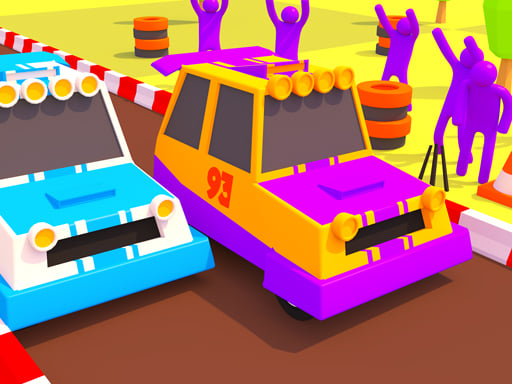
Choose Play now to load the game.
Official listing
Upgrade your speed,engine and energy capacity to become the ultimate champion of the Rally Road!
From the game listing
Swipe left or right to change the lane tap and hold to brake and swipe up to use nitro on mobile Press left or right key to change the lane press space key to brake and press up key to use nitro on desktop
Open this card to load the gameplay video.
Rally Road is a 3D arcade racing game where you guide a car across lanes, manage braking and nitro, and upgrade speed, engine and energy capacity in pursuit of the ultimate champion title.
Rally Road presents a straightforward hypercasual racing loop: keep the car moving, shift left or right between lanes, slow down with the brake input when needed, and use nitro for a burst of speed. The listed progression hook is upgrading speed, engine and energy capacity so the car can become stronger over repeated attempts. With 1 Player, 3D, Arcade, Car and Race tags, the page fits quick sessions built around simple inputs rather than complex simulation tuning.
The stated goal is to become the ultimate champion of the Rally Road by improving the car through speed, engine and energy-capacity upgrades while using lane changes, braking and nitro during each run.
1. Start a run and keep the rally car positioned in a suitable lane.
2. On mobile, swipe left or right to change lanes; on desktop, press the left or right key.
3. On mobile, tap and hold to brake; on desktop, press the space key to brake.
4. On mobile, swipe up to use nitro; on desktop, press the up key to use nitro.
5. Upgrade speed, engine and energy capacity as you work toward the ultimate champion goal.
Left or right key: Change the lane
Space key: Brake
Up key: Use nitro
Swipe left or right: Change the lane
Tap and hold: Brake
Swipe up: Use nitro
The focus is reaction-based lane control rather than detailed vehicle simulation. Because the instructions separate lane movement, braking and nitro into distinct inputs, the practical skill is choosing when to hold speed, when to slow the car and when a nitro burst is worth using. The upgrade names suggest a simple build choice: raw speed for pace, engine for the car’s stated power area, and energy capacity for the named resource limit.
Progression is described through upgrading speed, engine and energy capacity until the player becomes the ultimate champion of the Rally Road. No costs, levels, unlock order or race structure are stated, so the safest reading is a simple improvement loop tied to those three named attributes.
The source lists a portrait 720 x 1280 playfield and gives separate control schemes: swipes and tap-hold on mobile, arrow or space keys on desktop. That makes the listing suitable to describe as touch-friendly in portrait while still documenting keyboard play.
Within Racing, Rally Road sits closest to arcade and hypercasual car play rather than simulation. The tags emphasize 3D presentation, single-player access and simple race action, while the instructions reduce driving to lane choice, braking and nitro timing for quick browser sessions.
Natural phrases for this page include “Rally Road,” “Rally Road game,” and broader “racing game online” wording because the title, Racing category and car/race tags support that context. These are phrasing aids only; the supplied keyword evidence is unverified and should not be framed as search-volume data.
How do you control Rally Road? On mobile, swipe left or right to change lanes, tap and hold to brake, and swipe up for nitro. On desktop, use left or right keys, space to brake, and up for nitro.
What is the goal in Rally Road? The description says to upgrade speed, engine and energy capacity to become the ultimate champion of the Rally Road, with lane changes, braking and nitro supporting each run.
Is Rally Road multiplayer? The supplied tags list 1 Player and do not describe online opponents, matchmaking or co-op, so the page should be treated as a single-player racing listing.
Tell us if the game does not load, the information is wrong or the content needs review.
Report a problemExplore popular games by category, shared tags and site-wide activity.




















