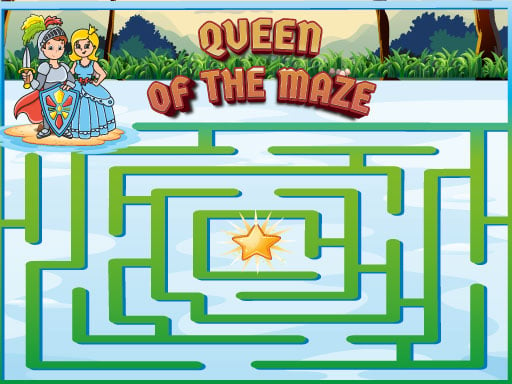
About Queen of the Maze
Queen of the Maze is a 2D labyrinth puzzle game designed around straightforward pathfinding challenges. Drawing inspiration from classic retro PC maze titles, the game tasks players with steering their character through winding corridors while monitoring on-screen stage progression and current points. With flexible inputs for both mouse clicks and touch swipes, it offers accessible puzzle solving for casual players across modern desktop and mobile browsers.
In Queen of the Maze, players explore structured maze corridors presented in a clean two-dimensional layout. The central activity involves working through maze routes to find safe passage across each layout. The interface displays your active score and current level status in the upper-middle area of the screen, providing immediate feedback on how far you have advanced through the course.
The overall presentation embraces classic maze nostalgia while remaining lightweight and responsive. When you need a break to plan your path or step away, a dedicated pause control is placed directly in the upper-left corner of the display. Whether playing short sessions on a phone or navigating with precise mouse clicks on a computer, the experience emphasizes clear spatial orientation and systematic exploration.
Your goal
Your objective in Queen of the Maze is to successfully navigate through each labyrinth layout while advancing through sequential levels and building your score. By reading hallway branches accurately and maintaining steady directional movement, your goal is to conquer each stage efficiently and reach higher level milestones displayed at the top of the interface.
How to play Queen of the Maze
1. Start the game to load the active maze layout on your screen.
2. Check your starting position and locate the surrounding pathways across the maze corridors.
3. Direct movement across corridors using mouse clicks on desktop or directional swipe gestures on mobile screens.
4. Track your active level number and running point tally in the upper-middle display area.
5. Use the pause button located on the upper-left corner whenever you need to temporarily halt the session.
6. Reach the level exit to advance forward into subsequent labyrinth challenges.
Controls and device support
According to the official instructions, desktop players use the left and right mouse click buttons to move left and right. Mobile players swipe left, right, up, and down on the screen to move in all directions. The pause button is located on the upper-left side of the screen, and active scores and levels are displayed in the upper-middle area.
- Controls: See in-game controls
- Device support: Desktop + mobile
- Game frame: 720 x 1280
What makes the challenge interesting
The core gameplay focus of Queen of the Maze centers on spatial awareness and deliberate path planning. Classic maze games reward players who can mentally trace branching routes before committing to a long hallway. Because corridors often present false turns and dead ends, taking a second to scan upcoming intersections reduces unnecessary backtracking.
There is also a rhythmic tradeoff between rapid movement and measured navigation. Rushing into intersections without observing wall boundaries can lead you into trapped corners. By balancing quick directional inputs with regular visual checks of the entire layout, you maintain steady progress across advancing levels.
Tips for Queen of the Maze
- Scan branching intersections ahead of your character to spot open paths early, helping you avoid running deep into closed corridors and wasting movement time.
- Keep an eye on the level indicator in the upper-middle display to monitor your stage transitions and celebrate sustained progression.
- Use the pause button at the upper-left if you need a breather to inspect a complex route without making rushed turns.
- On touchscreen devices, use short and deliberate directional swipes rather than erratic drags to maintain full control over each turn.
Stages and progression
Progression in Queen of the Maze is structured around sequential stages, tracked by the level counter visible at the top-middle of the screen. As you solve each labyrinth, your score increases and you proceed to the next stage.
To build consistency across higher levels, focus on establishing a steady exploration rhythm. Practicing careful intersection reading on earlier layouts helps develop the visual habits needed to tackle more intricate maze pathways in later rounds.
Playing on different devices
The game provides distinct control schemes tailored to your chosen platform. On desktop web browsers, directional movement left and right is handled through mouse click buttons. Mobile users benefit from four-way touch support, using swipe motions up, down, left, and right to steer through the corridors.
The display is formatted in a vertical 720 by 1280 resolution, making it naturally well-suited for portrait orientations on smartphones and compact browser windows on desktop computers. Both platforms share the same UI placement for pause controls and score tracking.
The skills behind the game
Labyrinth and maze games represent one of the foundational genres in digital puzzle gaming. They emphasize clear spatial reasoning, pattern recognition, and memory as players chart navigable paths through structured obstacles. In HTML5 formats, these titles provide instant casual entertainment without complex setup requirements.
Queen of the Maze fits squarely within this tradition, offering accessible 2D corridor navigation designed for quick sessions. Its minimalist hypercasual approach makes it approachable for younger players while offering classic nostalgic puzzle solving for long-time genre fans.
Who will enjoy this game
Players searching for Queen of the Maze or a casual puzzle game online are generally looking for straightforward, browser-ready labyrinth challenges. The game delivers quick-loading maze exploration that runs smoothly across desktop browsers and mobile touchscreens.
Whether you want a relaxing mental warmup during a break or a clean navigational puzzle to test your pathfinding intuition, Queen of the Maze provides focused, distraction-free maze navigation that is easy to pick up and play anywhere.
Frequently asked questions
What kind of game is Queen of the Maze? Queen of the Maze is a 2D classic labyrinth puzzle game where players guide a character through twisting maze passages to complete stages and increase their score.
How do you control your character on mobile devices? On mobile devices, you swipe across the touchscreen in four directions—up, down, left, and right—to move your character through the maze pathways.
Where can I see my current score and level? Your active score and current level number are displayed prominently in the upper-middle area of the game screen during play.
Can I pause Queen of the Maze during a run? Yes, you can pause the action at any time by pressing the pause button located on the upper-left corner of the screen.
Something not right?
Tell us if the game does not load, the information is wrong or the content needs review.
Report a problem ›