Play now

Hypercasual game

Push the Colors

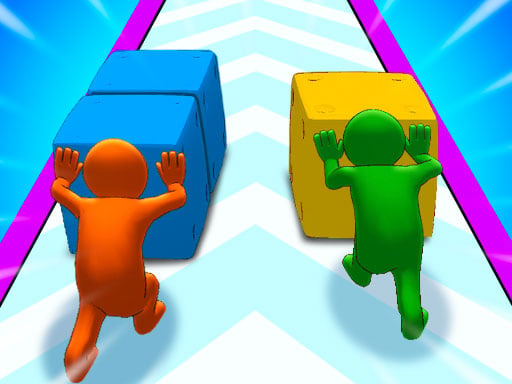
The color push begins with colorful squares, obstacles, and color gates within a great 2 player casual game! Find various costumes during the Push the Colors adventure, get the cubes to the finish line, and challenge the giant...

More Hypercasual
HypercasualPush the Colors

Choose Play now to load the game.

Open source

Official listing

Game description

The color push begins with colorful squares, obstacles, and color gates within a great 2 player casual game! Find various costumes during the Push the Colors adventure, get the cubes to the finish line, and challenge the giant at the end! The more cubes you have, the more power you will have. You can destroy the color monster by having many cubes. Make smart choices on your way and increase the number of the cubes in your hands.

From the game listing

Instructions and controls

Player 1 Move Left Right A and D or LEFT-RIGHT ARROWS In 1P Mode Only Push at the end W or UP ARROW In 1P Mode Only Player 2 ARROW KEYS Move Left Right LEFT-RIGHT ARROWS Push at the end UP ARROW

Watch before you play

How to play Push the Colors

See the official game walkthrough for the objective, controls and useful gameplay ideas.

Video guide

About Push the Colors

The color push begins with colorful squares, obstacles, and color gates within a great 2 player casual game! Find various costumes during the Push the Colors adventure, get the cubes to the finish line, and challenge the giant...

Push the Colors is listed in the Hypercasual games collection. The listing also includes the 2 Player, 3D, Boys, Casual, Color, and Coloring tags, which help connect it with nearby game pages.

How to play Push the Colors

Player 1 Move Left Right A and D or LEFT-RIGHT ARROWS In 1P Mode Only Push at the end W or UP ARROW In 1P Mode Only Player 2 ARROW KEYS Move Left Right LEFT-RIGHT ARROWS Push at the end UP ARROW

Controls and device support

The listing currently identifies Browser support, keyboard controls and a 800 x 600 game frame. These details come from the supplied game information and may change when the source listing is updated.

  • Controls: Keyboard
  • Device support: Browser
  • Game frame: 800 x 600

Something not right?

Tell us if the game does not load, the information is wrong or the content needs review.

Report a problem