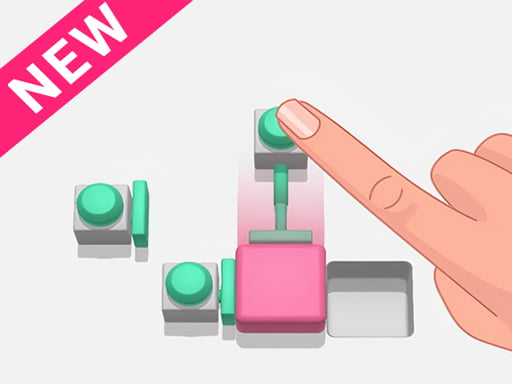
About Push It: Block Puzzle Game
Push It: Block Puzzle Game is a tricky block-pushing puzzle where you move colorful blocks, press buttons to shift them from place to place, and push them into the hole. Think ahead, because a wrong move has no undo; clear every block to master the screen.
Push It: Block Puzzle Game presents a brain-teasing block puzzle built around moving stack blocks wisely and pushing them into the hole. The official description calls it a tricky and interesting puzzle game with surprising, exciting pushing gameplay. Your challenge is to solve each colorful block arrangement, press the button to move blocks from one place to another, and clear the screen from all blocks. Because there is no undo after a wrong decision, the fun comes from planning before you press.
Your goal
The goal is to clear the screen from all colorful blocks by moving them wisely and pushing them into the hole. You need to think before pressing the button, because a wrong block move cannot be undone. Solve the tricky push-em style puzzle and become the master of block puzzle games.
How to play Push It: Block Puzzle Game
1. Start the game and follow the introduction shown by the game.
2. Use the mouse to play, as stated in the supplied instructions.
3. Look at the colorful stack blocks and decide which block should move before you press.
4. Press the button to move blocks from one place to another and push them toward the hole.
5. Clear the screen from all blocks to finish the puzzle and prove your block-puzzle mastery.
Controls and device support
Mouse: Use Mouse To Play and Follow introduction
- Controls: Mouse or touch
- Device support: Browser
- Game frame: 400 x 600
Rules to keep in mind
- Think before pressing the button to move blocks from one place to another.
- There is no undo if you make a wrong decision to move any block.
- A puzzle is complete when the screen is cleared from all colorful blocks.
What makes the challenge interesting
The focus is careful block movement rather than speed. Each decision matters because the description warns that there is no undo after a wrong move, so the safest approach is to read the layout, predict where a block will go, and press only when the path into the hole is clear. The colorful stack blocks create a push-em puzzle style where clearing everything is the win condition.
Tips for Push It: Block Puzzle Game
- As general advice, pause before each press and trace the block’s path mentally, since the source says wrong moves cannot be undone.
- Try to identify which colorful block is blocking the hole first; clearing that obstruction can make the remaining pushes easier to plan.
- If a layout looks confusing, follow the introduction again and use the mouse carefully instead of pressing quickly and risking a permanent mistake.
The skills behind the game
The listing is categorized as Puzzles, and its tags also point toward arcade-style, HTML5, mobile-friendly, kids, and fun casual play. That context fits a compact block puzzle where the main appeal is solving a tricky arrangement rather than learning a long story or complex rules.
Who will enjoy this game
Natural phrases for this page center on the exact title, block puzzle play, pushing blocks into the hole, and clearing colorful blocks from the screen. Related wording such as puzzle game online is reasonable genre context, but the supplied keyword evidence is unverified and should not be described as measured demand.
Frequently asked questions
How do you play Push It: Block Puzzle Game? The supplied instructions say to use the mouse to play and follow the introduction. In practice, press the button to move blocks from place to place and push them into the hole.
What is the goal in Push It: Block Puzzle Game? Your goal is to move the colorful stack blocks wisely, push them into the hole, and clear the screen from all blocks while solving the tricky puzzle.
Can you undo a wrong move in Push It: Block Puzzle Game? No. The description specifically warns that there is no undo if you make a wrong decision to move any block, so think before pressing the button.
Something not right?
Tell us if the game does not load, the information is wrong or the content needs review.
Report a problem ›