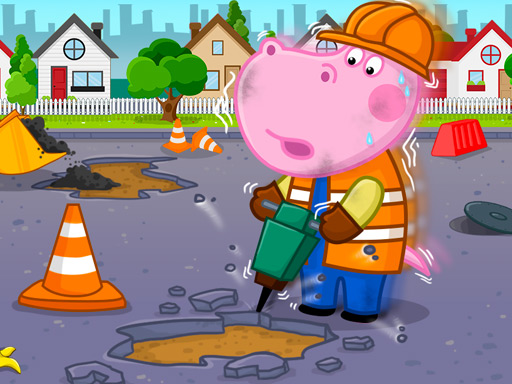
About Professions For Kids
Professions For Kids introduces young learners to a variety of real-world careers through approachable, visual activities. Designed as an interactive educational experience, the title encourages curious players to explore different occupational roles and practice core problem-solving routines. With direct touch and mouse controls, children can easily navigate each scene at their own pace without complicated setup or demanding technical hurdles.
Professions For Kids centers on early childhood career discovery within a bright, accessible browser format. Players engage with interactive scenes that present different vocations, giving children a playful look at the tools, environments, and tasks associated with various jobs. The experience emphasizes visual discovery and simple inputs, making it approachable for early learners practicing foundational computer or tablet coordination.
Rather than relying on fast-paced competition or complex rules, the game invites self-directed exploration. Children inspect on-screen objects, respond to visual prompts, and engage with character-driven situations. This structure offers a supportive digital environment where parents and young players can talk about everyday community helpers and personal interests in a relaxed setting.
Your goal
The primary objective in Professions For Kids is to engage with educational career activities and successfully complete each featured job scenario. Players work to identify tools, understand occupational roles, and build confidence through active visual participation. By taking time to observe each scenario carefully, children practice basic decision-making and hand-eye coordination while discovering what different professionals do.
How to play Professions For Kids
1. Launch the game in your browser on a desktop computer, tablet, or mobile phone.
2. Observe the main menu or starting scene to see which profession or character is ready to explore.
3. Click with your mouse or tap with your finger to select tools and interact with highlighted objects.
4. Follow the on-screen visual cues to carry out the steps required for each career task.
5. Complete the current activity to review the profession and move on to the next interactive challenge.
Controls and device support
Use the mouse to click on objects and interact with activities on desktop, or use a finger to tap directly on touchscreens.
- Controls: Mouse or touch
- Device support: Browser
- Game frame: 800 x 504
What makes the challenge interesting
The central appeal of Professions For Kids lies in its balance of intuitive motor practice and educational curiosity. For young children, browser games serve as an early bridge to digital interaction. Interacting with varied on-screen items requires basic spatial awareness and deliberate input control, teaching players to connect visual cause with immediate effect.
Because the game emphasizes friendly career discovery rather than strict reflexes or time limits, players can take their time investigating every item on the screen. The main gameplay tradeoff involves curiosity versus efficiency: rushing through taps may complete a screen quickly, but taking time to observe character actions and tools fosters better recognition and conversational learning between parents and children.
Tips for Professions For Kids
- Take a moment to scan the entire screen before clicking. Identifying all visible tools first helps children connect items with their real-world uses instead of tapping randomly.
- Encourage young players to name the profession out loud as they start each scene. Verbalizing the role reinforces vocabulary and strengthens memory retention during play.
- Use deliberate, single taps rather than rapid multi-touch tapping on mobile devices. Steady inputs ensure the browser registers every action smoothly and avoids misclicks.
- Discuss what each tool does in real life during transitions. Asking simple questions about doctors, builders, or other helpers turns casual play into an active learning session.
Playing on different devices
Professions For Kids is built with HTML5 technology, allowing it to run smoothly within modern desktop browsers and mobile touch devices. The display is formatted at a native 800 x 504 resolution, which scales neatly onto tablet screens and standard computer monitors without requiring additional software downloads.
Touchscreens provide an intuitive interface for toddlers and preschoolers who may not yet have developed precise mouse control. For older children learning basic computing skills, playing on a desktop with a mouse offers valuable practice with cursor movement, precision clicking, and window navigation.
The skills behind the game
Educational browser games for children provide safe, accessible environments where young minds can explore practical concepts through play. Within the educational and family-friendly category, titles focusing on career discovery help demystify the work done by various community professionals, from service workers to creative specialists.
By combining cute character visuals with straightforward interactive tasks, these games create a welcoming setting that encourages observation and curiosity. They serve as approachable early learning tools that introduce practical life concepts alongside simple digital coordination exercises.
Who will enjoy this game
Parents and educators searching for professions for kids often look for engaging, ad-light digital activities that introduce careers without unnecessary frustration or complicated rules. A dedicated professions for kids game offers a structured way for young players to see what different jobs entail through interactive scenes.
Casual browser games in this niche are ideal for short learning sessions at home or in early learning classrooms. They provide accessible guided play that can spark broader conversations about what children want to be when they grow up, making screen time productive and educational.
Frequently asked questions
What age group is Professions For Kids designed for? The game is tailored for young children and preschoolers who are beginning to learn about everyday careers, community roles, and basic digital interactions through simple point-and-click or tap controls.
Can children play Professions For Kids on a mobile phone or tablet? Yes. The game supports touch controls and runs directly in mobile web browsers, allowing children to tap on-screen items with a finger without needing special controller setups or app downloads.
What skills can kids practice while playing this game? Players develop foundational career awareness, vocabulary recognition, and fine motor skills by matching tools to professions and interacting with clear visual cues across each task.
Something not right?
Tell us if the game does not load, the information is wrong or the content needs review.
Report a problem ›