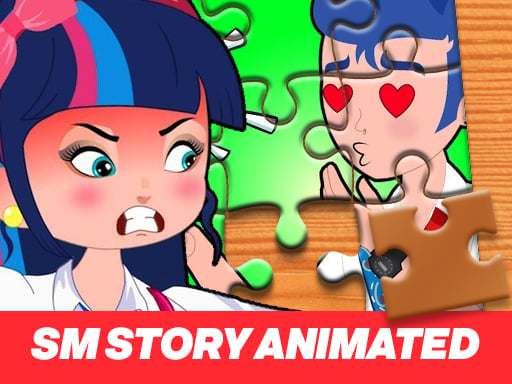
About Princess SM Story Jigsaw Puzzle
Princess SM Story Jigsaw Puzzle is an online jigsaw game where you pick easy, medium, or hard, then drag scattered pieces onto a transparent guide until the picture is whole again, making it a calm browser-friendly puzzle session for players who enjoy simple image assembly.
Princess SM Story Jigsaw Puzzle is presented as a Puzzle-category jigsaw game built around one clear task: reconstruct a picture from loose pieces. The source describes starting by selecting a preferred difficulty—hard, medium, or easy—after which the pieces are spread randomly around the screen. From there, the player uses mouse drag-and-drop to place each piece over the transparent image where it matches, continuing until every piece is connected and the picture looks as it did at the start. The listing frames it as a fresh image and format within its puzzle lineup, but the playable idea remains classic jigsaw assembly.
Your goal
The objective is to restore the jigsaw image completely. After choosing a difficulty, move every randomly scattered piece into its matching position on the transparent guide, connect all pieces, and finish when the assembled picture matches the original image shown at the beginning.
How to play Princess SM Story Jigsaw Puzzle
1. Start the puzzle and choose how you want it to be: hard, medium, or easy.
2. Look over the screen after the jigsaw pieces are spread around randomly.
3. Use the mouse to drag a piece toward the transparent image guide.
4. Drop each piece where it matches the transparent picture underneath.
5. Keep connecting pieces until all of them are joined and the image looks complete again.
Controls and device support
Mouse: Drag and drop jigsaw pieces onto the matching transparent image
- Controls: Mouse or touch
- Device support: Browser
- Game frame: 800 x 600
Rules to keep in mind
- A difficulty choice is part of setup: the source states the puzzle can be hard, medium, or easy before play begins.
- After difficulty is selected, the pieces are randomly spread around the game screen rather than placed in order.
- The puzzle is complete only when all pieces are connected and the image looks like it did in the beginning.
What makes the challenge interesting
The focus is visual matching through direct drag-and-drop placement. Pieces are scattered after the difficulty choice, so the player studies shapes, colors, and the transparent guide to decide where each piece belongs. The source does not describe timers, scoring, penalties, stages, or unlocks; the stated challenge is simply to keep placing pieces accurately until the full image is restored.
Tips for Princess SM Story Jigsaw Puzzle
- If you are new to this listing, consider starting on easy before trying medium or hard, since the source only states that difficulty changes the puzzle setup.
- Use the transparent image as your main reference: the description says pieces are dragged to the places where they match that guide.
- As general jigsaw advice, grouping pieces with similar colors or patterns can make the scattered layout easier to scan before you commit to placements.
- As general jigsaw advice, many players find edges and corners first, then fill inward; apply that only as a helpful habit, not a stated rule.
The skills behind the game
The listing sits in the Puzzles category and is tagged Jigsaw and Puzzle, which accurately signals a slow, observation-led game rather than reflex play. Its stated loop—choose difficulty, inspect scattered pieces, and drag them into matching positions—fits the familiar browser jigsaw format.
Who will enjoy this game
Natural phrase context includes the exact title phrase “princess sm story jigsaw puzzle,” plus broader wording such as “jigsaw puzzle online” and “puzzle game online.” These are treated only as unverified seed suggestions, while the page itself stays grounded in the stated drag-and-drop jigsaw play.
Frequently asked questions
How do you play Princess SM Story Jigsaw Puzzle? Choose easy, medium, or hard, then use the mouse to drag scattered pieces onto the transparent image where they match. Continue until every piece is connected and the picture is restored.
What difficulty options are described? The source states that you begin by choosing whether the jigsaw puzzle should be hard, medium, or easy. It does not explain exact piece counts or further difficulty settings.
Are there stated levels, scores, or multiplayer modes? No. The supplied facts only describe selecting a difficulty and completing one drag-and-drop jigsaw image; they do not mention levels, unlocks, timers, scores, penalties, or multiplayer.
Something not right?
Tell us if the game does not load, the information is wrong or the content needs review.
Report a problem ›