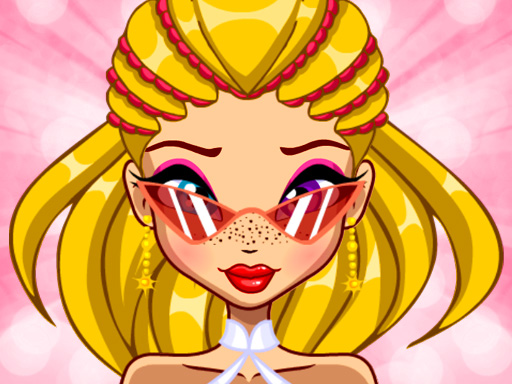
About Pretty Avatar Maker
Pretty Avatar Maker is an online character design title that invites you to build custom cartoon portraits for your social profiles. Adjust facial features, choose distinctive hair colors, and mix complementary accessories to produce a cute look, or let the randomizer assemble an unexpected design before exporting your finished profile image as a PNG file.
In Pretty Avatar Maker, players create personalized character illustrations using an approachable digital styling interface. You can adjust core facial details, switch hair shades, and refine your character's eyes and lips to suit your creative preferences. The tool offers flexibility whether you want to curate a bespoke appearance from scratch or experiment using random selection options.
Along with personal facial alterations, the studio includes an assortment of jewelry and decorative accents to enhance the final aesthetic. Once your design is complete, the game enables you to save the artwork directly as a PNG-format picture, making it convenient to display your custom graphic across your favorite social networks.
Your goal
The objective is to assemble a cute, personalized cartoon portrait by configuring facial elements, colors, and accessories according to your personal taste. Once satisfied with the final styling, your primary goal concludes by exporting the completed illustration as a clean PNG image suitable for social networks.
How to play Pretty Avatar Maker
1. Examine the avatar customization workspace and browse the various facial features available.
2. Adjust your character's eyes, lips, and facial proportions to establish an expressive base.
3. Pick preferred hair color shades and select jewelry and accessories to accent the overall appearance.
4. Use the random selection option if you want spontaneous inspiration or rapid aesthetic variations.
5. Finalize your adjustments and save the resulting cartoon artwork as a PNG image to use as an avatar.
Controls and device support
Left Mouse Click: Select features, modify hair and facial elements, and save the final image.
Tap: Touch on-screen styling categories, change features, and export the finished portrait.
- Controls: Mouse or touch
- Device support: Desktop + mobile
- Game frame: 800 x 600
What makes the challenge interesting
Gameplay in Pretty Avatar Maker centers around expressive freedom rather than rigid time constraints or failure mechanics. Players interact with diverse customization categories to balance makeup, jewelry, and hairstyles, encouraging careful coordination across every individual visual layer. Because the game provides a dedicated random selection feature alongside manual editing, you can freely alternate between deliberate artistic crafting and spontaneous image generation. The experience culminates in producing a clean, exportable digital asset, giving your creative choices practical utility outside the browser window.
Tips for Pretty Avatar Maker
- Try using the random selection tool when starting out to quickly discover unexpected accessory and color pairings.
- Establish your character's facial features and eyes first so you can select matching hair tones and jewelry afterward.
- Double-check every accessory and cosmetic detail before saving your final PNG to ensure your social profile avatar looks polished.
Playing on different devices
Depending on your hardware, control simply requires a computer mouse click on desktop or a direct touch on mobile screens. The canvas operates at an 800 by 600 resolution, allowing comfortable feature selection across supported devices.
The skills behind the game
Categorized under Girls and creative makeover experiences, Pretty Avatar Maker emphasizes casual styling, fashion decoration, and artistic design. Rather than testing reflexes, titles in this realm focus on color coordination, visual charm, and satisfying personal aesthetics within a relaxed, accessible format.
Who will enjoy this game
Players searching for a pretty avatar maker game or a casual dress up game often look for intuitive creation tools with clean visual assets. Pretty avatar maker delivers direct access to facial makeover options and quick PNG export capabilities directly in your web browser.
Games with a similar feel
Love Nikki-Dress UP Queen: Like Love Nikki-Dress UP Queen, this game focuses on coordinating attractive aesthetics and fashion accessories, but it is dedicated to crafting a cartoon avatar portrait rather than managing extensive multi-piece garment contests.
Project Makeover: Like Project Makeover, this tool highlights cosmetic styling and adjusting character appearances, though it operates as a streamlined portrait maker without puzzle levels or renovation mechanics.
Frequently asked questions
What image format does the game use to save avatars? The game allows you to export and save your finished cartoon character portrait as a standard PNG-image file for online use.
Can you create a character automatically without choosing every item? Yes, you can utilize the built-in random selection function to instantly assemble a distinct and cute character look.
What facial elements can be adjusted in the maker? Players can modify primary facial features including eye designs, lip shapes, and hair colors alongside complementary jewelry items.
Something not right?
Tell us if the game does not load, the information is wrong or the content needs review.
Report a problem ›