Official listing
Game description
Pou games are funny adventures of a small and completely helpless alien who accidentally came to our Earth and decided to stay here forever. Color all the pictures with Pou!
Arcade game
Pou Coloring invites players to dive into the charming world of Pou, the helpless little alien who visited Earth and decided to stay. In this casual creative title, you can color all the pictures featuring Pou and his amusing adventures across accessible, family-friendly coloring pages using simple tap or mouse controls.
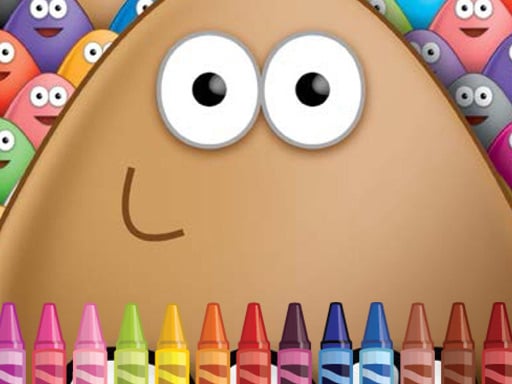
Choose Play now to load the game.
Official listing
Pou games are funny adventures of a small and completely helpless alien who accidentally came to our Earth and decided to stay here forever. Color all the pictures with Pou!
From the game listing
Use mouse or tap the screen
Open this card to load the gameplay video.
Pou Coloring invites players to dive into the charming world of Pou, the helpless little alien who visited Earth and decided to stay. In this casual creative title, you can color all the pictures featuring Pou and his amusing adventures across accessible, family-friendly coloring pages using simple tap or mouse controls.
Pou Coloring is an interactive HTML5 coloring activity designed for kids and casual players who enjoy creative art games. Drawing from the universe of Pou, the storyline centers on a tiny alien wanderer who arrived on our planet and made it his permanent home. Players are presented with coloring scenes showcasing Pou's humorous everyday moments and journeys. The game operates smoothly directly in modern web browsers with responsive 960 x 540 canvas dimensions, supporting both mouse input on computers and direct touch interactions on mobile devices. Without complicated menus or barriers, it offers an approachable digital canvas where anyone can color each picture at their own pace.
The primary objective in Pou Coloring is to color all the pictures featuring Pou. Players work through available illustrations, selecting their desired shades and applying them to each section of the drawing. Completing each artwork provides a satisfying creative experience without timer pressures or fail states, letting you focus entirely on finishing vibrant alien pictures.
1. Open Pou Coloring in your desktop browser or on your mobile device.
2. Choose a picture featuring the alien Pou that you would like to color.
3. Pick your preferred colors from the available art palette.
4. Use your mouse or tap the screen to apply color across the illustration outlines.
5. Fill in all areas to complete each picture of Pou.
Mouse click: Select colors and apply them to the picture
Tap the screen: Select colors and fill sections on touchscreens
Gameplay in Pou Coloring focuses on relaxed artistic expression and accessible interaction. Because it is built for quick browser play on both mobile and desktop screens, players can jump straight into coloring without managing complex mechanics or strict time limits. The core loop revolves around examining outline drawings of the alien Pou, experimenting with color combinations, and neatly filling each segment. This stress-free environment makes it particularly welcoming for young players and fans of lighthearted arcade activities seeking an uncomplicated creative pastime.
As an arcade and casual kids game, Pou Coloring fits alongside accessible browser titles that emphasize straightforward, tactile enjoyment over complicated rules. The arcade category often includes creative and lightweight diversions where players can quickly engage in self-directed activities, such as drawing or decorating, making it great for short play sessions.
Players searching for a pou coloring game or a coloring game online will find a focused, art-oriented browser experience here. By combining the recognizable alien character from classic mobile play with easy coloring pages, this arcade game online provides simple entertainment for children and casual fans looking for quick creative fun.
Happy Color: Like Happy Color, Pou Coloring focuses on the relaxing enjoyment of filling illustrated art with bright colors. However, while Happy Color relies on structured color-by-number mechanics, Pou Coloring offers freeform coloring pages centered on the alien character Pou.
How do you control the coloring tools in Pou Coloring? You can play Pou Coloring by using your mouse on a computer or by tapping the screen directly on touch-enabled mobile devices to select colors and fill in artwork sections.
What is the main goal in Pou Coloring? The goal is to color all the pictures featuring Pou, the friendly alien character, enjoying a relaxing and creative coloring experience at your own pace.
Can Pou Coloring be played on mobile phones? Yes, Pou Coloring is built with HTML5 technology and supports tap controls, allowing you to color illustrations directly on mobile browsers without extra software.
Tell us if the game does not load, the information is wrong or the content needs review.
Report a problemExplore popular games by category, shared tags and site-wide activity.




















