Official listing
Game description
In this pool game you will have to pocket the 10 available balls. Consecutive balls add to your score. Falling the cue ball doesn't decrease points.
Sports game
Pool 3D is a sports pool game built around a clear table goal: pocket the 10 available balls. The listing highlights consecutive balls adding to your score and reassures players that a fallen cue ball does not decrease points.
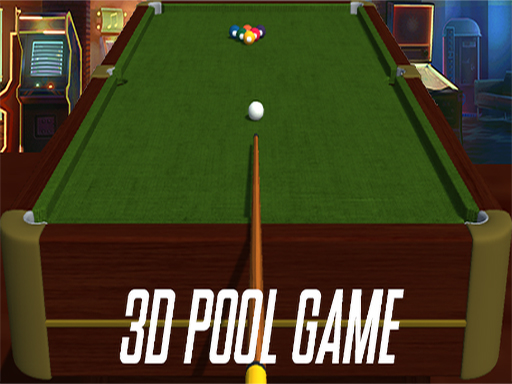
Choose Play now to load the game.
Official listing
In this pool game you will have to pocket the 10 available balls. Consecutive balls add to your score. Falling the cue ball doesn't decrease points.
From the game listing
Use Mouse To Play and Keyboard
Open this card to load the gameplay video.
Pool 3D is a sports pool game built around a clear table goal: pocket the 10 available balls. The listing highlights consecutive balls adding to your score and reassures players that a fallen cue ball does not decrease points.
Pool 3D presents a compact cue-sports challenge in the Sports category. According to the official description, the table contains 10 available balls and the player’s job is to pocket them. Scoring is tied to consecutive balls, so the useful rhythm is not simply making one shot, but trying to keep a run going. The same description also removes a common worry by stating that falling the cue ball does not decrease points. Tags place the listing among pool, 8 Ball Pool, sport, 3D, Unity3D, and WebGL contexts, which supports a 3D web cue-sports framing without adding extra rules.
The objective is to pocket the 10 available balls. Because consecutive balls add to your score, the practical target is to keep successful pockets coming in sequence rather than treating each shot as isolated. A cue-ball fall is explicitly not a point penalty in the source.
The source gives only a broad input note, so the steps below stay close to the stated goal and scoring rules.
1. Open Pool 3D and scan the table for the 10 available balls before choosing a first target.
2. Follow the listed input note exactly: "Use Mouse To Play and Keyboard."
3. Play a shot intended to pocket one of the available balls, then reassess the table for the next opportunity.
4. After a successful pocket, look for a follow-up ball because consecutive balls add to your score.
5. If the cue ball falls, continue calmly; the description says it does not decrease points, so plan the next remaining ball.
No specific mouse action or key mapping is supplied beyond the broad mouse-and-keyboard instruction.
The focus is efficient cue-sports decision-making under a simple scoring incentive. With 10 balls to pocket, each shot should be judged by whether it can be made and whether it helps another makeable ball remain available. The consecutive-ball scoring rule rewards keeping control of the table, while the no-point-loss cue-ball note lowers the cost of one mistake. That combination encourages steady shot selection: take the make that preserves the run, avoid unnecessary risk when a safer ball is present, and recover quickly after a cue-ball fall because the listing says points are not reduced.
Pool 3D sits in the Sports category and is tagged with Pool, 8 Ball Pool, Sport, 3D Games, Unity3D, and WebGL. That places it in the cue-sports lane where players expect balls, pockets, shot judgment, and score pressure. The 3D and web-oriented tags support a visual, browser-playable framing, while the verified rules remain the 10-ball task, consecutive-ball scoring, and no point loss for a fallen cue ball.
Natural phrase context for this page includes “pool 3d,” “pool 3d game,” and “sports game online.” These are treated as descriptive language only, not measured demand. They fit because the title is Pool 3D, the category is Sports, and the verified play idea is pocketing 10 balls while consecutive makes add to score.
8 Ball Pool: 8 Ball Pool is also a cue-sports game associated with aiming shots and pocketing balls. Pool 3D differs by stating a narrower ruleset: pocket 10 available balls, gain score through consecutive balls, and avoid point loss when the cue ball falls.
How many balls are in Pool 3D? The official description says there are 10 available balls to pocket. That fixed count gives the game a clear table-clearing target rather than an open-ended list of modes or stages.
Does the cue ball falling reduce your score? No. The description explicitly states that falling the cue ball does not decrease points, so players can recover and continue planning the next remaining ball.
What controls does Pool 3D use? The listing only says to use the mouse to play and keyboard. It does not provide a finer mapping, so players should expect broad input guidance rather than a detailed control chart.
Tell us if the game does not load, the information is wrong or the content needs review.
Report a problemExplore popular games by category, shared tags and site-wide activity.





















