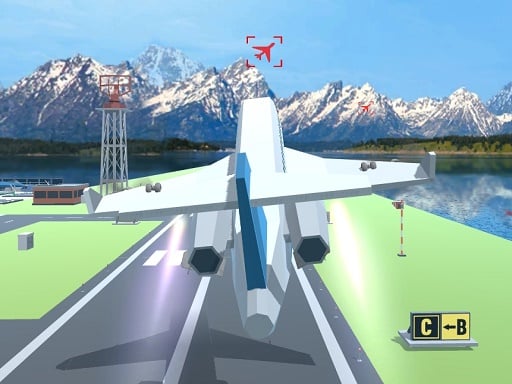
About Polygon Flight Simulator
Polygon Flight Simulator is a 3D browser aviation game where players take the controls of an airplane to travel across the sky between airports. By coordinating keyboard movement and mouse-directed pitch, you guide your craft into mid-air checkpoints along your flight path toward the next runway. It provides an accessible flight experience designed around smooth aerial steering and route following.
Polygon Flight Simulator places players in the cockpit of an airplane with the goal of journeying from one airport to another across open virtual terrain. Powered by WebGL 3D graphics, the core loop centers on getting airborne, sustaining steady altitude, and tracking specific airborne markers scattered throughout the sky.
Flight handling relies on a hybrid control setup where keyboard keys govern engine and plane movement while mouse inputs adjust your pitch and heading. Players must align their approach smoothly to hit each checkpoint sequentially while managing their aircraft en route to the designated destination airfield.
Your goal
The primary objective is to take off successfully and navigate your aircraft from your departure runway to your target destination airport. Along the way, you aim to guide your plane cleanly through airborne checkpoints to keep your cross-country journey on course without losing orientation in the sky.
How to play Polygon Flight Simulator
1. Press the W key to initiate engine forward drive and begin your takeoff roll down the airstrip.
2. Drag the mouse backward or down to pitch the aircraft nose up and ascend into the sky.
3. Use the WASD keys alongside mouse movement to balance your heading, bank, and forward momentum in mid-flight.
4. Scan the airspace for intermediate airborne checkpoints and steer directly through them en route.
5. Push the mouse forward to angle the nose down when you need to descend toward your destination runway.
6. Press Tab at any point during flight if you need to open the in-game menu.
Controls and device support
Keyboard and mouse controls are supported on desktop browsers: use WASD to move and steer the plane, drag the mouse to ascend, push the mouse forward to descend, move the mouse left or right to adjust heading, and press Tab to open the game menu.
- Controls: Mouse or touch
- Device support: Browser
- Game frame: 800 x 600
What makes the challenge interesting
The defining skill in Polygon Flight Simulator is mastering smooth, proportional inputs between the keyboard and mouse. Because dragging the mouse controls altitude and pitch while WASD manages lateral movement, pilots must avoid abrupt overcorrections that throw the aircraft off balance. Balancing climbing angles against forward speed ensures the plane maintains enough lift to reach elevated checkpoints without stalling or overshooting distant airport runways.
Tips for Polygon Flight Simulator
- Make subtle mouse adjustments rather than sweeping motions when ascending to keep your climb angle steady and avoid erratic flight paths.
- Line up your heading well before reaching an airborne checkpoint so you do not have to make sharp last-second turns.
- Hold forward momentum with the movement keys while leveling your mouse to maintain a stable cruising altitude across longer stretches.
- Ease the nose down gradually when approaching destination airfields instead of diving steeply, giving yourself ample time to align with the landing zone.
Stages and progression
Progression in this simulator revolves around completing navigational legs between distinct airport hubs. Pilots practice their consistency by linking multiple aerial checkpoints across consecutive routes. To improve your overall flying skill, try focusing on tighter waypoint alignment and smoother transitions from takeoff climb to level cruising across each journey.
Playing on different devices
Built on WebGL and Unity3D technology, the game runs directly in modern desktop web browsers inside an 800x600 display frame. A standard keyboard and mouse setup is recommended, as vertical and horizontal flight axes rely on continuous mouse gliding alongside WASD keystrokes.
The skills behind the game
Categorized under action and vehicle driving titles, aviation simulators focus on 3D spatial awareness and vehicle handling rather than fast-paced ground combat. In airplane games, players navigate open 3D airspace where maintaining lift, heading, and altitude takes precedence over rapid reflexes.
By emphasizing route planning and checkpoint navigation, browser flight titles offer an enjoyable blend of relaxed cruising and precision steering. Players who appreciate vehicular movement mechanics will find satisfaction in mastering takeoff trajectories and steady aerial alignments across virtual landscapes.
Who will enjoy this game
For players searching for an engaging polygon flight simulator game or a casual action game online, this title provides a direct and accessible entry point. It avoids complex cockpit switchboards in favor of immediate keyboard-and-mouse aviation handling.
Whether you are practicing steady 3D navigation or looking for a relaxing way to pilot an aircraft between airports during a short break, the streamlined controls make it easy to jump straight into the pilot seat.
Frequently asked questions
How do you make the airplane climb and descend? You control altitude using mouse movements: dragging the mouse backward or down pulls the nose up to ascend, while pushing the mouse forward points the nose down to descend.
What is the main goal during a flight? The main goal is to fly your airplane from your starting airport to a destination airport while successfully passing through the airborne checkpoints located along the route.
How do you access the in-game menu? You can bring up the game menu at any time by pressing the Tab key on your keyboard.
Something not right?
Tell us if the game does not load, the information is wrong or the content needs review.
Report a problem ›