Official listing
Game description
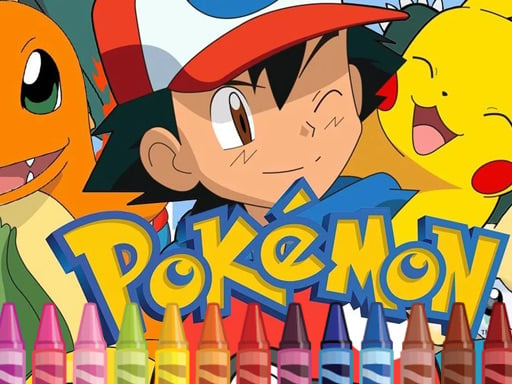
Decorate your favorite Pokemon, which have now lost all their colors and are now completely colorless. It is not necessary to repeat after the original image. Show imagination, color the characters as you wish.
Arcade game
Pokemon Coloring is a casual art activity where players bring vibrant life back to beloved characters that have lost all their original shades. Designed for open-ended creativity, the title invites you to pick custom palettes and decorate colorless character outlines without any obligation to match their canonical looks.
Choose Play now to load the game.
Official listing
Decorate your favorite Pokemon, which have now lost all their colors and are now completely colorless. It is not necessary to repeat after the original image. Show imagination, color the characters as you wish.
From the game listing
Use mouse or tap the screen
Open this card to load the gameplay video.
Pokemon Coloring is a casual art activity where players bring vibrant life back to beloved characters that have lost all their original shades. Designed for open-ended creativity, the title invites you to pick custom palettes and decorate colorless character outlines without any obligation to match their canonical looks.
In Pokemon Coloring, beloved creature outlines start completely devoid of color, waiting for players to paint them using flexible digital tools. The experience prioritizes creative expression over strict accuracy, meaning you can follow traditional color schemes or invent brand-new visual styles for each character. With intuitive mouse controls on desktop and direct tap controls on mobile touchscreens, players of all ages can pick shades and fill in outlines effortlessly. The HTML5 format makes it an accessible browser pastime suited for kids and casual arcade fans seeking a relaxing, pressure-free coloring session.
The main goal in Pokemon Coloring is to fully decorate colorless character templates using your own visual style. Because matching canonical character designs is completely optional, success centers on expressing imagination and finishing colorful artwork. Players aim to fill in the blank outlines smoothly to produce striking and customized character portraits.
1. Open the game on your desktop browser or mobile device to view the available colorless character artwork.
2. Select a color from the available digital palette using your mouse cursor or touchscreen tap.
3. Apply your chosen shade to specific sections of the colorless character outline.
4. Experiment with imaginative color combinations across different body parts without needing to follow canonical designs.
5. Continue filling each section until the entire character drawing is completely decorated.
Mouse: Select colors and apply them to the character outline
Tap the screen: Select colors and apply them to the character outline
Pokemon Coloring centers on relaxed, stress-free digital art creation rather than timed arcade challenges or high-score mechanics. Players interact directly with blank character outlines, applying imaginative colors to every segment at their own pace. The open-ended approach removes penalties and strict completion criteria, encouraging creative experimentation across different color palettes. Whether replicating familiar aesthetic themes or inventing entirely new creature variations, the gameplay loop remains calming and accessible for children and casual players on both desktop and mobile platforms.
Classified under the Arcade and Kids categories on HTML5 web portals, Pokemon Coloring trades twitch reflexes and high scores for creative relaxation. While traditional arcade games focus on fast action and escalating difficulty, casual coloring activities provide a peaceful digital canvas where players enjoy low-stakes interaction and tactile satisfaction directly in a web browser.
Players searching for a pokemon coloring game online often seek an approachable browser activity tailored for quick creative sessions. Pokemon Coloring fulfills this interest by providing colorless line art ready for custom painting across mobile and desktop setups, offering a lightweight coloring game online that emphasizes creative freedom without demanding advanced digital art software.
Happy Color: Like Happy Color, Pokemon Coloring offers an easy-to-use digital coloring canvas on touchscreens and desktop screens. However, Happy Color uses structured number-guided sections, whereas Pokemon Coloring provides full creative freedom without mandatory color mapping.
Do I have to use the official colors for each character? No, the game explicitly encourages personal imagination. You are not required to follow original character color schemes and can decorate each character with any palette you prefer.
What controls are used to color the characters? You can color the character templates using standard mouse clicks on desktop web browsers, or simply tap the screen directly when playing on mobile devices.
Tell us if the game does not load, the information is wrong or the content needs review.
Report a problemExplore popular games by category, shared tags and site-wide activity.




















