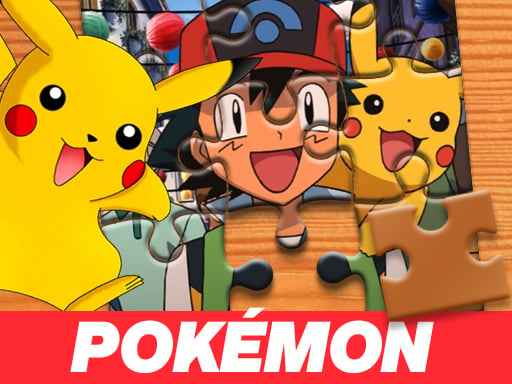
About Pokémon Jigsaw Puzzle
Pokémon Jigsaw Puzzle is a casual jigsaw browser title where players reconstruct a cartoon scene from scattered pieces. Before sorting through the board, you select a difficulty level ranging from easy to hard. Pieces are randomly distributed across the screen, challenging you to recognize distinct colors, line art, and silhouettes. By dragging each piece into its matching spot over a transparent background guide, you gradually restore the entire original image.
In Pokémon Jigsaw Puzzle, the core gameplay loop centers on visual matching and piece placement. At the start of a session, you choose your preferred difficulty from three distinct options: easy, medium, or hard. Once selected, the artwork breaks apart into individual jigsaw pieces that are scattered randomly around the playfield. A faint, transparent silhouette of the complete image rests on the board, providing a direct visual template to guide your assembly.
Players interact with the puzzle by dragging individual pieces across the screen and dropping them onto their corresponding transparent outlines. As matching segments snap into place, the cartoon picture steadily emerges. The session continues until all separated pieces are properly linked and the finished artwork matches its starting appearance. Its accessible layout and straightforward mouse controls make it easy to pick up for a quick visual sorting session.
Your goal
The objective in Pokémon Jigsaw Puzzle is to successfully assemble all scattered jigsaw pieces into a complete, seamless picture. You achieve this by correctly identifying where each fragment belongs against the transparent background reference. Whether playing on easy, medium, or hard, your main goal is to connect every piece until the full cartoon illustration looks exactly as it did before being scrambled.
How to play Pokémon Jigsaw Puzzle
1. Launch the game and select your desired difficulty setting from easy, medium, or hard.
2. Observe the transparent guide image positioned across the main board to understand the overall layout.
3. Scan the randomly scattered jigsaw pieces spread around the edges and center of the game screen.
4. Click and hold a puzzle piece with your mouse cursor to pick it up.
5. Drag the selected piece over its matching section on the transparent guide and release the mouse button to drop it.
6. Repeat the process for remaining pieces until the entire artwork is fully connected and restored.
Controls and device support
The game uses simple drag-and-drop mouse controls. Click and hold a scattered puzzle piece to pick it up, drag it to the desired spot on the board, and release to drop it in place.
- Controls: Mouse or touch
- Device support: Browser
- Game frame: 800 x 600
Rules to keep in mind
- Difficulty selection occurs at the start, offering choices between easy, medium, and hard modes.
- Jigsaw pieces are randomly distributed across the play screen upon starting a puzzle.
- Pieces must be dragged over the matching areas on the transparent image template to assemble the scene.
- The puzzle is complete once all individual pieces are connected and the image matches the original unfragmented illustration.
What makes the challenge interesting
The core appeal of Pokémon Jigsaw Puzzle lies in visual pattern recognition and systematic spatial organization. Because the pieces are scattered randomly across the display, success comes down to breaking down the illustration into identifiable components such as distinct character outlines, background colors, and edge shapes.
Having a transparent guide overlay creates an intuitive reference point, reducing frustration and allowing players to verify piece placement immediately. Choosing between easy, medium, and hard changes the density of pieces you must inspect, giving players the freedom to engage in a quick, relaxed session or a more deliberate visual assembly challenge.
Tips for Pokémon Jigsaw Puzzle
- Start by identifying edge and corner shapes among the scattered pieces. Placing the outer border first provides a stable frame that makes locating interior pieces much simpler.
- Use the transparent silhouette actively as a map. Matching distinct lines, eyes, or bold character contours on the piece against the background guide prevents aimless guessing.
- Group loose pieces by prominent color clusters before placing them. Sorting similar tones together keeps your workspace tidy and speeds up finding matching parts.
- Begin on the easy difficulty setting if you are unfamiliar with the artwork layout, then step up to medium or hard once you recognize key visual landmarks.
Stages and progression
Progression in the game is centered around its three selectable difficulty modes: easy, medium, and hard. Players can tailor their session by choosing fewer, larger pieces on lower settings or smaller, more numerous fragments on higher settings. Moving between difficulties offers a natural way to practice piece recognition and improve assembly pacing across successive attempts.
Playing on different devices
The game runs in a standard 800 by 600 window designed for desktop mouse interaction. Using a mouse provides precise drag-and-drop control when picking up small puzzle fragments and aligning them against the transparent image guide.
The skills behind the game
As part of the puzzle and jigsaw genre, Pokémon Jigsaw Puzzle emphasizes spatial reasoning, patience, and visual comparison. Puzzle games in this category appeal to players who enjoy methodical problem-solving rather than fast-paced reflexes.
The inclusion of cartoon themes adds visual clarity, as bold outlines and bright character palettes make piece identification an enjoyable, low-stress activity suitable for casual puzzle enthusiasts of all ages.
Who will enjoy this game
Players looking for a classic jigsaw puzzle online can use this title for quick visual practice. Because the game allows you to choose between multiple difficulty levels, it serves both beginners looking for a straightforward assembly session and experienced puzzlers seeking a higher piece density.
The presence of a transparent guide overlay makes the assembly process approachable, offering a reliable reference point when searching for a relaxed Pokémon jigsaw puzzle game to play directly in a desktop browser.
Frequently asked questions
What difficulty modes are available in Pokémon Jigsaw Puzzle? Players can choose between easy, medium, and hard difficulty settings before starting the puzzle assembly.
How do you know where to place each puzzle piece? The play area displays a transparent guide image showing the finished artwork, allowing you to match each scattered piece directly against its corresponding outline.
How do the controls work during assembly? You use mouse drag-and-drop controls to pick up pieces from around the screen, move them over the transparent template, and release them into place.
Something not right?
Tell us if the game does not load, the information is wrong or the content needs review.
Report a problem ›