Official listing
Game description
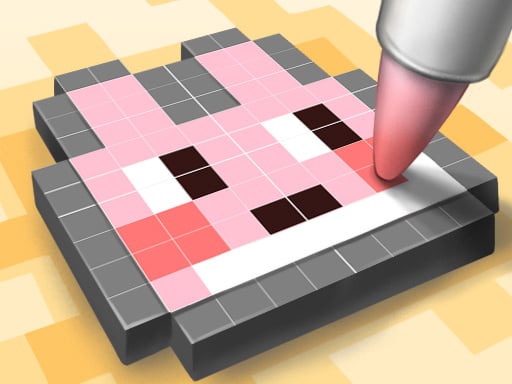
It's a game where you draw a cute little image. You can develop color matching skills and accuracy without any burden. Why don't you get out of your daily life for a while and heal yourself through coloring games?
Clicker game
PixelArt is a relaxing coloring and clicker game where players create cute pixel images through simple click-to-draw interactions. Designed to provide a peaceful creative break, the game invites you to step away from daily routines, refine your color matching precision, and build charming artwork at your own pace without pressure or complicated rules.
Choose Play now to load the game.
Official listing
It's a game where you draw a cute little image. You can develop color matching skills and accuracy without any burden. Why don't you get out of your daily life for a while and heal yourself through coloring games?
From the game listing
Click for draw
Open this card to load the gameplay video.
PixelArt is a relaxing coloring and clicker game where players create cute pixel images through simple click-to-draw interactions. Designed to provide a peaceful creative break, the game invites you to step away from daily routines, refine your color matching precision, and build charming artwork at your own pace without pressure or complicated rules.
PixelArt delivers a stress-free digital coloring experience presented in an 800 by 600 browser window. Categorized as a clicker and coloring game, its core activity revolves around clicking on designated image areas to apply colors and draw charming illustrations. The activity is structured to foster precision and color matching skills in a soothing atmosphere.
Rather than challenging players with fast timers or complex mechanics, PixelArt emphasizes healing through creative expression. The straightforward interface lets anyone jump directly into the artwork, making each drawing session an accessible pastime for players of all skill levels.
The primary objective in PixelArt is to complete the cute pixel artwork by accurately matching and applying colors across the canvas. Players aim to fill the drawing completely using click controls, exercising focus and visual coordination while enjoying an unhurried, restorative coloring process.
1. Open the game canvas to view the cute image outline ready for coloring.
2. Examine the designated color areas across the picture to plan your matching.
3. Click on the desired canvas sections to draw and fill in colors accurately.
4. Continue clicking across all segments until the cute pixel illustration is complete.
Click / Left Mouse Button: Draw and apply color to the canvas
PixelArt centers on a deliberate, therapeutic rhythm where accuracy and patience replace urgent reactions. Because the gameplay is unburdened by strict time limits or harsh penalties, players can direct their full attention toward steady color placement. Every click gradually transforms a plain grid into a vibrant, finished illustration.
This casual clicker dynamic makes the game an ideal option for short stress-relief breaks during the day, offering satisfying visual progression with minimal cognitive friction.
Within the clicker and coloring genres, PixelArt prioritizes visual satisfaction over rapid tapping metrics. Traditional clicker titles often emphasize speed or numerical growth, but here the click mechanic serves as an artistic brush, letting players steadily assemble cute pixel illustrations without high-intensity demands.
Players looking for a pixelart game or a relaxing coloring game online can enjoy PixelArt for its straightforward clicker game online format. Its accessible click-to-draw setup makes it simple to practice color matching and unwind anytime without complicated setup.
Happy Color: Like Happy Color, PixelArt focuses on the calm enjoyment of filling outlined spaces with matching colors. However, while Happy Color commonly uses complex numbered regions in a dedicated app format, PixelArt offers a straightforward browser clicker experience tailored around cute pixel graphics.
How do you draw or fill colors in PixelArt? You simply click on the canvas sections with your mouse to draw and fill in colors across the picture.
Is there a timer or penalty system in PixelArt? No. The game is designed to be played without burden, allowing you to relax and focus entirely on color matching accuracy.
What type of game is PixelArt? PixelArt is a casual clicker and coloring game where players create cute pixel artwork directly in their browser window.
Tell us if the game does not load, the information is wrong or the content needs review.
Report a problemExplore popular games by category, shared tags and site-wide activity.