Official listing
Game description
Engage in an exhilarating rope pulling race and demonstrate your superiority by emerging victorious in five rounds. May luck be on your side as you embark on this thrilling and enjoyable the challenge!
Multiplayer game
Pixel Pulling is a competitive two-player tug-of-war browser game centered on rapid inputs and fast reflexes. In this direct duel, two participants take charge of either the red or blue character in an energetic rope pulling race. Whether sharing a keyboard or tapping opposite sides of a touchscreen, the objective is to build pulling momentum and overpower your opponent across five distinct rounds.
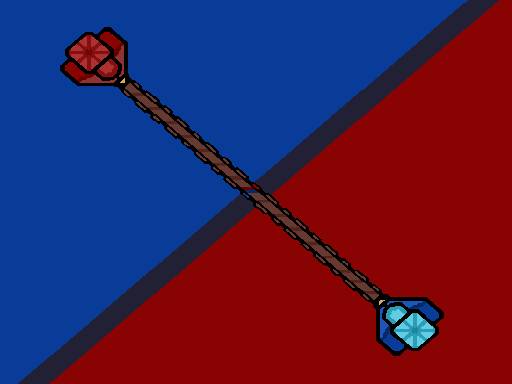
Choose Play now to load the game.
Official listing
Engage in an exhilarating rope pulling race and demonstrate your superiority by emerging victorious in five rounds. May luck be on your side as you embark on this thrilling and enjoyable the challenge!
From the game listing
Controls for the computer The W key makes the red character pull the rope the up arrow key makes the blue character pull the rope On touch devices The red and blue buttons on the screen make the character pull the string
Open this card to load the gameplay video.
Pixel Pulling is a competitive two-player tug-of-war browser game centered on rapid inputs and fast reflexes. In this direct duel, two participants take charge of either the red or blue character in an energetic rope pulling race. Whether sharing a keyboard or tapping opposite sides of a touchscreen, the objective is to build pulling momentum and overpower your opponent across five distinct rounds.
Set on a compact playfield, Pixel Pulling converts the classic playground tug-of-war into a fast-paced button-tapping race. Each match places two players head-to-head in a direct test of speed and stamina, with one player maneuvering the red competitor and the other controlling the blue competitor. The core loop consists of repeatedly engaging your designated input to pull the tensioned rope toward your side of the screen.
Because each round resolves quickly, the game creates immediate competitive tension without complicated onboarding or lengthy setup. It is built specifically around shared-device play, making it well-suited for brief local showdowns among friends or family. As each pull shifts the balance between the two characters, participants must maintain their physical input rhythm across multiple resets to decide who wins the full match.
Your primary objective in Pixel Pulling is to overpower your rival and emerge victorious by winning five rounds in the rope pulling race. Each round serves as a standalone contest of tapping speed, requiring you to drag the rope toward your side before your opponent can pull it away. Winning five total rounds secures the overall match victory.
1. Assign one player to the red character and the other player to the blue character before starting.
2. Locate your assigned controls on the shared device, using the W key or red on-screen button for Red, and the Up Arrow key or blue button for Blue.
3. Begin the round and start tapping your designated key or button rapidly to pull the rope in your direction.
4. Sustain a steady, high-speed input cadence to overcome the counter-pull from your opponent.
5. Continue competing through subsequent rounds until one player achieves victory in five rounds.
On a computer keyboard, press the W key to make the red character pull the rope, or press the Up Arrow key to make the blue character pull. On touchscreen devices, tap the red and blue on-screen buttons to pull the string.
Pixel Pulling focuses heavily on high-frequency mechanical inputs, physical endurance, and reaction pacing. Rather than demanding complex tactical navigation, the gameplay isolates the fundamental dynamic of a tug-of-war: who can deliver faster and steadier inputs under competitive pressure. The main tradeoff during a match involves managing physical hand strain versus burst speed. Straining too hard on initial taps can cause fatigue mid-round, allowing a steady rival to reverse the rope momentum, whereas starting too passively risks losing ground immediately. Finding a rapid, sustainable rhythm across all five rounds is the deciding factor in each contest.
Match progression in Pixel Pulling is defined by a race to accumulate five round wins. Because each round resets the central rope position, players experience a series of short, high-intensity sprints rather than an uninterrupted endurance trial. Developing consistency over time requires pacing your effort so your input speed in round four or five remains just as fast as in round one.
Pixel Pulling supports both desktop keyboards and mobile touchscreens with dedicated two-player inputs. On a desktop setup, using the W key for Red and the Up Arrow for Blue naturally separates both players across the keyboard. On touchscreens, the on-screen red and blue buttons allow two players to compete on the same glass display simultaneously.
Grouped under multiplayer and two-player clicker games, Pixel Pulling represents the tradition of same-device party challenges. Instead of requiring complex networking or separate hardware, local two-player titles emphasize direct face-to-face competition. The simple click-and-pull mechanic ensures that anyone can participate immediately without memorizing intricate control schemes, capturing the energetic spirit of quick-fire party mini-games.
Players looking for a pixel pulling game often search for accessible head-to-head browser titles that test reaction time and finger speed. Pixel pulling offers a clean, zero-friction tug-of-war duel that works well for casual breaks or quick friendly tournaments. Because the gameplay revolves around pure input speed and endurance, it serves as an entertaining test of dexterity that requires no previous gaming experience to enjoy.
How many rounds are needed to win a match in Pixel Pulling? A player wins the entire match by emerging victorious in five rounds of the rope pulling race.
Can two people play Pixel Pulling on the same device? Yes, Pixel Pulling is built for two players on one device, using separated keyboard keys (W and Up Arrow) on desktop or red and blue on-screen buttons on mobile.
What are the keyboard controls for each character? The player controlling the red character presses the W key to pull, while the player controlling the blue character presses the Up Arrow key.
Tell us if the game does not load, the information is wrong or the content needs review.
Report a problemExplore popular games by category, shared tags and site-wide activity.