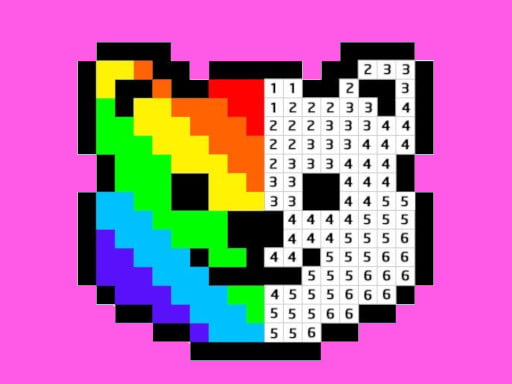
About Pixel Art - Color by Numbers
Pixel Art - Color by Numbers is a relaxing casual drawing title where players create vibrant artwork by filling numbered tiles with matching colors. Designed for both adults and kids, it offers an accessible creative experience that requires no previous drawing experience or artistic background.
Pixel Art - Color by Numbers provides a peaceful, single-player painting activity centered around numbered pixel grids. Players choose from a selection of free pixel pictures and color them in square by square. Because every section is tied directly to a specific color number, finishing a picture is purely a matter of following the numerical guide. The game fits comfortably into the hypercasual and casual categories, providing a soothing pastime that lets you watch a detailed piece of pixel art emerge at your own pace without pressure or complex rules.
Your goal
The main goal is to complete each chosen illustration by accurately applying the correct color to every numbered pixel on the canvas. An artwork is fully finished once all numbered squares have been colored in.
How to play Pixel Art - Color by Numbers
1. Select a picture from the available pixel art collection.
2. Inspect the canvas to see which numbers correspond to which pixel blocks.
3. Pick the active color that matches the number you wish to fill.
4. Left click on an individual square to apply color to that single pixel.
5. Hold the left mouse button for two seconds and drag across multiple squares to color larger areas faster.
6. Repeat the process across all numbers until the entire pixel illustration is completed.
Controls and device support
Left Click: Draw a single pixel
Hold Left Click 2s + Drag: Draw multiple pixels continuously
- Controls: See in-game controls
- Device support: Browser
- Game frame: 800 x 600
Rules to keep in mind
- Each square must be painted with the color corresponding to its assigned number to form the correct picture.
- Continuous multi-pixel drawing requires holding the left mouse button down for two seconds before dragging.
What makes the challenge interesting
Gameplay in Pixel Art - Color by Numbers revolves around steady observation and simple mouse inputs. Players switch between single left clicks for precise spot-coloring and a timed hold-and-drag motion to cover larger clusters of identical numbers. Because the title eliminates the need for manual drawing skills, the loop focuses entirely on the satisfying visual transformation of a blank, numbered grid into a completed pixel illustration.
Tips for Pixel Art - Color by Numbers
- Hold the mouse button down for two seconds before moving the cursor to quickly sweep across large clusters of the same number.
- Work through the image number by number to ensure you do not leave isolated single pixels behind on the canvas.
- Scan the entire board carefully for faint remaining numbers before assuming a color layer is completely finished.
The skills behind the game
As a hypercasual and casual drawing title, Pixel Art - Color by Numbers emphasizes straightforward interactions and stress-free creative engagement. Casual coloring titles remove complex mechanics, offering players a calm environment centered on gradual visual completion.
Who will enjoy this game
Players looking for a coloring game online or a dedicated pixel art - color by numbers experience will find a structured, number-guided system that makes digital painting easy to approach on HTML5 platforms.
Games with a similar feel
Happy Color: Like Happy Color, this game centers on matching colors to designated numbers to fill out artwork. However, Pixel Art - Color by Numbers uses discrete grid-based pixel tiles and a timed hold-and-drag mechanic rather than large polygonal shapes.
Frequently asked questions
Do you need prior drawing skills to play Pixel Art - Color by Numbers? No prior artistic skills are required. The game provides numbered templates where you match each square with its corresponding color to finish the illustration.
How do you color multiple pixels at once? To fill multiple pixels in one stroke, hold down the left mouse button for two seconds and then drag your cursor across the grid.
Something not right?
Tell us if the game does not load, the information is wrong or the content needs review.
Report a problem ›