About Ping
Ping is an arcade reflex challenge created by Nau.Minimal that strips timing gameplay down to its purest essentials. Your single objective is to send a ball back and forth across the screen while avoiding an obstacle barrier placed in its path. With difficulty that steadily climbs as time passes, success requires sharp visual focus, patient rhythm, and consistent tap timing.
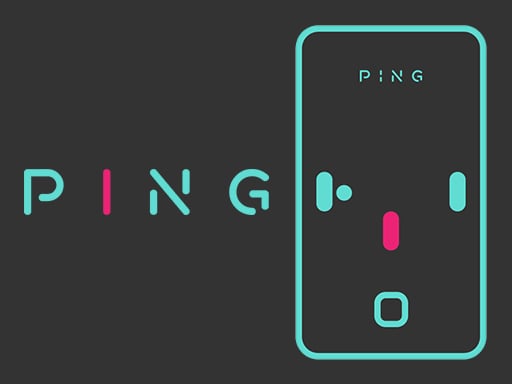
Designed with a clean, minimalist visual style, Ping presents players with a straightforward spatial puzzle that tests hand-eye coordination. A central ball moves between opposite sides of the playfield whenever you trigger a click, requiring you to navigate through clear gaps rather than colliding with the protective barrier.
Each successful transit from one side to the other contributes toward your ongoing point total. Because the game increases its challenge naturally with the passage of time, rounds quickly transition from calm calibration into high-intensity reflex tests where every click demands precise execution.
Your goal
The main goal in Ping is to accumulate the highest possible score by continuously passing the ball between opposite sides without touching the barrier. Rather than managing complex inventories or power-ups, you are measuring your endurance and reaction speed against an escalating pace over time.
How to play Ping
1. Observe the starting position of the ball and the layout of the barrier on screen.
2. Click or tap the screen at the right moment to send the ball toward the opposite side.
3. Ensure the ball travels cleanly across without making contact with the barrier.
4. Repeat your inputs consistently to earn additional points with every crossing.
5. Adapt your reaction speed as the passage of time raises the overall difficulty.
Controls and device support
Click on the screen to pass the ball to the opposite side.
- Controls: Mouse or touch
- Device support: Desktop + mobile
- Game frame: 720 x 1280
Rules to keep in mind
- Touching the barrier disrupts your crossing and must be avoided.
- Points are earned by successfully passing the ball across to the opposite side.
- Overall gameplay difficulty scales upward as time elapses during a run.
What makes the challenge interesting
The core appeal of Ping lies in its immediate clarity and tightening margin for error. Because control is limited to a single direct input, player performance hinges entirely on perceptual anticipation rather than memorizing complex control layouts. You must track the moving elements, predict the optimal crossing window, and execute the input without hesitation.
A key tradeoff involves balancing aggressive, rapid clicks against patient waiting. Clicking too early or panicking under rising pressure often results in direct collision with the barrier, while hesitating too long can disrupt your rhythm. Finding a steady visual cadence is essential for sustaining long scoring runs.
Tips for Ping
- Focus your eyes on the clear pathway rather than tracking the obstacle itself. Keeping your vision centered on the opening helps you commit to clean transit windows without second-guessing your input.
- Establish a calm, steady rhythm early in the match before difficulty climbs. Rushing inputs during the opening moments often leads to careless collisions on routine crossings.
- Anticipate the transit path rather than clicking purely on raw reaction. Accounting for the brief flight time of the ball prevents premature launches directly into approaching barrier edges.
- Take short visual breaks between extended attempts. Because the escalating challenge relies heavily on sustained concentration, mental fatigue is the most common cause of sudden misclicks.
Stages and progression
Progression in Ping is structured around time-based scaling rather than discrete level unlocks or story stages. As a session continues, the game gradually elevates the challenge, demanding quicker decisions and sharper precision to maintain your streak.
Because the difficulty ramps continuously, personal mastery is measured by your highest point score across repeated sessions. Players progress by acclimating to faster pacing and cultivating the composure needed to survive late-run pressure.
Playing on different devices
Built with native dimensions of 720 by 1280 pixels, Ping uses a portrait-oriented layout that naturally suits mobile touchscreens and modern smartphone displays. Touching anywhere on the screen executes the crossing action instantly.
On desktop web browsers, the game operates seamlessly via standard mouse clicks. The generous clickable area ensures that desktop players can maintain timing without needing to position the cursor over a tiny button target.
The skills behind the game
While listed under clicker and arcade categories, Ping delivers an active, reflex-driven obstacle challenge rather than an idle management loop. It emphasizes quick sensory processing, immediate feedback, and continuous engagement where single clicks determine active survival.
Who will enjoy this game
Players looking for a quick ping game or responsive clicker game online will appreciate the clean, distraction-free environment of Ping. It serves as an excellent micro-session warm-up for hand-eye coordination, offering instant restarts and pure skill-based scoring.
Frequently asked questions
How do you score points in Ping? You score points by clicking the screen to launch the ball from one side of the playfield to the opposite side without striking the barrier.
What causes the difficulty to increase during a match? The difficulty in Ping naturally intensifies with the passage of time, requiring faster reflexes and tighter precision the longer your run continues.
Can Ping be played on mobile devices? Yes, Ping is designed in a 720x1280 portrait format and supports direct touch inputs on mobile screens alongside desktop mouse clicking.
Something not right?
Tell us if the game does not load, the information is wrong or the content needs review.
Report a problem ›