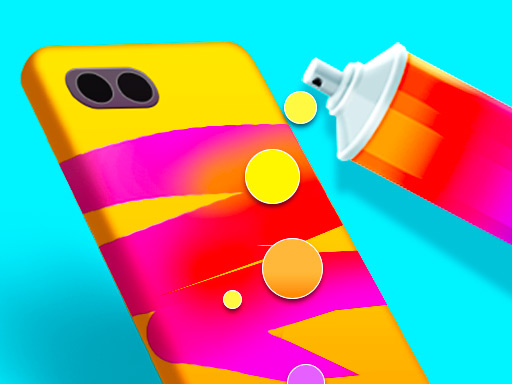
About Phone Case DIY 2
Phone Case DIY 2 is a creative design game where players craft stylish phone cases for a sister's upcoming party. Using a selection of case models, bright colors, stencils, and stickers, you can experiment with multiple crafting processes such as stencil art and Pop It elements to create personalized mobile accessories.
In Phone Case DIY 2, players explore their artistic side by customizing mobile phone covers. The main scenario tasks you with designing the latest trendy phone case for a girl preparing to attend her sister's party. The game provides a variety of base phone models, beautiful color palettes, and decorative stickers to bring each custom concept to life.
Crafting involves different crafting workflows, including spraying detailed patterns through stencil art and incorporating interactive Pop It features. Because the tools are designed for straightforward artistic expression, players can freely combine paints, textures, and accents without worrying about rigid completion barriers.
Your goal
The primary objective is to complete an attractive, personalized phone case for the party attendee. You accomplish this by selecting a phone model, choosing one of the available crafting methods such as stencil spraying or Pop It shaping, and finishing the piece with vibrant colors and cute stickers.
How to play Phone Case DIY 2
1. Pick a starting phone case model from the available options.
2. Select your preferred crafting process, such as stencil art or Pop It styling.
3. Apply spray paint and colors to coat the case or pattern.
4. Place decorative stickers across the surface to finalize the custom design.
Controls and device support
Left mouse click / drag: Select crafting methods, spray paint across stencils, and attach stickers.
Tap / swipe: Choose case options, spray colors, and interact with design tools on touchscreens.
- Controls: Mouse or touch
- Device support: Desktop + mobile
- Game frame: 504 x 800
What makes the challenge interesting
The core focus of Phone Case DIY 2 centers on casual customization and tactile crafting steps. Instead of racing against timers or avoiding mistakes, players explore different aesthetic combinations across three distinct making processes. Whether you are spraying paint over intricate stencils or engaging with Pop It shapes, the workflow emphasizes relaxed creative experimentation and decorative styling.
Tips for Phone Case DIY 2
- Try out different background spray colors to see which shade contrasts best with your chosen stencil patterns.
- Experiment with both stencil art and Pop It processes to discover which crafting style suits your design vision.
- Distribute stickers evenly across the case surface to keep the final party accessory balanced and visually appealing.
The skills behind the game
Categorized under Girls and Design games, Phone Case DIY 2 highlights accessible creative projects centered on fashion accessories. Titles in this genre typically focus on aesthetic choices, decorative freedom, and casual styling tools rather than high-pressure challenges.
Who will enjoy this game
Players looking for a coloring game online or casual crafting experiences often seek titles that provide straightforward painting and decorating mechanics. Phone Case DIY 2 delivers this through intuitive spray coloring, stencil art, and sticker application.
Games with a similar feel
Love Nikki-Dress UP Queen: Like Love Nikki-Dress UP Queen, Phone Case DIY 2 explores personal fashion and styling aesthetics. However, Love Nikki focuses on full-body garment coordination, whereas this title specifically centers on crafting and decorating custom phone cases.
Happy Color: Both Happy Color and Phone Case DIY 2 emphasize relaxing color application. While Happy Color uses structured numbered regions on 2D illustrations, Phone Case DIY 2 lets players spray paint freely across stencils and 3D case models.
Frequently asked questions
What crafting processes are available in Phone Case DIY 2? The game includes three distinct making processes, including stencil art where you spray patterns onto the case, and a Pop It crafting option.
How do you control the tools in the game? You can play using mouse clicks and drags on desktop, or simple taps and swipes on mobile touchscreen devices.
Something not right?
Tell us if the game does not load, the information is wrong or the content needs review.
Report a problem ›