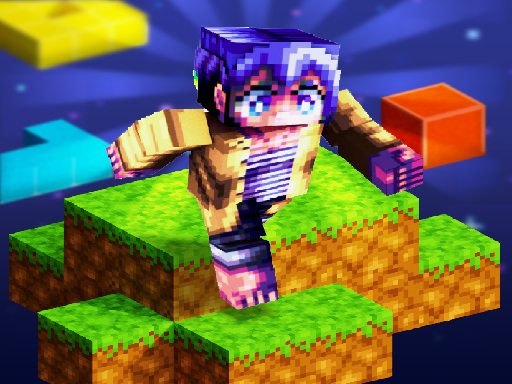
About Parkour Craft 3D
Parkour Craft 3D tests your spatial awareness and platforming timing across block-based courses. Players navigate voxel terrain by running from block to block, leaping past hazardous gaps, and balancing on narrow footing to reach the finish line. Each stage challenges you to judge jump distance accurately, maintain momentum, and secure collectible coins while adjusting camera angles for the best view.
Set across bright, pixelated environments reminiscent of classic voxel worlds, Parkour Craft 3D places you on elevated paths where precision is essential. Your primary goal is to guide your character through courses filled with varied platforms, floating blocks, and tricky gaps. The core loop revolves around steady pacing, anticipating upcoming jumps, and landing cleanly without slipping over the edge.
As you move through the maps, you can search for hidden treasures and collect gold coins scattered along the route. The game provides multiple perspective options, allowing you to switch viewpoints and adjust camera angles to align tricky jumps. Whether playing at your own pace or aiming to clear courses smoothly, the focus stays on mastering movement timing across voxel terrain.
Your goal
Your objective is to traverse the entire obstacle course, survive the hazardous gaps, and successfully reach the final platform of each level. Along the journey, aim to collect available gold coins and locate hidden treasures while refining your jump timing and landing accuracy.
How to play Parkour Craft 3D
1. Start the stage and assess the path ahead to spot gaps, narrow blocks, and nearby coins.
2. Use the movement keys to direct your character along the main platforms.
3. Time your jumps carefully to clear empty spaces and land securely on the next block.
4. Switch camera perspectives or toggle third-person view whenever you need better depth perception.
5. Gather gold coins along the route and proceed across the final block to complete the course.
Controls and device support
Movement is controlled using WASD or Arrow Keys, and Space activates jumps. Press C to change the camera view, V to switch third-person perspective (TPS mode), Q to use a skill, and F1 to toggle mouse cursor visibility.
- Controls: WASD + arrow keys
- Device support: Browser
- Game frame: 1920 x 1080
Rules to keep in mind
- You must jump across blocks and avoid falling into open gaps to survive the run.
- Reaching the end of the obstacle map marks the completion of the level.
- Gold coins and hidden treasures are optional collectibles distributed across the pixel maps.
What makes the challenge interesting
The defining skill in Parkour Craft 3D is depth perception and jump moderation. In a 3D environment, misjudging the distance to a narrow block can cause your character to fall short or overshoot the landing. Players balance the speed of a continuous sprint with the deliberate caution required on thin perches.
Utilizing perspective changes is another central tactical element. Switching camera angles gives you a clearer angle on tricky diagonal leaps, allowing you to line up footing before committing to a jump. Finding a rhythm between steady forward motion and careful alignment is the key to consistent runs.
Tips for Parkour Craft 3D
- Adjust camera angles before attempting diagonal jumps. Aligning your view directly behind your character prevents misjudging the distance to narrow blocks.
- Pause briefly on wide landing blocks to regain your bearings. Rushing without scanning ahead often leads to overshooting small platforms.
- Switch perspectives between first-person and third-person view to determine which perspective offers better spatial clarity for specific obstacles.
- Watch your step when grabbing out-of-the-way gold coins, ensuring you have enough footing to recover your leap toward the main trail.
Stages and progression
The game features multiple pixel maps containing distinct obstacle layouts to navigate. As you advance through levels, platform sequences demand greater precision and tighter jump timing. Players can focus their progression on improving course completion consistency, securing every scattered coin, and refining clean landing techniques on increasingly intricate block configurations.
Playing on different devices
On desktop browsers, the game benefits from keyboard navigation combined with mouse control for camera tracking. The dedicated keys allow quick toggling of perspective views and cursor visibility, giving players fine control over visual framing while jumping.
The skills behind the game
Within the arcade and 3D runner category, block parkour games emphasize spatial judgment and physical momentum over combat or resource gathering. While drawing inspiration from block-building aesthetics, the gameplay strictly highlights navigation and obstacle avoidance. Players who appreciate fast-paced obstacle courses, reflex-driven leaps, and clear geometric layouts will find a focused platforming experience centered on movement precision.
Who will enjoy this game
Players looking for parkour craft 3d and engaging arcade game online experiences typically seek pick-up-and-play platformers that challenge reaction times. Parkour Craft 3D fulfills this demand by offering accessible browser-based jump challenges with instant restarts and intuitive keyboard controls, making it suitable for casual practice sessions or focused platforming runs.
Games with a similar feel
Minecraft: Minecraft is a sandbox game famous for building and exploring vast voxel worlds. Parkour Craft 3D borrows that recognizable pixel block aesthetic but narrows the entire focus down to pure obstacle-course platforming and precision jumps, making it ideal for players who want immediate parkour challenges without survival management.
Asphalt: Asphalt delivers high-speed vehicular arcade racing across elaborate tracks. While Parkour Craft 3D also emphasizes course navigation and quick reflexes, it substitutes high-speed driving with foot-based voxel platforming, catering to players seeking careful leaping precision rather than motorized racing.
Frequently asked questions
What are the main controls for jumping and moving in the game? Movement is performed using either WASD or the Arrow Keys, while Space triggers your jumps. You can also switch perspectives using C and V, activate skills with Q, and toggle cursor visibility using F1.
Can I switch camera perspectives during a parkour run? Yes. The game includes dedicated controls to modify your camera view and toggle third-person perspective, helping you inspect landing zones from different angles.
What collectibles are available throughout the stages? Players can seek out and collect gold coins and hunt for hidden treasures scattered across the various block maps as they navigate the obstacle courses.
Something not right?
Tell us if the game does not load, the information is wrong or the content needs review.
Report a problem ›