Official listing
Game description
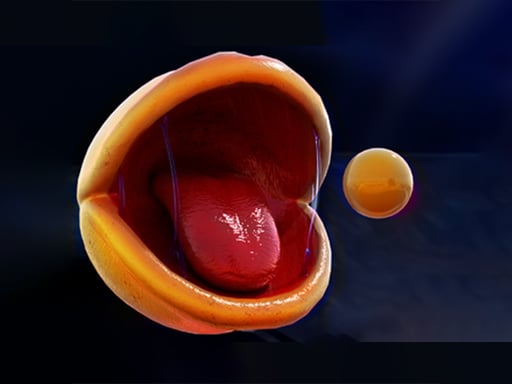
We all knew Pac man was horrifying if it came to life and now you have confirmed it. The slobber from him really added to the unsettling aesthetic. This was loads of fun.
Arcade game
Pac-Man Rtx On is an arcade title that reimagines the classic character concept with an unsettling visual aesthetic. Using direct keyboard controls, players navigate paths while experiencing a detailed, creepy rendering of the iconic creature. The game delivers immediate movement mechanics focused on precise pathing and cornering through responsive, buffered directional controls.
Choose Play now to load the game.
Official listing
We all knew Pac man was horrifying if it came to life and now you have confirmed it. The slobber from him really added to the unsettling aesthetic. This was loads of fun.
From the game listing
WASD to move Inputs are ignored if there is no valid path to move in a given direction but can be held down to buffer a turn in that direction
Open this card to load the gameplay video.
Pac-Man Rtx On is an arcade title that reimagines the classic character concept with an unsettling visual aesthetic. Using direct keyboard controls, players navigate paths while experiencing a detailed, creepy rendering of the iconic creature. The game delivers immediate movement mechanics focused on precise pathing and cornering through responsive, buffered directional controls.
Pac-Man Rtx On brings a striking visual presentation to classic arcade navigation by depicting a realistic, slobbering creature in a maze environment. Designed around a standard 800 by 600 viewport, the title leans heavily into an unsettling mood while keeping its core movement clean and functional. Players take control using standard keyboard keys to traverse corridors without unnecessary interface clutter.
Because the game focuses on visual impact alongside direct movement handling, each turn demands player attention. The rendering offers a memorable aesthetic contrast to retro sprites, yet relies on clear navigational rules where walls prevent invalid turns. It stands as a unique, atmospheric arcade diversion built around simple exploration and classic maze themes.
The primary goal in Pac-Man Rtx On is to guide the creature cleanly through maze pathways while steering clear of dead ends and walls. Success requires timing your directional inputs so your character smoothly rounds corners without stalling. Mastering path navigation allows players to explore the unsettling corridors without getting caught against barriers, maintaining fluid movement through the environment.
1. Place your fingers on the W, A, S, and D keys on your keyboard before moving.
2. Press the directional key matching the open corridor you wish to enter.
3. Hold down your chosen turn key in advance to buffer movement into upcoming turns.
4. Avoid pressing toward walls or dead ends, as invalid direction commands are ignored by the game.
5. Continuously guide the creature along valid open passages across the screen.
Direction inputs targeting walls or obstacles are ignored until an open corridor becomes available, but holding the key buffers the turn.
WASD: Move character (hold to buffer turn)
The core gameplay focus centers on input precision and path anticipation within tight corridors. Because the game actively rejects inputs that lead into invalid routes, players cannot force turns through solid obstacles. However, the input buffering mechanic allows players to hold down WASD keys before reaching a corner, ensuring that turns register as soon as an opening appears. This design rewards anticipation over frantic tapping, encouraging smooth, uninterrupted navigation through the unsettling labyrinth while keeping control responsive and dependable.
Belonging to the classic arcade category, Pac-Man Rtx On highlights rapid directional navigation and immediate spatial decision-making. Arcade maze games traditionally emphasize tight movement corridors and responsive route planning. Here, the customary arcade style is refreshed with a distinct, unsettling aesthetic while maintaining straightforward keyboard controls. Players accustomed to arcade action will appreciate the direct, uninterrupted focus on traversing valid paths cleanly.
Players searching for an arcade game online often look for fresh variations on classic formats, and pac-man rtx on delivers a memorable visual spin. As a pac-man rtx on game, it takes the familiar maze movement concept and adds unsettling character detailing. The browser format makes jumping into the game quick and accessible for anyone wanting a distinct arcade experience.
What controls are used to play Pac-Man Rtx On? Players use the standard WASD keys on a desktop keyboard to steer their character up, left, down, and right through the available maze corridors.
Why does the game ignore my movement key presses? Inputs are ignored whenever there is no valid open path in that direction. To make the turn reliably, hold the key down to buffer it.
How does the input buffering feature work? Holding down a movement key before reaching an open intersection buffers your input, allowing your character to turn instantly once a valid path opens.
Tell us if the game does not load, the information is wrong or the content needs review.
Report a problemExplore popular games by category, shared tags and site-wide activity.














